12 Best Home Ink Printers for 2027 That Deliver Quality Prints
Looking for the best home ink printers for 2027? You’re in the right place! Whether you need a reliable printer for everyday documents or vibrant photo printing, there are plenty of great options to choose from.
Top models like the HP DeskJet 2923 and Canon PIXMA TS6520 deliver all-in-one functionality with wireless capability, making printing super easy and convenient.
If you’re all about high-volume printing without breaking the bank, the Canon MegaTank G3270 is a fantastic choice. It offers cost-efficient ink refills that keep running costs low.
Plus, the Epson EcoTank ET-4800 brings cartridge-free convenience to your desk, so you don’t have to worry about constantly replacing ink cartridges.
With smart features and excellent print quality, these home ink printers fit perfectly in any home office setup.
Ready to find your perfect match? Stick around to explore even more must-have selections!
HP DeskJet 2923 Color Inkjet Printer | Wireless | All-in-One
The HP DeskJet 2923 Color Inkjet Printer is designed to simplify your home printing needs. It combines printing, scanning, and copying in one compact device, perfect for busy families managing multiple tasks. Its wireless capabilities allow you to print directly from your smartphone, helping you save time and stay connected.
This all-in-one printer features a 60-sheet input tray that minimizes frequent paper refills, making it easier to handle everyday jobs. It delivers up to 7.5 pages per minute in black and 5.5 in color, balancing speed with quality for typical household use. The printer’s straightforward design reduces maintenance demands, so you can focus on your work.
Eco-conscious users will appreciate that the device is made from 70% recycled plastics and holds ENERGY STAR certification. Additionally, the six-month Instant Ink trial helps keep ink costs manageable, although ongoing subscription is required afterward. This combination of features supports an efficient and sustainable printing experience.
Best for: Families and individuals needing a reliable, wireless all-in-one printer that fits well in busy home environments.
What We Like:
- Combines printing, copying, and scanning in one easy-to-use device
- Wireless printing via HP app for smartphone convenience
- Eco-friendly design with recycled materials and ENERGY STAR certification
- Compact size fits well in home offices and small spaces
- Six-month trial of Instant Ink reduces initial ink expenses
Specification:
| Feature | Details |
|---|---|
| Manufacturer | HP |
| Dimensions | Approx. 16.7 x 12.2 x 6.0 in (42.4 x 31.0 x 15.2 cm) |
| Weight | Approx. 5.3 lb (2.4 kg) |
| Material | Plastic (70% recycled) |
| Color Options | White with black accents |
Canon PIXMA TS6520 Wireless Color Inkjet Printer, 1.42″ OLED Display, White
Experience the convenience of a compact and efficient all-in-one printer with the Canon PIXMA TS6520. Designed for home offices, it delivers crisp, high-quality prints that meet everyday document and photo needs. This printer helps reduce clutter and simplifies your workspace with its integrated scanner and copier.
Maintaining smooth workflow is easier thanks to automatic two-sided printing, which saves paper without extra effort. The dual-band Wi-Fi ensures a stable connection, allowing you to print wirelessly from various devices. Navigation is straightforward with the bright 1.42” OLED display, making setup and operation intuitive.
Ink management is practical, though heavy users may need to replace starter ink tanks sooner. Weighing 15.4 pounds, it offers portability but might be less convenient to move frequently. Its sleek white design fits neatly into most home office environments, balancing style with functionality.
Overall, the Canon PIXMA TS6520 enhances productivity with reliable print quality and versatile features, making daily tasks simpler and more efficient.
Best for: Home office users needing a compact, wireless all-in-one printer that handles printing, scanning, and copying with ease.
What We Like:
- Sharp print quality at 1200 x 1200 dpi for documents and photos
- Automatic two-sided printing reduces paper use
- Reliable dual-band Wi-Fi with voice control compatibility
- User-friendly 1.42” OLED display for easy operation
- Integrated scanner and copier for versatile document handling
Specification:
| Feature | Details |
|---|---|
| Manufacturer | Canon |
| Dimensions | Not specified |
| Weight | 15.4 lb (7 kg) |
| Color Options | White |
| Display | 1.42” OLED |
| Connectivity | Dual-band Wi-Fi |
Canon PIXMA TS3720 Wireless All-in-One Printer
The Canon PIXMA TS3720 Wireless All-in-One Printer is designed to streamline your home office tasks. It combines printing, copying, and scanning functions into one compact device, saving space and reducing clutter. This printer supports wireless connectivity, allowing you to print documents and photos directly from your smartphone or tablet with ease.
Setup is straightforward, thanks to the simple interface and a user-friendly 1.5” LCD screen. The printer connects via USB or dual-band Wi-Fi, making it flexible for various work environments. It supports mobile printing through the Canon PRINT app and Apple AirPrint, enhancing convenience for users on the go.
With a maximum print resolution of 4800 x 1200 dpi, the PIXMA TS3720 produces sharp, vibrant images. However, its rear paper tray holds only up to 60 sheets, which means frequent refills may be necessary during heavy use. Color printing runs at a moderate speed of 4 pages per minute, which may affect productivity for large color jobs.
Maintenance is simple, but users should be aware of its smaller display and slower color output. Overall, it offers a balance of functionality and wireless convenience for everyday home office needs.
Best for: Home office users seeking a compact all-in-one printer with wireless capabilities and photo-quality printing.
What We Like:
- Combines printing, copying, and scanning in one device
- High print resolution for sharp photos and documents
- Easy wireless and mobile printing options
- Simple setup and intuitive controls
Specification:
| Feature | Details |
|---|---|
| Manufacturer | Canon |
| Dimensions | Not specified |
| Weight | Not specified |
| Connectivity | USB, Dual-band Wi-Fi |
| Print Resolution | Up to 4800 x 1200 dpi |
| Paper Capacity | 60 sheets (rear tray) |
| Display | 1.5-inch LCD screen |
Canon PIXMA TS4320 – Wireless Color Inkjet Printer with Print, Copy, Scan
The Canon PIXMA TS4320 is designed to simplify your home printing tasks with its wireless functionality and space-saving design. It combines printing, copying, and scanning into one compact device, reducing the need for multiple machines. This versatility helps you manage everyday documents and photos efficiently.
With high-quality color inkjet printing reaching up to 1200 x 1200 dpi, your prints come out crisp and vibrant. Automatic duplex printing lets you print on both sides, cutting paper use and saving time. Setting up the printer is straightforward, thanks to dual-band Wi-Fi and support for mobile printing apps like Canon PRINT and Apple AirPrint.
Maintenance is easy with this model, but keep in mind that ink expenses can add up with frequent use. Also, it supports media sizes only up to 8.5” x 11”, which might limit options for larger print jobs. Despite a moderate print speed, the printer’s convenience and compact form make it well suited for everyday home needs.
Best for: Those seeking a compact and versatile all-in-one home printer that handles printing, copying, and scanning with wireless ease.
What We Like:
- Compact design fits well in small spaces
- Automatic duplex printing saves paper
- Easy mobile printing via Canon PRINT and AirPrint
- Sharp color prints with 1200 x 1200 dpi resolution
Specification:
| Feature | Details |
|---|---|
| Manufacturer | Canon |
| Dimensions | Not specified |
| Weight | 15.5 lb (7.03 kg) |
| Printer Type | Wireless Color Inkjet |
| Max Print Resolution | 1200 x 1200 dpi |
| Media Size | Up to 8.5” x 11” |
| Connectivity | Dual-band Wi-Fi, Mobile Apps |
Canon MegaTank G3270 All-in-One Wireless Color Printer
The Canon MegaTank G3270 All-in-One Wireless Color Printer is designed to ease your printing needs while cutting down on frequent ink replacements. Its innovative MegaTank system includes up to two years’ worth of ink, allowing you to print thousands of pages without interruptions. This feature saves both time and money, ideal for busy households or small offices.
With printing, copying, and scanning all integrated, the G3270 simplifies everyday tasks. It produces sharp, vibrant prints at a resolution of 4800 x 1200 dpi, ensuring professional-quality results. Wireless connectivity lets you print directly from smartphones and tablets, removing the hassle of cables and enhancing convenience.
Maintenance is straightforward thanks to the large ink tanks that are easy to refill. This reduces downtime and keeps your workflow smooth. The printer supports various media types, making it adaptable to different project needs.
While compact and efficient, the printer’s size may require ample desk space. Its print speed is moderate, and the warranty is limited, which might not suit heavy or high-volume users.
Best for: Families and small businesses seeking an affordable, multifunctional printer with low ink replacement frequency.
What We Like:
- High ink capacity delivers thousands of pages per refill
- Combines printing, copying, and scanning in one device
- Wireless printing from mobile devices enhances flexibility
- Supports multiple media types for diverse printing needs
Specification:
| Feature | Details |
|---|---|
| Manufacturer | Canon |
| Dimensions | 21.9 x 16.4 x 10.6 inches |
| Weight | Not specified |
| Color Options | Not specified |
| Print Resolution | Up to 4800 x 1200 dpi |
| Print Speed | 11 ppm (B&W), 6 ppm (color) |
Brother Work Smart 1360 Wireless Color Inkjet All-in-One Print, Scan, Copy
The Brother Work Smart 1360 Wireless Color Inkjet All-in-One is designed to simplify your printing tasks at home or in the office. It handles printing, scanning, and copying smoothly, helping you manage documents efficiently. Its compact design fits easily in small spaces, making it a practical choice for limited work areas.
With print speeds of up to 16 pages per minute in black and 9 ppm in color, this printer helps you stay productive without long waits. Automatic duplex printing reduces paper waste and saves time on double-sided documents. The 20-sheet automatic document feeder lets you scan or copy multi-page documents quickly.
Wireless connectivity and mobile printing options keep you connected to your devices effortlessly. The user-friendly 1.8” color display guides you through tasks, while the Page Gauge tracks ink usage, so you know when to replace cartridges. Regular maintenance is simple, ensuring consistent performance.
While its ADF capacity is modest and print resolution is best suited for everyday documents rather than professional photos, the Brother Work Smart 1360 offers reliable, versatile functionality in a compact package.
Best for: Small offices or home users needing an efficient all-in-one printer with wireless convenience.
What We Like:
- Versatile all-in-one functionality for printing, scanning, and copying
- Fast print speeds improve daily productivity
- Wireless and mobile printing options enhance convenience
- Automatic duplex printing reduces paper use
- User-friendly color display and ink monitoring
Specification:
| Feature | Details |
|---|---|
| Manufacturer | Brother |
| Dimensions | Compact (exact size not specified) |
| Weight | 16.8 lb (7.62 kg) |
| Color Options | Not specified |
HP Envy 6555e Color Inkjet Printer | Wireless | All-in-One
Looking for a printer that does it all without hassle? The HP Envy 6555e is designed to simplify your home office tasks. It prints, copies, and scans with ease, helping you manage everyday documents efficiently.
This all-in-one printer supports auto two-sided printing, reducing paper use and saving time. Its wireless connectivity lets you print directly from your smartphone or tablet using the HP app. This means fewer cables and more convenience.
Maintenance is straightforward, with easy cartridge replacement and a compact design that fits neatly on your desk. The printer uses HP’s P3 technology, ensuring your prints look vibrant and true to what you see on screen.
While print speeds are moderate, the Envy 6555e balances quality and eco-conscious design. Made from over 60% recycled plastic, it supports sustainability without sacrificing performance. Keep in mind, the 25-sheet output tray may require frequent emptying during large jobs.
Best for: Families and home office users needing a reliable all-in-one printer that blends functionality with eco-friendly features.
What We Like:
- Combines printing, copying, and scanning with auto two-sided printing
- Vibrant, true-to-screen color prints using HP’s P3 technology
- Wireless and mobile printing via the HP app for ease of use
- Eco-friendly design made from at least 60% recycled plastic
Specification:
| Feature | Details |
|---|---|
| Manufacturer | HP |
| Dimensions | Approx. 17.3 x 14.5 x 5.6 inches (44 x 36.8 x 14.2 cm) |
| Weight | Approx. 14.3 lbs (6.5 kg) |
| Material | Plastic with recycled content |
| Color Options | Black |
HP OfficeJet Pro 8125 Wireless All-in-One Printer
The HP OfficeJet Pro 8125 Wireless All-in-One Printer is designed to keep your home office running smoothly. It delivers fast printing speeds, helping you complete tasks efficiently without long waits. Whether printing black-and-white documents or vibrant color pages, it maintains solid performance and quality.
This printer’s dual-band Wi-Fi and mobile printing support through the HP app let you print from virtually anywhere. The 2.7-inch touchscreen makes setup and navigation simple, reducing downtime. Its compact design fits neatly in small workspaces, though its weight means it’s best kept stationary.
Maintenance is straightforward with a 225-sheet input tray that minimizes frequent paper refills. The printer is built with sustainability in mind, using over 45% recycled plastic. Its AI-enhanced printing optimizes quality with less effort on your part.
Security is also a priority, with HP Wolf Essential Security protecting your device and data. A three-month trial of the Instant Ink service offers convenience but keep in mind that ongoing ink costs may apply once the trial ends.
Best for: Professionals working from home who need a reliable, efficient all-in-one printer with mobile connectivity.
What We Like:
- Fast print speeds up to 20 ppm (black) and 10 ppm (color)
- Convenient mobile printing via dual-band Wi-Fi and HP app
- Sustainable design with recycled plastic components
- User-friendly 2.7-inch touchscreen interface
- Enhanced security features for data protection
Specification:
| Feature | Details |
|---|---|
| Manufacturer | HP |
| Dimensions (W×D×H) | 17.7 × 14.7 × 10.6 inches |
| Weight | 17.6 pounds |
| Material | Over 45% recycled plastic |
| Color Options | Standard office white |
Canon PIXMA TR4720 All-in-One Wireless Printer
The Canon PIXMA TR4720 is designed to simplify busy home office tasks. It combines printing, copying, scanning, and faxing into one compact device. This all-in-one printer helps you stay efficient by handling multiple functions without clutter.
Its wireless 4-in-1 capabilities allow you to print from your phone or computer without hassle. The auto 2-sided printing feature saves paper and time, while the auto document feeder streamlines multi-page tasks. This makes everyday document management faster and more convenient.
Maintenance is straightforward with easy ink cartridge installation and a 100-sheet paper capacity. You also benefit from Alexa integration, which sends ink level alerts and enables smart reordering. These features reduce interruptions and keep your workflow smooth.
While the print speed is moderate, especially for color prints, the PIXMA TR4720 delivers consistent quality. Its user-friendly design makes it ideal for home office users who need a reliable, multifunctional printer without complex setup.
Best for: Home office users seeking an efficient and versatile all-in-one wireless printer.
What We Like:
- Combines printing, copying, scanning, and faxing in one device
- Wireless printing with mobile and Alexa integration
- Auto 2-sided printing and document feeder save time
- Simple ink cartridge replacement and 100-sheet capacity
Specification:
| Feature | Details |
|---|---|
| Manufacturer | Canon |
| Dimensions (W×D×H) | 17.7 × 12.1 × 7.5 inches |
| Weight | 12.3 lb (5.6 kg) |
| Color Options | Black |
| Paper Capacity | 100 sheets |
Epson EcoTank ET-4800 Wireless Color All-in-One Supertank Printer
Epson’s EcoTank ET-4800 transforms how busy households and small offices handle daily printing tasks. Its wireless connectivity and all-in-one design bring printing, scanning, copying, and faxing into one easy-to-use device. This means less clutter and more convenience for your workspace.
The standout feature is its cartridge-free system with high-capacity refillable ink tanks. This design cuts down on waste and the frustration of frequently replacing cartridges. The EcoFit ink bottles make refills straightforward and mess-free, saving time and effort in maintenance.
You’ll get crisp text and vibrant color prints with a resolution up to 5760 x 1440 dpi. Plus, the large ink reservoirs allow printing thousands of pages before needing a refill—4,500 in black and 7,500 in color—ideal for frequent printing needs.
While it takes up more space and has a higher initial cost than some printers, its efficiency and low running costs make it a practical choice for those needing reliable, high-volume output.
Best for: Families or small businesses that require a reliable, all-in-one printing solution with high-volume capabilities and low maintenance.
What We Like:
- Cartridge-free refillable ink tanks reduce waste and simplify upkeep
- Wireless all-in-one functionality consolidates multiple tasks
- High-resolution printing produces sharp text and vivid colors
- Large ink capacity supports extended printing without frequent refills
Specification:
| Feature | Details |
|---|---|
| Manufacturer | Epson |
| Dimensions | Approx. 14.8 x 13.7 x 9.8 in |
| Weight | Approx. 10.6 lb (4.8 kg) |
| Color Options | White |
| Connectivity | Wireless (Wi-Fi) |
HP Smart Tank 5003 Ink Tank Printer | 3 Years of Ink Included | All-in-One
The HP Smart Tank 5003 Ink Tank Printer offers a practical solution for those tired of frequent ink replacements. Its cartridge-free, refillable ink system ensures you can print thousands of pages with minimal interruptions. This design reduces maintenance and lowers ongoing printing costs, making it ideal for busy home or small office environments.
With the ability to print up to 6,000 pages from the included ink, you’ll spend less time worrying about supplies. The printer supports wireless printing through Apple AirPrint and HP ePrint, allowing seamless connection with your smartphones or tablets. This flexibility simplifies your workflow and enhances productivity.
Designed for clear, sharp results, it delivers a print resolution of up to 4800 x 1200 dpi. Whether printing documents or images, you get consistent quality. The flatbed scanner lets you quickly digitize documents, though it may not suit all scanning needs. Print speeds are moderate, so it’s best for those prioritizing quality and cost over rapid output.
Best for: Users seeking a high-capacity, cost-efficient all-in-one printer for home or small office use.
What We Like:
- Up to 3 years of ink included, reducing refill frequency
- Wireless connectivity with Apple AirPrint and HP ePrint support
- High print resolution for sharp images and text
- Cartridge-free, refillable ink system for easy maintenance
Specification:
| Feature | Details |
|---|---|
| Manufacturer | HP |
| Dimensions | Not specified |
| Weight | Not specified |
| Ink System | Cartridge-free, refillable tank |
| Print Resolution | Up to 4800 x 1200 dpi |
| Print Speed | 5 ppm (color), 10 ppm (black) |
| Connectivity | Wireless (Apple AirPrint, HP ePrint) |
| Scanner Type | Flatbed |
Canon PIXMA TS7720 Wireless All-in-One Inkjet Printer
Experience efficient printing with the Canon PIXMA TS7720, designed to meet your home office needs. This wireless all-in-one inkjet printer combines printing, copying, and scanning in a compact unit. It helps you manage daily tasks smoothly without cluttering your workspace.
The printer delivers sharp, vibrant prints with a resolution of up to 1200 x 1200 dpi. Print speeds of 15 pages per minute in black and 10 in color keep your workflow steady. Its 2.7” LCD touchscreen makes menu navigation and setup straightforward, reducing time spent on adjustments.
Maintenance is simple with a rear tray capacity of 200 sheets, minimizing frequent paper reloads. Auto duplex printing saves time and paper by allowing double-sided prints. Borderless printing is ideal for photos and creative projects, adding professional quality to your prints.
While the cartridge system may require regular replacements under heavy use, the printer’s design supports various media types like photo paper and envelopes. This versatility suits a range of personal and professional printing needs.
Best for: Home users needing a compact, multifunctional printer that balances quality, convenience, and versatility.
What We Like:
- Crisp print resolution of up to 1200 x 1200 dpi for detailed images
- Intuitive 2.7” LCD touchscreen for easy operation
- Supports multiple media types including photo paper and envelopes
- Auto duplex feature reduces paper use and speeds up tasks
- Rear tray holds 200 sheets, easing paper management
Specification:
| Feature | Details |
|---|---|
| Manufacturer | Canon |
| Dimensions | Compact size (exact not provided) |
| Weight | Not specified |
| Material | Plastic casing |
| Color Options | Not specified |
Factors to Consider When Choosing a Home Ink Printer
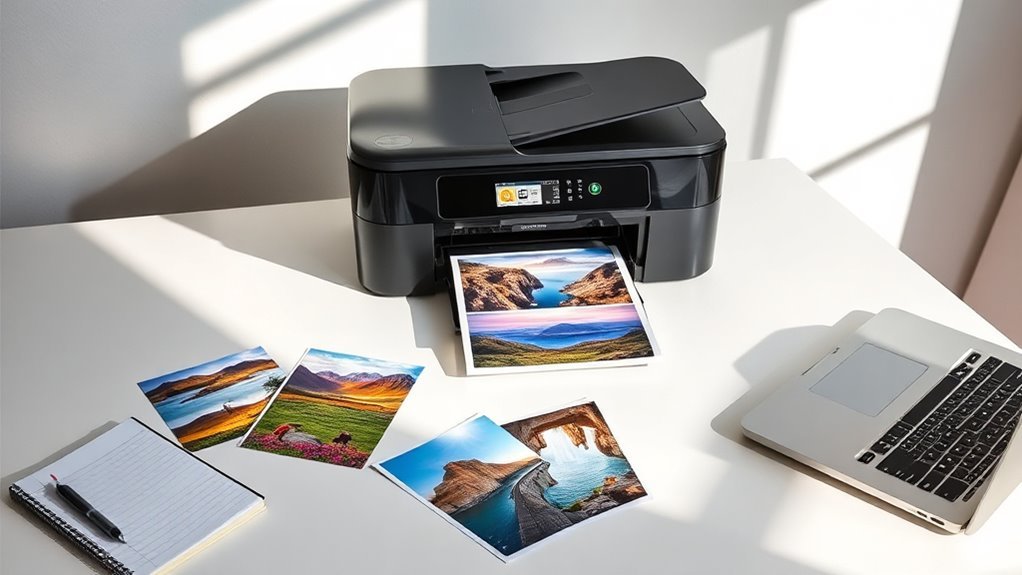
When choosing a home ink printer, you need to think about several key factors. Consider your print speed requirements, the connectivity options available, and how versatile the printer’s functionality is.
Don’t forget to factor in ink cost efficiency and the printer’s size and design to fit your space. It’s all about finding the right balance that works for your needs and home setup.
Print Speed Requirements
Considering print speed is essential for selecting the right home ink printer, especially if you often handle large documents or need multiple copies quickly. Print speeds are measured in pages per minute (ppm), with most home ink printers offering between 4 to 20 ppm for black and white documents and 4 to 15 ppm for color.
Higher speeds can boost your productivity considerably. If you frequently print double-sided, look for automatic duplex printing to save time.
Keep in mind that photo prints generally take longer than standard text documents. Also, many printers have varying speeds based on quality settings; draft mode usually provides faster output than high-quality settings, so choose wisely based on your needs.
2. Connectivity Options Available
Connectivity options are essential for choosing the right home ink printer, as they determine how easily you can print from various devices. Look for printers with dual-band Wi-Fi (2.4GHz and 5GHz) for better stability and speed.
Mobile printing capabilities are a must; you’ll want to print directly from your smartphone or tablet using apps like Apple AirPrint or Google Cloud Print. USB connectivity offers a dependable alternative for direct connections to your computer, ensuring consistent performance.
Wi-Fi Direct is another great feature, letting you connect and print without an existing network—ideal for quick tasks. Finally, integration with smart home systems adds convenience through voice-activated printing and real-time ink level notifications.
3. Functionality Versatility
Choosing the right home ink printer goes beyond just connectivity; functionality versatility plays a significant role in your decision. Look for an all-in-one model that prints, scans, and copies, maximizing utility in one device.
Automatic duplex printing is a great feature to take into account, as it reduces paper consumption and streamlines your document handling. It’s a handy way to save both time and resources.
Evaluate print speeds, typically ranging from 4 to 20 pages per minute, to meet your efficiency needs. You’ll want something that keeps up with your pace without making you wait too long.
Don’t forget to check compatibility with mobile printing apps, allowing you to print directly from your smartphone or tablet. It’s super convenient when you’re on the go.
Finally, assess the media handling capacity, including input tray size and supported media types, to guarantee it accommodates everything from photos to labels. This way, you’re covered no matter what you need to print.
4. Ink Cost Efficiency
When it comes to home ink printers, ink cost efficiency can save you hundreds of dollars over time. Traditional cartridge systems often yield fewer pages, driving up costs.
In contrast, bulk ink systems, especially refillable ink tanks like mega tank systems, can save you up to $1,000 on ink. They deliver thousands of pages before needing a refill, which is pretty impressive.
Consider subscription services for ink delivery. These can lower costs and guarantee you always have ink available when you need it.
Additionally, printers with high-capacity cartridges or hybrid ink systems strike a nice balance between cost-effectiveness and print quality. Always evaluate the page yield in relation to cartridge price to understand your long-term ink expenses better.
Making informed choices now can lead to significant savings later. It’s definitely worth taking the time to figure this out!
5. Size and Design
Ink cost efficiency is just one factor to think about; the size and design of your home ink printer play a significant role in how well it fits into your space. Compact models can easily tuck into tight spots, with dimensions around 14 inches wide and 7 inches tall.
This makes placement on desks or shelves a breeze. Design elements, from sleek modern styles to traditional looks, can elevate your home office’s aesthetics. User-friendly interfaces, like LCD touchscreens, enhance usability and streamline navigation.
Also, consider all-in-one functionality to combine printing, scanning, and copying into one space-efficient unit. This reduces clutter and makes your workspace more organized. Choose wisely to create a functional and stylish setup.
Frequently Asked Questions
How Do I Maintain My Ink Printer for Longevity?
To maintain your ink printer for longevity, regularly clean the print heads and use high-quality ink. Avoid letting the ink levels get too low, as this can cause clogs and poor print quality.
Also, make sure to power it off properly when you’re done. Keeping your printer dust-free is super important too.
Try to perform routine print tests every now and then to guarantee peak performance. This simple habit helps catch any issues early and keeps your printer running smoothly.
What Types of Paper Are Best for Ink Printers?
You’d think any paper works, but you’d be wrong!
For ink printers, use high-quality photo paper for vibrant images and premium plain paper for everyday prints. Trust me, it makes a noticeable difference in your output!
Can I Print Photos Directly From My Smartphone?
Yes, you can print photos directly from your smartphone! Just connect your phone to a compatible printer via Wi-Fi or Bluetooth.
Then, select the photos you want and hit print. It’s super easy and the results look great!
How Do Ink Costs Compare Between Different Printer Models?
Imagine wandering through a garden of printers; some bloom with low ink costs, while others wilt your wallet.
You’ll find that ink expenses vary widely, so check individual models to avoid unexpected financial thorns.
What Settings Optimize Print Quality for Home Use?
To optimize print quality at home, use the highest resolution setting and select the appropriate paper type. This helps your printer deliver sharper and clearer results.
Also, adjust color settings to match your needs. It makes a big difference in how your prints look.
Don’t forget to regularly clean the print heads. Keeping them clean maintains clarity and vibrancy over time.
Conclusion
Choosing the right home ink printer is like picking the perfect garden seed. You want one that flourishes with vibrant colors and reliable performance. Just as a gardener nurtures their plants, you’ll nurture your printing needs with the right choice.
So, whether you need crisp documents or stunning photos, remember these top picks are your seeds of creativity. Plant them in your home office, and watch your printing dreams blossom beautifully!
Finding the best home ink printers for 2027 means looking for quality prints, ease of use, and affordability. With the right model, you get vibrant colors and sharp details every time. These printers deliver consistent, reliable performance that fits your lifestyle and budget.
By choosing from this list, you’re investing in devices that turn your ideas into beautiful prints. So go ahead—bring home one of these top home ink printers and enjoy printing that truly stands out!