9 Best All-in-One Printers with Cheap Ink for 2027
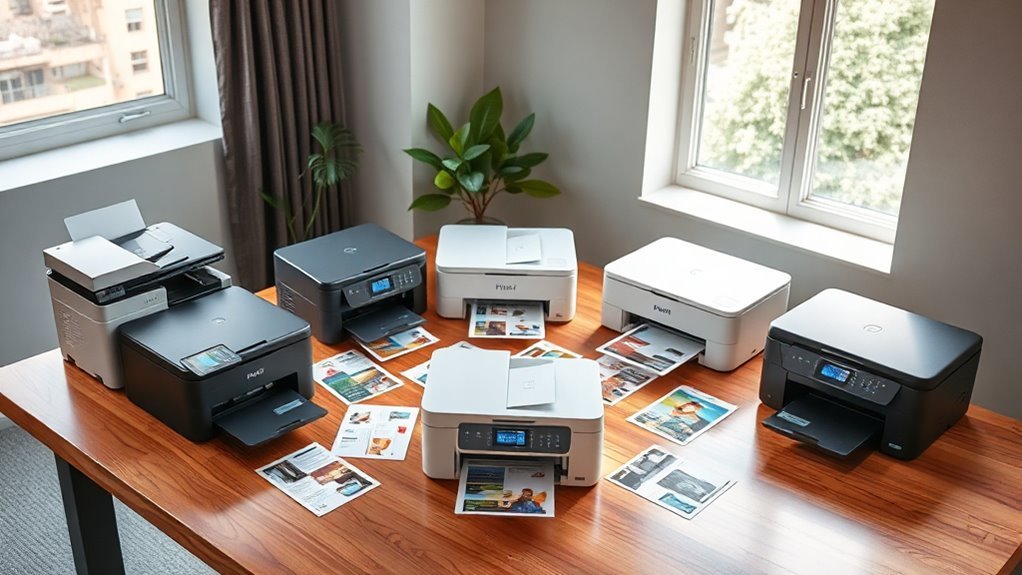
If you’re hunting for the best all-in-one printers with cheap ink for 2027, you’re in the right place.
These printers don’t just save you money on ink—they also deliver great quality and versatility. Whether you need one for home use or a small office, finding a model that balances affordability and performance is key.
The HP DeskJet 2923 and Canon PIXMA TS6520 are solid picks. They offer excellent print quality and are easy to maintain, plus their ink is budget-friendly.
Looking for speed? The Brother Work Smart 1360 has you covered with fast printing.
For wireless convenience, the Canon PIXMA TS4320 shines with reliable connectivity.
Each of these models caters to different needs, so stick around to see which all-in-one printer suits you best!
HP DeskJet 2923 Color Inkjet Printer | Wireless | All-in-One
The HP DeskJet 2923 Color Inkjet Printer offers a practical solution for homes and small offices needing versatile printing without hassle. This all-in-one device lets you print, copy, and scan with straightforward ease, helping you manage everyday tasks efficiently. Its compact design fits well in limited spaces, keeping your workspace organized.
Maintenance is simple with the 60-sheet input tray, reducing the need for constant paper refills during moderate use. The printer’s wireless connectivity uses dual-band Wi-Fi to handle connection issues automatically, making setup and daily use smooth. HP AI technology optimizes print layouts, enhancing speed up to 7.5 ppm in black and 5.5 ppm in color.
Ink management is streamlined with a 6-month Instant Ink trial, ensuring you don’t run out during critical projects. However, for heavier printing needs, the limited paper capacity and trial duration may require additional planning. While color quality is suitable for general use, it may not meet professional graphic standards.
Best for: Families and small offices seeking an affordable, wireless all-in-one printer designed for everyday document tasks.
What We Like:
- Combines printing, copying, and scanning in one device
- Wireless setup with dual-band Wi-Fi for reliable connections
- Efficient print speeds enhanced by HP AI technology
- Uses recycled plastics and is ENERGY STAR certified
Specification:
| Feature | Details |
|---|---|
| Manufacturer | HP |
| Dimensions | Not specified |
| Weight | Not specified |
| Material | At least 70% recycled plastics |
| Color Options | Not specified |
Canon PIXMA TS6520 Wireless Color Inkjet Printer, 1.42″ OLED Display, White
Experience the perfect balance of style and functionality with the Canon PIXMA TS6520 wireless color inkjet printer. Designed to fit seamlessly into your home office, it tackles everyday printing challenges with ease. The compact design saves space while delivering sharp, vibrant prints that meet your professional needs.
Navigating its features is simple thanks to the clear 1.42” OLED display. This printer supports automatic two-sided printing, helping you reduce paper use and speed up your workflow. The integrated scanner and copier expand your capabilities, making multitasking straightforward and efficient.
Setup and connection are hassle-free with dual-band Wi-Fi and voice compatibility. Whether printing from a smartphone or laptop, you stay connected without interruptions. Maintenance is straightforward, though keep in mind that replacing cartridges might add to your costs over time.
While limited to standard 8.5” x 11” media and weighing 15.4 pounds, it remains a solid choice for users prioritizing quality and convenience in a compact form.
Best for: Home office users needing a reliable, space-saving printer that handles printing, scanning, and copying with ease.
What We Like:
- Crisp prints with up to 1200 x 1200 dpi resolution
- Automatic two-sided printing saves time and paper
- Dual-band Wi-Fi ensures stable wireless connections
- Easy-to-use 1.42” OLED display for quick navigation
- Multifunction scanner and copier enhance productivity
Specification:
| Feature | Details |
|---|---|
| Manufacturer | Canon |
| Dimensions (W×D×H) | Compact size (exact size not specified) |
| Weight | 15.4 lb (7 kg) |
| Color Options | White |
| Display | 1.42” OLED |
| Print Resolution | Up to 1200 x 1200 dpi |
Brother Work Smart 1360 Wireless Color Inkjet All-in-One Print, Scan, Copy
The Brother Work Smart 1360 Wireless Color Inkjet All-in-One printer is designed to streamline your home or small office tasks. Its compact size fits easily into tight spaces without sacrificing performance. This device handles printing, scanning, and copying, helping you manage multiple jobs with ease.
Printing is fast and efficient, producing up to 16 pages per minute in black and 9 in color. Automatic duplex printing reduces paper use and saves time. Wireless connectivity allows you to print and scan directly from your smartphone using the Brother Mobile Connect app, simplifying your workflow.
Maintenance is straightforward with the Page Gauge feature, which tracks ink levels to prevent unexpected interruptions. The 1.8” color display offers intuitive navigation, making setup and operation hassle-free. Though the 150-sheet paper tray requires occasional refills, it balances compact design with practical capacity.
Best for: Small office or home users seeking a reliable, space-saving all-in-one printer with wireless capabilities.
What We Like:
- Fast print speeds of up to 16 ppm black and 9 ppm color
- Wireless printing and scanning via mobile app
- Automatic duplex printing for efficient paper use
- Compact design ideal for limited spaces
- Easy ink monitoring with Page Gauge
Specification:
| Feature | Details |
|---|---|
| Manufacturer | Brother |
| Dimensions | Compact (exact size not provided) |
| Weight | 16.8 lb (7.62 kg) |
| Display | 1.8” color LCD |
| Paper Tray Capacity | 150 sheets |
| Connectivity | Wireless, mobile app support |
| Functionality | Print, scan, copy |
Canon PIXMA TS4320 – Wireless Color Inkjet Printer with Print, Copy, Scan
Experience hassle-free printing with the Canon PIXMA TS4320, designed to fit perfectly in compact home offices or small spaces. Its wireless connectivity allows easy printing, scanning, and copying directly from your smartphone or computer, eliminating cable clutter and simplifying your workflow.
The printer’s 2-cartridge hybrid ink system delivers crisp text and vibrant colors, enhancing everyday documents and photos. With print speeds of up to 9 pages per minute in color and 14 in black and white, it handles typical tasks efficiently without overwhelming noise or complexity.
Maintenance is straightforward thanks to the hybrid ink setup, which reduces cartridge replacements and lowers running costs. Automatic duplex printing helps you save paper and time, making this model a practical choice for users conscious about efficiency and sustainability.
Despite its compact size, the Canon PIXMA TS4320 weighs 15.5 pounds, so it’s best suited for a stationary setup rather than frequent moves. While it may print slower compared to high-end options and offers limited scanning resolution, it meets the essential needs of everyday home and student use.
Best for: Home office users and students seeking a compact, multi-functional wireless printer for regular document and photo printing.
What We Like:
- Compact design ideal for small workspaces
- Wireless printing and scanning from multiple devices
- Automatic duplex printing reduces paper use
- Hybrid ink system balances print quality and maintenance
- Simple setup and user-friendly operation
Specification:
| Feature | Details |
|---|---|
| Manufacturer | Canon |
| Dimensions (W×D×H) | 11.7 × 16.1 × 5.0 inches |
| Weight | 15.5 lb (7.03 kg) |
| Ink System | 2-cartridge hybrid ink |
| Print Resolution | Up to 1200 x 1200 dpi |
| Print Speed | 9 ppm (color), 14 ppm (B&W) |
| Connectivity | Wireless (Wi-Fi) |
Canon PIXMA TS3720 Wireless All-in-One Printer
The Canon PIXMA TS3720 Wireless All-in-One Printer offers a practical solution for home offices and families needing reliable document handling. It combines printing, copying, and scanning into one compact device, reducing clutter and streamlining daily tasks. This versatility helps you manage school projects, work documents, and photo printing with ease.
Its hybrid ink system ensures clear text and vibrant colors, making every print look professional. The printer supports fast black-and-white printing at 7.7 pages per minute, while color prints come out at a steady 4 pages per minute. This balance caters well to typical home and small office demands without overwhelming wait times.
Connectivity options include USB and dual-band Wi-Fi, allowing easy setup and wireless printing directly from smartphones or tablets. This flexibility reduces cables and simplifies printing from multiple devices. The rear paper tray holds up to 60 sheets, which suits low to moderate printing volumes but may require frequent refills in busier settings.
Maintenance is straightforward with the compact design and a small 1.5” LCD screen that offers basic navigation. While the display is minimal, it provides essential information without complicating operation. This printer fits well in spaces where simplicity and functionality are priorities.
Best for: budget-conscious families and home office users needing a versatile all-in-one printer for everyday tasks.
What We Like:
- Combines printing, copying, and scanning efficiently
- Crisp text and vibrant photo quality with hybrid ink
- Convenient wireless and USB connectivity
- Compact design ideal for small spaces
- Simple maintenance and setup process
Specification:
| Feature | Details |
|---|---|
| Manufacturer | Canon |
| Dimensions (W×D×H) | 14.5 × 11.7 × 5.9 inches |
| Weight | 8.0 lb (3.63 kg) |
| Color Options | White |
| Connectivity | USB, Dual-band Wi-Fi |
| Print Speed (B/W) | 7.7 pages per minute |
| Print Speed (Color) | 4 pages per minute |
| Maximum Resolution | 4800 × 1200 dpi |
| Paper Capacity | 60 sheets (rear tray) |
| Display | 1.5-inch LCD screen |
Epson EcoTank ET-2903 Wireless All-in-One Printer
The Epson EcoTank ET-2903 offers a smart solution to expensive ink cartridges by featuring refillable ink tanks that reduce ongoing costs. This wireless all-in-one printer is designed to simplify your printing tasks at home, combining a scanner and a 1.44″ color display for easy control.
Maintenance is straightforward with included ink that can last up to three years, enabling you to print thousands of pages without worrying about frequent refills. This helps minimize waste and keeps running costs low.
Its compact design fits well in home offices, while high print resolutions of 5760 x 1440 dpi ensure sharp text and vibrant photos. Print speeds of 11 pages per minute for black and white documents help you stay productive.
With wireless connectivity and mobile printing capabilities, you can print directly from your smartphone or tablet, making it convenient for busy households. The EcoTank system may require more upfront investment and space compared to traditional printers but offers long-term savings.
Best for: Families and home offices seeking an economical and efficient wireless all-in-one printer with low maintenance.
What We Like:
- Refillable ink tanks providing up to three years of ink supply
- High-quality print resolution suitable for text and images
- Wireless and mobile printing options for convenience
- Easy-to-use 1.44″ color display for quick navigation
Specification:
| Feature | Details |
|---|---|
| Manufacturer | Epson |
| Model | EcoTank ET-2903 |
| Dimensions | Approx. 14.8 x 12.2 x 5.7 inches |
| Weight | Approx. 8.8 lbs |
| Color Options | White |
Canon PIXMA TR4720 All-in-One Wireless Printer
The Canon PIXMA TR4720 offers a practical solution for home and small office printing needs. Its wireless 4-in-1 functionality lets you print, copy, scan, and fax from a single device, reducing clutter and streamlining tasks. This versatility helps users manage documents efficiently without needing multiple machines.
Designed for ease of use, the printer includes an automatic document feeder and auto two-sided printing, which saves paper and time. Its compact design fits well in limited spaces, while wireless connectivity allows you to print from smartphones and laptops effortlessly.
Maintenance is simplified with Alexa integration that provides ink level notifications and supports smart reordering. This feature helps avoid unexpected ink shortages and keeps printing smooth. The PIXMA Print Plan offers a cost-saving option for ink, making ongoing use more affordable.
While it handles everyday printing well, the device’s print speed of 8.8 ipm for black and slower color printing may not suit high-volume users. The paper tray holds up to 100 sheets, which works for small jobs but may require frequent refills for larger tasks.
Best for: Individuals and small businesses seeking a versatile, space-saving printer with wireless convenience and cost-effective ink management.
What We Like:
- Wireless all-in-one printing, scanning, copying, and faxing
- Auto two-sided printing reduces paper use
- Alexa-enabled ink notifications and reordering
- Compact design fits small workspaces
- Cost-saving ink plan available
Specification:
| Feature | Details |
|---|---|
| Manufacturer | Canon |
| Dimensions | Approx. 17.7 x 12.7 x 7.2 in (45 x 32.3 x 18.3 cm) |
| Weight | Approx. 11.3 lb (5.1 kg) |
| Color Options | Black |
| Connectivity | Wireless, USB |
HP OfficeJet Pro 8135 Wireless All-in-One Printer
The HP OfficeJet Pro 8135 Wireless All-in-One Printer is designed to meet the demands of busy home office environments. It delivers sharp, vibrant business documents quickly, helping you stay productive without delays. With print speeds of up to 20 ppm in black and 10 ppm in color, it handles everyday tasks efficiently.
This all-in-one device combines printing, scanning, copying, and faxing to streamline your workflow. Its auto two-sided printing reduces paper use, while the 225-sheet input tray minimizes refills. The 2.7-inch color touchscreen simplifies operation, making it easy to manage print jobs and settings.
Maintenance is straightforward but requires original HP cartridges, which ensures quality output but may raise long-term costs. The printer’s wireless connectivity supports dual-band Wi-Fi and mobile printing via the HP app, allowing flexible placement and seamless integration with your devices.
Built with sustainability in mind, the OfficeJet Pro 8135 uses over 45% recycled materials, appealing to eco-conscious users. Its compact yet substantial design balances workspace needs with performance.
Best for: Professionals in home offices who need a reliable all-in-one printer for fast, high-quality business documents and efficient task management.
What We Like:
- Fast printing speeds for both black and color documents
- Multi-functionality with printing, scanning, copying, and faxing
- Easy-to-use 2.7-inch color touchscreen
- Wireless connectivity with dual-band Wi-Fi and mobile printing support
- Eco-friendly design featuring recycled materials
Specification:
| Feature | Details |
|---|---|
| Manufacturer | HP |
| Dimensions | Approx. 17.1 x 19.7 x 10.2 in (43.4 x 50 x 25.9 cm) |
| Weight | Approx. 18.3 lb (8.3 kg) |
| Material | Plastic with recycled content |
| Color Options | Black and gray |
Canon PIXMA TR7120 Wireless Color Inkjet Printer
The Canon PIXMA TR7120 offers a versatile solution for those who need efficient printing, copying, and scanning without sacrificing space. Its compact design fits neatly on any desk, making it ideal for home offices or student environments where space is limited. This printer addresses the challenge of managing multiple tasks with a single device.
Equipped with dual-band Wi-Fi, it allows seamless connection to smartphones and computers, eliminating the hassle of tangled cables. The Auto Document Feeder combined with automatic two-sided printing reduces manual effort and saves paper, helping users maintain productivity while being eco-conscious.
Maintenance is straightforward with a hybrid ink system that produces sharp text and vivid colors, although regular cartridge replacements are necessary. The 1.42” OLED display offers easy monitoring of ink levels and settings, keeping operations smooth despite its limited display size.
Best for: Busy home offices and students seeking an all-in-one printing, copying, and scanning solution.
What We Like:
- Compact design fits easily into small workspaces
- Reliable dual-band Wi-Fi for quick wireless access
- Auto Document Feeder and duplex printing save time and paper
- Sharp text and vibrant color output for documents and photos
Specification:
| Feature | Details |
|---|---|
| Manufacturer | Canon |
| Dimensions (W x D x H) | Approximately 14.6″ x 11.7″ x 5.7″ |
| Weight | Around 13.5 lb |
| Color Options | Black |
| Maximum Print Size | Up to 8.5” x 11” |
Factors to Consider When Choosing an All-in-One Printer with Cheap Ink
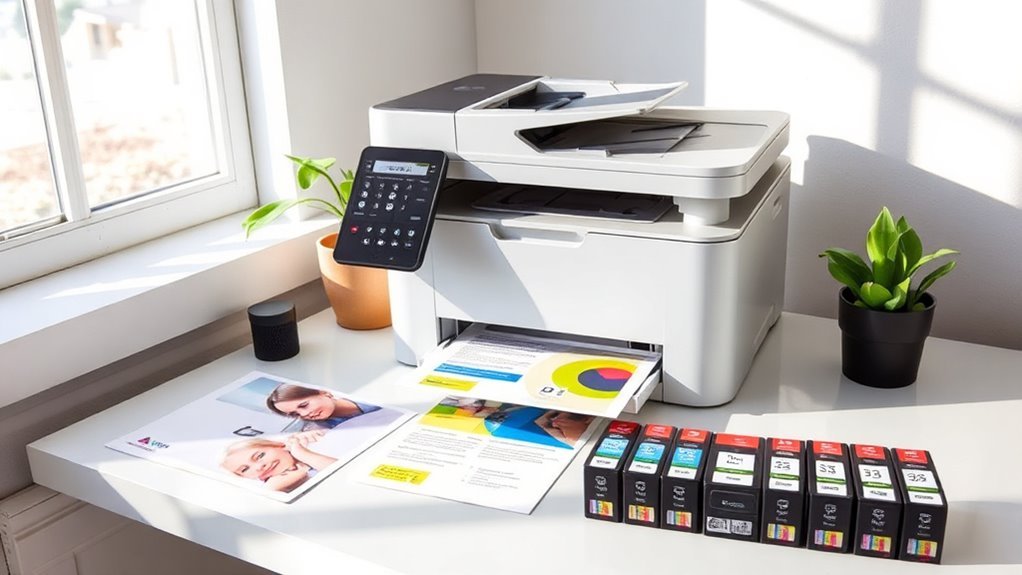
When you’re picking an all-in-one printer with cheap ink, consider a few key factors. Think about ink cost efficiency, print volume capacity, and how easy it is to maintain and replace.
Also, don’t forget to check the available connectivity options. It’s important to know how you’ll be connecting the printer to your devices.
And while you’re at it, keep the environmental impact in mind, too. Choosing a printer that’s eco-friendly can make a difference.
Ink Cost Efficiency
Choosing an all-in-one printer with cheap ink requires careful consideration of several factors to maximize your cost efficiency. First, look for models with supersized, refillable ink tanks; they can drastically lower your ink costs compared to traditional cartridges.
If you want flexibility, consider printers with a hybrid ink system, which balances quality and cost by using both pigment and dye-based inks. Automatic ink delivery services can also help you save, ensuring you get ink before running out and often offering bulk discounts.
Additionally, opt for printers with high page yield cartridges or tanks, as they can produce thousands of pages per refill. Finally, check warranty and support options to avoid unexpected maintenance expenses.
Print Volume Capacity
Maximizing ink cost efficiency also means understanding print volume capacity, which directly impacts how well a printer meets your demands. If you regularly print high volumes, look for models designed for this purpose, as they often come with larger ink cartridges or refillable tanks.
These features lead to lower cost-per-page and less frequent replacements. For instance, printers with high-capacity ink tanks can print thousands of pages before needing a refill, making them perfect for heavy users.
Always check the recommended monthly page volume from manufacturers to verify your printer aligns with your printing habits. Choosing a printer that meets your volume needs can greatly save on ink costs and enhance your overall operational efficiency.
Maintenance and Replacement Ease
Maintenance and replacement ease is essential for getting the most out of your all-in-one printer. Look for printers that use a hybrid ink system; they often provide lower-cost cartridges and better print quality.
Easy-to-replace cartridges or refillable ink tanks can greatly lower your maintenance costs over time. Plus, models with ink monitoring systems are super helpful—they alert you when levels are low, so you won’t get caught off guard with unexpected downtime.
Subscription ink delivery services are another great option. They offer automatic ink delivery at reduced prices, making life a bit easier.
Finally, check the printer’s compatibility with various media types. This can impact ink consumption and overall maintenance efficiency.
Connectivity Options Available
When you’re exploring all-in-one printers with cheap ink, considering connectivity options is essential for a seamless printing experience. Look for printers that offer dual-band Wi-Fi, supporting both 2.4GHz and 5GHz bands for stable connections and reduced interference.
Mobile printing capabilities let you print directly from your smartphone or tablet using apps like Apple AirPrint and Google Cloud Print. Some models also include USB connectivity, perfect for direct printing when wireless isn’t an option.
Wi-Fi Direct technology allows you to connect and print without needing a router. Plus, cloud integration features make it easy to print from services like Google Drive and Dropbox.
These options really boost your convenience and accessibility, making your printing tasks much simpler. It’s all about finding what fits your lifestyle best!
Environmental Impact Considerations
As you consider connectivity options for your all-in-one printer, don’t overlook the environmental impact of your choice. Opting for printers with refillable ink tanks can drastically cut down on plastic waste, unlike traditional cartridges that often end up in landfills.
Look for ENERGY STAR certified models, which consume less energy and help lower your carbon footprint. Choosing printers made from at least 70% recycled materials supports sustainable practices and reduces resource consumption.
Consider ink subscription services for automatic delivery, minimizing waste and shipping emissions. Finally, select models with high page yields and low-cost replacements to reduce packaging waste and the need for frequent purchases.
Your printer choice can make a positive difference for the planet. It’s a small step that adds up!
Frequently Asked Questions
What Are the Benefits of an All-In-One Printer?
All-in-one printers save space and money by combining printing, scanning, copying, and faxing in one device. You’ll enjoy convenience, reduce clutter, and streamline your workflow.
It just makes managing all your printing needs so much easier. Plus, having everything in one place means less hassle and more efficiency.
How Often Should I Replace Printer Ink?
You should replace printer ink when you notice fading prints or when your printer alerts you. Typically, that’s every few months, depending on usage.
Regular checks can help guarantee quality prints and prevent unexpected shortages. It’s a simple way to keep everything running smoothly!
Are Third-Party Inks Safe to Use?
Yes, third-party inks can be safe to use, but you should research brands and read reviews. They might save you money, but guarantee compatibility with your printer to avoid potential damage or voided warranties.
It’s a good idea to check what other users say before making a choice. That way, you can feel more confident about your purchase and keep your printer happy.
Can I Print Photos From My Smartphone?
Yes, you can print photos from your smartphone. While you enjoy capturing memories, your printer transforms them into tangible keepsakes.
Just connect via Wi-Fi or Bluetooth, and watch your images come to life! It’s that simple and super convenient.
What Warranty Options Are Available for These Printers?
Most all-in-one printers offer one to three-year warranties, covering parts and labor. Some brands even provide extended plans for additional protection.
It’s a good idea to check the specifics for each model before making a purchase. That way, you know exactly what kind of coverage you’re getting.
Conclusion
When you’re on the hunt for an all-in-one printer with affordable ink, it pays to evaluate your specific needs. Did you know that, according to recent studies, businesses can save up to 30% on printing costs by choosing printers with cheaper ink options?
By selecting one of the models we’ve highlighted, you’ll not only get versatile functionality but also keep your printing expenses in check. It’s a great way to make sure you’re not overspending on ink cartridges.
Make an informed choice, and enjoy the benefits of cost-effective printing! Finding the best all-in-one printers with cheap ink can drastically reduce your overall expenses. Whether you need it for home or office use, these printers combine quality, convenience, and affordability in one package. So go ahead, invest smartly, and watch your printing budget stretch further without compromising on performance.