12 Best E Ink Displays for 2027 That Redefine Reading
If you’re looking for the best E Ink displays for 2027, you can’t go wrong with some standout options.
The Amazon Kindle Scribe is perfect for versatile use, whether you’re reading, taking notes, or sketching ideas.
Then there’s the Santek EZ Sign, which impresses with its vibrant colors and convenient NFC updates.
For makers and tech enthusiasts, the Waveshare E-Paper displays offer excellent compatibility with Raspberry Pi and Arduino projects.
Each choice prioritizes energy efficiency and crystal-clear clarity, making them ideal for long reading sessions or dynamic displays.
Keep exploring to discover more about these innovative E Ink displays and find the perfect one that fits your unique needs.
ELECROW ESP32 E-Ink Display 5.79 Inch E-Paper HMI Display Black/White Color
The ELECROW ESP32 E-Ink Display offers a practical solution for creating battery-powered devices that need clear, easy-to-read screens. Its 5.79-inch black-and-white e-paper display provides sharp visuals with low energy use. This means your projects can stay on longer without frequent recharging.
Designed with efficiency in mind, the display only consumes power during screen updates. Its reflective surface enhances readability even under direct sunlight, making it ideal for outdoor or bright environments. The integrated ESP32-S3-WROOM-1-N8R8 controller runs smoothly at up to 240 MHz, supporting responsive and reliable performance.
Maintenance is straightforward since the e-paper technology is durable and less prone to screen burn-in. The display’s compatibility with the Arduino IDE allows for flexible programming, helping users tailor their applications easily. This makes it suitable for various uses like smart home interfaces and wearable devices.
The main limitation is the black-and-white color scheme, which may restrict some design options. Users should also have basic programming knowledge to integrate the display effectively.
Best for: Developers and hobbyists building low-power, always-on devices with clear, sunlight-readable displays.
What We Like:
- Ultra-low power consumption during refresh cycles
- High-contrast, sunlight-readable e-ink screen
- Smooth performance with ESP32-S3 controller
- Easy integration with Arduino IDE
- Durable and low-maintenance e-paper technology
Specification:
| Feature | Details |
|---|---|
| Manufacturer | ELECROW |
| Display Size | 5.79 inches |
| Resolution | 272 × 792 pixels |
| Display Type | Black-and-white e-paper |
| Controller | ESP32-S3-WROOM-1-N8R8 |
| Max Clock Speed | 240 MHz |
| Color | Black and White |
ELECROW ESP32 E-Ink Display 2.13 Inch E-Paper HMI Display Black/White Color
The ELECROW ESP32 E-Ink Display offers a sleek solution for compact, energy-conscious projects. Its 2.13-inch black-and-white screen provides clear visibility with a matte finish that reduces glare, making it easy to read even in bright sunlight. This display is designed to keep your content visible without continuous power, solving the problem of battery drain in portable devices.
Low power consumption allows the display to maintain information for long periods, ideal for devices that need to run efficiently on limited energy. Its lightweight design, weighing just 22.68 grams, adds minimal bulk, making it perfect for wearable tech or remote sensors. The display integrates smoothly with the Arduino IDE, simplifying development for hobbyists and professionals alike.
Maintenance is straightforward due to the robust e-paper technology, which does not require backlighting and reduces eye strain. However, the black-and-white limitation means it is best suited for applications where color is not essential. The modest screen size and refresh rate make it less suitable for fast-moving visuals but excellent for static or slowly updating content.
Best for: Developers and makers seeking a low-power, sunlight-readable display for smart home devices, wearables, and other battery-operated projects.
What We Like:
- Ultra-low power consumption for extended battery life
- Matte finish ensures readability in sunlight
- Lightweight and compact for portable applications
- Compatible with Arduino IDE for easy programming
Specification:
| Feature | Details |
|---|---|
| Manufacturer | ELECROW |
| Display Size | 2.13 inches |
| Weight | 22.68 grams (0.05 lb) |
| Color | Black and White |
| Interface | ESP32 Compatible |
Waveshare 7.5inch E-Ink Display HAT for Raspberry Pi
The Waveshare 7.5inch E-Ink Display HAT offers a unique solution for Raspberry Pi projects requiring clear, power-efficient screens. This display excels at showing information persistently without power, helping reduce energy use in battery-powered or remote setups. Its easy connection to the Raspberry Pi via the 40PIN header makes integration straightforward.
Designed with functionality in mind, the e-ink screen provides an 800×480 resolution with wide viewing angles. The display maintains the last image even when turned off, eliminating the need for constant power. This feature is ideal for applications like digital signage, e-readers, or data monitoring where static images are common.
Maintenance is minimal since the screen consumes power only during refresh cycles. However, users should note the display shows black and white images only and updates are slower than traditional LCDs. Some programming skill is required to get the most out of this versatile HAT.
Weighing just 3.52 ounces, it fits well in compact projects and supports multiple Raspberry Pi models and other controllers like Arduino. Comprehensive manuals and example codes are available online to assist with setup and customization.
Best for: Raspberry Pi enthusiasts and makers seeking an energy-saving display for static or low-refresh projects.
What We Like:
- Ultra-low power use, only draws power during updates
- Retains displayed content without power
- Compatible with Raspberry Pi and Arduino platforms
- Lightweight and compact design
- Wide viewing angle for clear visibility
Specification:
| Feature | Details |
|---|---|
| Manufacturer | Waveshare |
| Display Size | 7.5 inches |
| Resolution | 800 × 480 pixels |
| Weight | 3.52 ounces (100 g) |
| Connection | 40PIN extension header |
| Color Support | Black and white only |
Santek EZ Sign NFC E-Paper Display (4.2 inch)
Experience the convenience of the Santek EZ Sign NFC E-Paper Display, designed to make signage updates effortless and wireless. This lightweight display weighs just 1.02 ounces and is only 0.13 inches thick, making it highly portable for everyday use. Whether you need a name badge or a desk sign, this device adapts easily to your environment.
Updating content is simple and cable-free. You can quickly refresh the display using NFC technology with your smartphone or Windows PC. This eliminates the hassle of wires or complex setups. The screen’s vibrant 4-color display ensures your messages stand out clearly and professionally.
Built for durability, the display holds an IP65 rating, protecting it against dust and water exposure. It comes with an acrylic stand and clip, so placement is flexible. However, avoid metal surfaces to maintain optimal NFC communication and ensure reliable updates.
The glass surface requires careful handling to prevent damage, and larger fonts are recommended for clear readability, which may limit detailed designs. Overall, this device offers a practical solution for efficient, wireless digital signage.
Best for: Professionals and businesses seeking a lightweight, wireless e-paper display for versatile signage applications such as name badges and office desk signs.
What We Like:
- Ultra-lightweight and slim for easy portability
- Wireless NFC updates with no cables needed
- Durable IP65-rated design for varied environments
- Flexible placement with included stand and clip
- Clear, vibrant 4-color display for effective messaging
Specification:
| Feature | Details |
|---|---|
| Manufacturer | Santek |
| Dimensions | 4.2 inches (diagonal) |
| Weight | 1.02 ounces (29 g) |
| Thickness | 0.13 inches (3.3 mm) |
| Display Colors | 4-color e-paper |
| Protection | IP65 (dust and water-resistant) |
Santek EZ Sign NFC E-Paper Display (2.9 inch)
The Santek EZ Sign NFC E-Paper Display offers a simple and efficient way to update digital signage without the hassle of cables or batteries. Its compact 2.9-inch screen fits easily in tight spaces, making it ideal for quick information sharing in professional environments. Updating content is fast and wireless via NFC-enabled smartphones or a Windows PC, saving time and effort.
Designed to be ultra-thin and battery-free, this display requires minimal maintenance, eliminating the need for frequent charging or replacements. Its IP65 rating means it can withstand dust and water exposure, allowing use in a variety of settings without worry. The four-color display ensures key messages are clear and visually striking.
The included acrylic stand and clip provide flexible placement options, whether on a desk, wall, or worn as a badge. This versatility makes it perfect for dynamic environments where signage must adapt quickly. However, updates are limited to NFC-enabled devices, which might restrict some users.
Best for: Professionals seeking a wireless, low-maintenance solution for updating small digital signage effortlessly.
What We Like:
- Battery-free design for hassle-free use
- IP65-rated durability for diverse environments
- Versatile placement with included stand and clip
- Vibrant 4-color display for clear messaging
Specification:
| Feature | Details |
|---|---|
| Manufacturer | Santek |
| Display Size | 2.9 inches |
| Thickness | 0.13 inches |
| Color Options | Black, white, red, yellow |
| Connectivity | NFC (smartphones, Windows PC) |
| Protection Rating | IP65 (dust and water resistant) |
| Accessories | Acrylic stand, clip |
Amazon Kindle Scribe 64GB with Pen – Graphite
Experience the perfect blend of reading and writing with the Amazon Kindle Scribe 64GB with Pen in Graphite. This device addresses the challenge of juggling multiple tools by combining an e-reader and digital notepad into one sleek package. Its 11” glare-free display ensures clear, crisp text, helping reduce eye strain during long reading or writing sessions.
The textured screen surface offers a natural writing experience, closely mimicking paper. The included pen enhances this feel and never requires charging, eliminating interruptions. This makes note-taking, journaling, and sketching smooth and effortless, ideal for capturing ideas on the go.
Managing documents is simple with seamless importing from Google Drive and syncing notebooks to Microsoft OneNote. This functionality streamlines workflow and keeps your files organized in one place. Battery life supports up to 12 weeks of reading and 3 weeks of writing, reducing the need for frequent charging and ensuring reliability during extended use.
Weighing 14.1 oz, the Kindle Scribe is slightly heavier than traditional e-readers, which may affect portability for some users. Available only in Graphite, its color options are limited. Connectivity is confined to standard Wi-Fi networks, so it lacks ad-hoc network support for some specific situations.
Best for: Professionals, students, and avid readers who need a versatile device for seamless digital reading and note-taking.
What We Like:
- Natural paper-like writing surface with included pen
- Long battery life supporting extended reading and writing
- Easy document import and sync with Google Drive and OneNote
- Large, glare-free 11” display for comfortable viewing
Specification:
| Feature | Details |
|---|---|
| Manufacturer | Amazon |
| Dimensions | Not specified |
| Weight | 14.1 oz (0.9 lb) |
| Storage | 64GB |
| Color Options | Graphite |
| Display | 11” glare-free, 300 ppi |
Waveshare 7.3″ E-Paper Display Module for Raspberry Pi
The Waveshare 7.3″ E-Paper Display Module offers a practical solution for projects requiring clear, energy-efficient visuals. Its unique 6-color E-Ink Spectra 6 technology delivers crisp images without drawing power continuously. This means your display holds content even when the device is off, reducing energy use significantly.
Designed for easy integration, the module works smoothly with Raspberry Pi models and Jetson Orin Nano. The included driver board and standard GPIO header simplify wiring, while the SPI interface ensures reliable communication. This setup saves time and reduces the complexity of connecting your display to development boards.
Maintenance is straightforward due to the low power operation, minimizing heat and wear on components. The lightweight design, just 4.9 ounces, makes it convenient to handle and install. However, keep in mind the refresh rate is slower than traditional LCDs, which may not be ideal for fast-moving images.
Overall, this e-paper display is a solid choice for makers seeking a balance between visual quality and power efficiency in their Raspberry Pi projects.
Best for: Makers and hobbyists needing an energy-saving, multi-color display for Raspberry Pi and compatible devices.
What We Like:
- Low power consumption keeps projects running longer.
- Vibrant 6-color display enhances readability and appeal.
- Simple setup with GPIO header and SPI interface.
- Lightweight and easy to handle for various builds.
Specification:
| Feature | Details |
|---|---|
| Manufacturer | Waveshare |
| Display Size | 7.3 inches |
| Weight | 4.9 ounces (approx. 139 grams) |
| Color Options | 6-color E-Ink Spectra 6 |
| Compatible Devices | Raspberry Pi, Jetson Orin Nano |
Waveshare 4-inch E Ink Spectra 6 Display
Experience a new level of clarity and color with the Waveshare 4-inch E Ink Spectra 6 display. Designed to deliver vibrant, full-color visuals, it enhances projects that need sharp contrast and rich detail. Its e-paper technology means you get crisp images without the glare or power drain of traditional screens.
This display connects easily to popular devices like Raspberry Pi, Jetson Nano, and Arduino through an SPI interface. Its ultra-low power consumption only requires energy during screen refreshes. This makes it ideal for battery-powered applications where longevity is essential.
Maintenance is simple since the screen holds the last image without power, reducing the need for constant recharging. The lack of backlight improves energy efficiency but may limit visibility in dark settings. It’s a compact and versatile tool suited for creative and technical projects that prioritize energy savings and color accuracy.
Best for: Developers and creators needing a compact, energy-efficient color e-paper display for innovative and low-power projects.
What We Like:
- High contrast and vibrant colors enhance image detail.
- Minimal power use extends battery life significantly.
- Easy SPI connectivity supports various popular platforms.
- Retains displayed content without power consumption.
Specification:
| Feature | Details |
|---|---|
| Manufacturer | Waveshare |
| Display Size | 4 inches |
| Technology | E Ink Spectra 6 (Full Color) |
| Interface | SPI |
| Power Consumption | Ultra-low (refresh only) |
| Compatible Devices | Raspberry Pi, Jetson Nano, Arduino |
| Backlight | None |
LAFVIN 2.13 Inch E-Ink Display HAT 250×122 SPI E-Paper Module with Tutorial
The LAFVIN 2.13 Inch E-Ink Display HAT offers a simple yet effective way to display information with minimal power use. Its high-contrast 250×122 resolution mimics the look of printed paper, making it easy on the eyes and ideal for reading in various lighting conditions. This display retains images even when power is off, which is perfect for devices in remote or low-power settings.
Designed for easy integration, it connects via SPI and supports platforms like Raspberry Pi, Arduino, and ESP32. Its partial refresh capability speeds up updates and reduces energy consumption. This makes it well-suited for projects that require frequent but efficient screen changes, such as electronic labels or smart home controllers.
Maintenance is straightforward since the display consumes power only during updates, helping extend battery life for portable applications. The black-and-white screen may not suit every visual need, but it excels at displaying clear text and simple graphics with low power.
Overall, this e-paper module is a practical solution for developers wanting a compact, energy-efficient display to improve the usability and autonomy of their IoT or embedded projects.
Best for: Developers and hobbyists needing a low-power, easy-to-integrate display for battery-powered or remote devices.
What We Like:
- Retains images without power, ideal for low-energy applications
- Compatible with popular development boards (Raspberry Pi, Arduino, ESP32)
- Partial refresh reduces update time and power use
- Clear, paper-like display for easy reading in bright environments
Specification:
| Feature | Details |
|---|---|
| Manufacturer | LAFVIN |
| Display Size | 2.13 inches |
| Resolution | 250 x 122 pixels |
| Interface | SPI |
| Compatible With | Raspberry Pi, Arduino, ESP32 |
| Color | Black and White |
| Power Usage | Ultra-low, only during updates |
Waveshare 4.2 Inch E-Paper Display Module Kit
The Waveshare 4.2 Inch E-Paper Display Module Kit offers a practical solution for projects that require clear, low-power displays. Its 400 x 300 resolution ensures sharp black-and-white images, making it ideal for applications like shelf labels and industrial instruments. This e-paper display reduces energy use by updating every four seconds, helping extend battery life in portable setups.
Designed to work seamlessly with popular controllers such as Raspberry Pi and Arduino, this module simplifies integration into your designs. The display’s wide viewing angle of over 170° maintains excellent readability even under direct sunlight. Its reflective screen means it requires no backlight, which contributes to its energy efficiency but may limit visibility in dim environments.
Maintenance is straightforward since the display retains an image without power, minimizing the need for frequent updates or replacements. However, the limited color range and slower refresh rate mean it’s less suited for dynamic content or applications that demand vibrant visuals.
Best for: Developers and businesses needing an energy-efficient, easy-to-integrate display for static or low-refresh industrial and retail projects.
What We Like:
- Ultra-low power consumption extends battery life
- Wide viewing angle enhances readability in bright conditions
- Simple compatibility with Raspberry Pi and Arduino platforms
- Retains images without power, reducing energy use
Specification:
| Specification | Details |
|---|---|
| Manufacturer | Waveshare |
| Display Size | 4.2 inches |
| Resolution | 400 x 300 pixels |
| Color Support | Black and white |
| Viewing Angle | Over 170° |
| Refresh Time | Approximately 4 seconds |
SwitchBot AI Art Frame 13.3” – Alexa Compatible
Transform the way you showcase your digital art with the SwitchBot AI Art Frame 13.3”. This sleek frame uses electronic ink technology to deliver clear, glare-free images, making it ideal for any room. Its wireless design lets you place it anywhere without clutter or cables.
Managing your art collection is simple with Alexa or the SwitchBot App. Change images seamlessly and enjoy having up to 10 artworks stored locally. The frame also offers AI-generated art, creating personalized pieces to keep your display fresh and unique.
Maintenance is effortless. The rechargeable battery can last up to two years with just one image refresh per week. This means less frequent charging and more time enjoying your collection. The electronic ink screen provides high contrast, though colors are more muted compared to traditional displays.
While the dynamic gallery requires a subscription and local storage is limited, the frame’s combination of convenience, style, and innovative AI capabilities makes it a smart choice for art lovers seeking a modern display solution.
Best for: Art enthusiasts and homeowners wanting a stylish, customizable digital art frame with smart controls.
What We Like:
- Wireless design for flexible placement
- Long-lasting rechargeable battery
- AI-powered personalized art generation
- Easy control via Alexa and app
- Clear, glare-free electronic ink display
Specification:
| Feature | Details |
|---|---|
| Manufacturer | SwitchBot |
| Display Size | 13.3 inches |
| Technology | Electronic Ink |
| Local Storage | Up to 10 images |
| Battery Life | Up to 2 years (1 refresh/week) |
| Connectivity | Wireless, Alexa compatible |
2.9-inch E-Paper Display for e-Readers & Tags
Compact and efficient, the 2.9-inch E-Paper Display offers a practical solution for e-readers and digital tags. Its crisp resolution of 296 x 128 ensures clear, easy-to-read monochrome visuals in any lighting condition. This display enhances readability while reducing eye strain, making it ideal for prolonged use.
Designed for low maintenance, the display consumes power only during content refresh. This means your information remains visible without continuous energy use, extending battery life and reducing the need for frequent recharges. Its durable design supports long-term use in various environments.
The wide viewing angle of over 170° provides consistent clarity from multiple perspectives. Whether used in electronic name tags or logistics labels, the display maintains visibility for users at different angles. However, the monochrome output and slower refresh rate may limit its use in dynamic or colorful applications.
This display requires an external driver board for operation, so additional components are necessary. Despite this, its energy efficiency and sunlight readability make it a strong choice for low-power, high-visibility needs.
Best for: applications needing energy-efficient displays with clear, persistent visuals, like e-readers and digital signage.
What We Like:
- Ultra-low power consumption, active only during refresh
- Excellent sunlight readability with reflective E-Ink technology
- Wide viewing angle exceeding 170°
- Durable design suitable for various environments
Specification:
| Feature | Details |
|---|---|
| Manufacturer | Not specified |
| Display Size | 2.9 inches |
| Resolution | 296 x 128 pixels |
| Color | Monochrome (black/white) |
| Viewing Angle | >170° |
| Power Consumption | Ultra-low, only during refresh |
| Driver Board | Required (not included) |
Factors to Consider When Choosing an E Ink Display
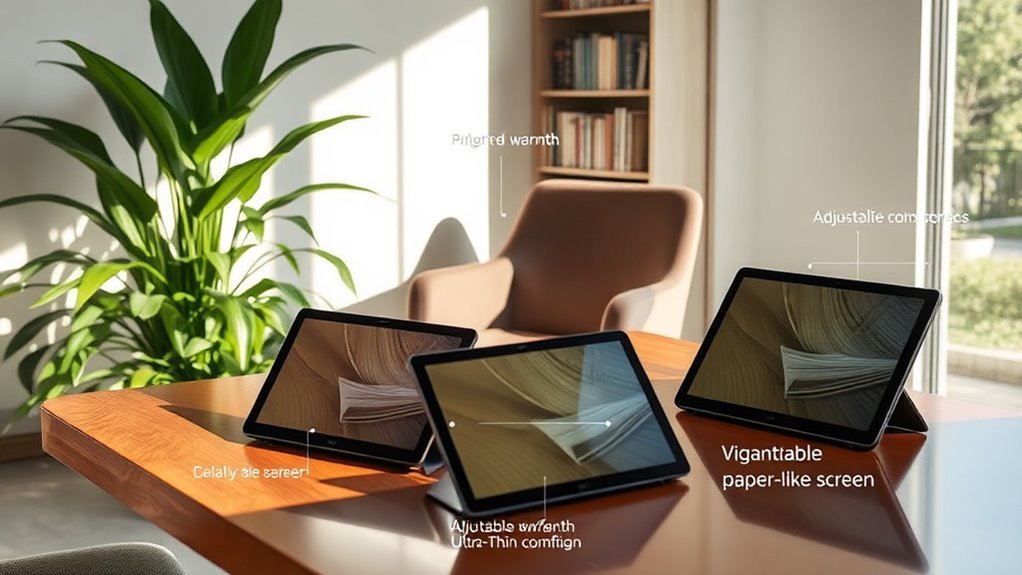
When you’re choosing an E Ink display, several key factors can impact your experience. Consider display size, power efficiency, resolution, device compatibility, and how often the screen updates.
Each of these points plays an essential role in ensuring you get the best performance for your needs. So, taking a moment to think about them can really pay off in the long run.
Display Size Considerations
Choosing the right E Ink display size can greatly impact your overall experience, especially since these screens come in a variety of dimensions. If you’re looking for portability, smaller displays like 2.9 inches are perfect for on-the-go use, while larger screens, up to 11 inches, are better suited for stationary applications like digital signage.
Keep in mind that resolution varies with size; for instance, a 5.79-inch display offers 272 × 792 pixels, guaranteeing clarity for text and graphics. Larger displays enhance readability, which is vital for e-readers.
Additionally, consider the aspect ratio, as it affects content layout and presentation. Picking the right size ensures you get the most out of your E Ink experience. It really makes a difference!
Power Consumption Efficiency
Power consumption efficiency is an essential factor to evaluate in your E Ink display choice. E Ink displays only consume power during screen refreshes, making them far more energy-efficient than traditional LCD or OLED screens. Those screens need constant power for backlighting, which uses up a lot more energy.
Many models boast ultra-low standby power consumption, often below 0.017 mW. This means they can retain content without continuous power, which is pretty impressive.
This efficiency is further enhanced by the ability to perform partial refreshes. That speeds up updates while reducing energy use even more.
E Ink technology really shines in battery-powered applications. It helps extend battery life thanks to its minimal power needs.
Plus, the sunlight-readable features mean there’s no need for backlighting. So, E Ink displays are perfect for outdoor reading while saving energy at the same time.
Resolution and Clarity
Resolution and clarity are pivotal when it comes to selecting an E Ink display that meets your needs. Higher resolutions, measured in pixels, offer sharper, clearer images. For instance, a resolution of 800×480 provides more detail than 272×792.
The pixel density, or pixels per inch (PPI), greatly impacts clarity; higher PPI values deliver smoother text and graphics. Monochrome displays typically yield better contrast, enhancing readability, while color displays may struggle with clarity depending on technology and color depth.
Additionally, consider the aspect ratio, as it affects how content is presented. Some resolutions are better suited for specific applications like eReaders or digital signage. Ultimately, choosing the right resolution and clarity enhances your reading experience.
Compatibility With Devices
How can you guarantee your E Ink display seamlessly integrates with your devices? First, confirm it supports the SPI interface, which is commonly used for communication with microcontrollers like Arduino or Raspberry Pi.
Next, check the voltage compatibility—most displays operate at either 3.3V or 5V. You’ll want to select displays that mention compatibility with your preferred platform to simplify integration.
Also, verify the resolution meets your application’s needs, as different devices have varying capabilities. Finally, consider the availability of development resources and libraries for your specific device; having solid documentation will make programming and implementation much easier.
These factors will help guarantee a smooth experience with your E Ink display and connected devices. It’s all about making sure everything works well together from the start.
Update Methods and Frequency
Choosing the right E Ink display goes beyond compatibility; you also need to think about update methods and frequency. E Ink displays are energy-efficient and consume power mainly during content refreshes. That makes them perfect for applications needing infrequent updates.
If you want quicker updates, look for displays with partial refresh capabilities. These reduce power use during refresh cycles, which is pretty neat.
Also, consider how often you’ll need updates. Some displays are made for static content, while others handle dynamic content with higher refresh rates.
Wireless update technologies add even more convenience. They let you change content without cables, which is super handy.
Plus, these displays hold onto the last shown content even when powered off. So, you can always see essential info, even during outages.
Frequently Asked Questions
How Do E Ink Displays Compare to Traditional LCD Screens?
E Ink displays offer better readability in sunlight, consume less power, and reduce eye strain compared to traditional LCD screens. You’ll enjoy a more paper-like experience, making prolonged reading sessions more comfortable and enjoyable.
Plus, because they don’t rely on a backlight like LCDs do, your eyes don’t get as tired after long periods of use. It’s kind of like reading an actual book, but with all the tech benefits!
Can E Ink Displays Be Used for Color Applications?
Yes, E Ink displays can be used for color applications, though their color range isn’t as vibrant as LCD screens. They’re great for specific uses like digital signage or e-readers that require minimal power consumption.
That said, if you’re looking for bright, vivid colors, E Ink might not be the best choice. But for things where battery life and readability matter more, they really shine.
What Is the Typical Lifespan of an E Ink Display?
E Ink displays can last for years, often exceeding five to ten years!
You’ll enjoy their longevity, as they resist wear and tear. It makes them ideal for avid readers who crave a lasting experience.
Are E Ink Displays Suitable for Outdoor Reading?
Yes, E Ink displays are great for outdoor reading. Their anti-glare technology and high contrast make it easy to see in bright sunlight.
This means you can enjoy your books without straining your eyes. It’s pretty handy when you’re outside and want to read comfortably.
How Do I Maintain and Care for My E Ink Display?
To keep your E Ink display shining like a new dawn, regularly clean it with a microfiber cloth. Avoid extreme temperatures, and charge it only when necessary.
Treat it gently; it holds your stories within. Taking care of it well means it’ll last longer and stay looking great.
Conclusion
In a world obsessed with bright, flashy screens, who would’ve thought e-ink displays would steal the spotlight in 2027? As you immerse yourself in these innovative options, you might find yourself longing for the simplicity of reading without distractions.
It’s ironic, isn’t it? In a time where everything’s hyper-connected, choosing an e-ink display feels like embracing the past while stepping into the future.
So, go ahead—rediscover the joy of reading, one muted pixel at a time! With the best e-ink displays for 2027, you’re not just picking a screen; you’re choosing a whole new reading experience. These displays redefine reading by offering comfort, clarity, and that distraction-free vibe we all crave. Whether you’re a casual reader or a digital bookworm, these e-ink devices are set to change how you enjoy your favorite stories.