12 Best E Ink Tablets for Note Taking and Reading in 2027
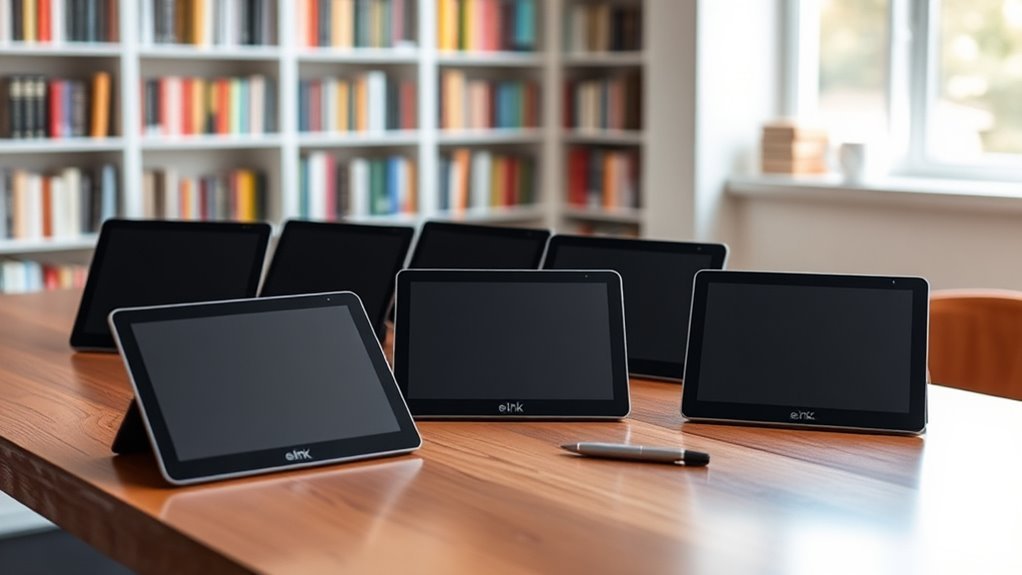
If you’re on the hunt for the best E Ink tablets for note-taking and reading in 2027, you’re in luck!
These devices are perfect for anyone who loves the feel of paper but wants the convenience of digital. Whether you’re a student, professional, or just an avid reader, there’s something here for you.
The Huion Ink EB1011 and Penstar eNote 2 stand out with cool features like dual-color front lights and smart AI tools.
Meanwhile, the reMarkable Paper Pro offers an incredibly natural, paper-like writing experience that many users swear by.
Then there’s the BOOX Go Color series, which brings versatility to your fingertips with its sharp, colorful displays.
Each tablet has its own unique perks designed to fit different needs.
So, stick around and let’s find out which one suits you best!
Huion Ink EB1011 E Ink Tablet 10.3″ Digital Notebook with Dual Front Light
The Huion Ink EB1011 E Ink Tablet redefines digital note-taking with a display that feels as natural as paper. Its 10.3-inch screen uses anti-glare glass, making reading and writing comfortable even in bright environments. This tablet’s dual-color front light adapts to your surroundings, ensuring clear visibility whether it’s daytime or night.
The included battery-free stylus offers 8192 pressure levels, giving you precise control for notes or sketches without the hassle of charging. With 64GB of storage, you can keep your documents and drawings organized and easily accessible. Connectivity options allow seamless file sharing, simplifying your workflow.
Designed for portability, the tablet weighs just under a pound but may feel slightly heavy for long sessions. It runs on Android 11, which supports many apps but might limit access to some specialized options. Storage expansion up to 2TB is possible, though finding compatible microSD cards could require extra effort.
Maintenance is straightforward with durable materials and a screen that resists glare and fingerprints, helping keep your device clean and functional over time. The Huion Ink EB1011 combines versatility with a natural writing experience, making it a practical tool for creative and professional use.
Best for: Students and professionals seeking a portable, versatile digital notebook for note-taking, reading, and creative work.
What We Like:
- Battery-free stylus with 8192 pressure levels for precise input
- Dual-color front light for comfortable use in varied lighting
- Large 64GB storage with expandable microSD support
- Anti-glare glass enhances readability and reduces eye strain
- Functions as a standalone tablet or connected pen display
Specification:
| Feature | Details |
|---|---|
| Manufacturer | Huion |
| Display Size | 10.3 inches |
| Weight | 0.99 lb (450 g) |
| Thickness | 0.25 inches (6.35 mm) |
| Storage Capacity | 64GB (expandable up to 2TB) |
| Operating System | Android 11 |
Penstar eNote 2 E-Ink Digital Notebook with Pen, 10.3″ AI Enote Tablet
The Penstar eNote 2 E-Ink Digital Notebook offers a smart solution for those who want to combine note-taking and reading without distractions. Its 10.3-inch high-resolution screen provides sharp clarity, making reading documents and writing notes effortless. This device reduces eye strain compared to traditional screens, helping you stay focused for longer periods.
Designed with an 8192-level pressure-sensitive stylus, it mimics the feel of pen on paper. This ensures smooth, precise writing and drawing, ideal for students and professionals who value accuracy. The tablet supports over 35 file formats and includes real-time voice-to-text features, streamlining how you organize your thoughts and materials.
Maintenance is simple with its long-lasting 6500mAh battery, which can power the device for up to four weeks on a single charge. This minimizes interruptions and lets you concentrate on your work or study schedule. The minimalist design and bundled accessories make it easy to carry and use anywhere.
While the Penstar eNote 2 excels in note-taking and reading, its app ecosystem is limited compared to conventional tablets. Some users may experience a learning curve when first adapting to digital note-taking.
Best for: Students, professionals, and avid readers seeking an efficient and eye-friendly digital note-taking and reading device.
What We Like:
- Sharp 10.3-inch E-Ink display for comfortable reading and writing.
- 8192-level pressure sensitivity offers natural and precise note-taking.
- Supports over 35 file formats for versatile document management.
- Long battery life up to four weeks reduces charging frequency.
- Real-time voice-to-text enhances productivity during note-taking.
Specification:
| Feature | Details |
|---|---|
| Manufacturer | Penstar |
| Screen Size | 10.3 inches |
| Resolution | 2480 x 1860 pixels |
| Stylus Pressure | 8192 levels |
| Battery Capacity | 6500mAh |
| File Format Support | Over 35 formats |
| Weight | Not specified |
| Color Options | Not specified |
BOOX Go Color 7 Gen II E Ink Tablet
Experience the freedom of digital note-taking and reading with the BOOX Go Color 7 Gen II E Ink Tablet. Its 7-inch Kaleido 3 color display delivers sharp text and vibrant visuals, helping you stay engaged with your documents and books. The tablet’s lightweight design, weighing just 195 grams, ensures you can carry it comfortably wherever you go.
This device simplifies your workflow by supporting a wide range of file formats and offering active stylus compatibility. Writing and sketching feel natural and precise, though the stylus is sold separately. The tablet connects easily via USB-C, and with 64GB of internal storage plus microSD expansion, you have plenty of space for your files.
Maintenance is straightforward thanks to its durable E Ink screen, which reduces eye strain and conserves battery life. However, keep in mind that the color display may appear darker than traditional screens, and battery life may require regular recharging with frequent use.
Best for: Professionals and students who need a portable digital notebook for reading and note-taking with color display support.
What We Like:
- Vibrant 7-inch Kaleido 3 E Ink color display
- Lightweight and highly portable design
- Broad file format compatibility
- Active stylus support for precise input
- Expandable storage via microSD card
Specification:
| Feature | Details |
|---|---|
| Manufacturer | BOOX |
| Display Size | 7 inches |
| Display Type | Kaleido 3 E Ink color |
| Resolution | 1680 x 1264 pixels |
| Weight | 195 grams |
| Storage | 64GB internal + microSD slot |
| Connectivity | USB-C |
reMarkable Paper Pro with Marker Plus and Black Leather Book Folio
Experience effortless note-taking and reading with the reMarkable Paper Pro, a device crafted to enhance productivity for creatives and professionals. Its large, 11.8” display offers a paper-like writing surface with realistic friction, reducing the disconnect often felt with digital tools. This helps you focus on your ideas without distraction.
The Marker Plus improves your workflow, featuring a built-in eraser and six spare tips for precise sketching or annotating PDFs. Organizing your work is simple with folders and tags, allowing quick access to your notes. The low-glare screen and adjustable reading light reduce eye strain during long sessions.
Designed to keep up with busy days, the tablet offers up to 15 days of battery life and supports quick charging. Its compact design and 64 GB of storage provide ample space for documents and creative projects. Maintaining the device is straightforward, with durable materials and easy care.
Best for: Professionals and creatives seeking a versatile digital notebook that closely mimics the feel of paper while improving organization and reducing eye fatigue.
What We Like:
- Realistic paper-like writing experience enhances comfort and creativity
- Long battery life supports extended use without frequent recharging
- Efficient organization with folders and tags for easy note management
- Low-glare screen and adjustable light minimize eye strain
- Marker Plus with built-in eraser and spare tips for flexible use
Specification:
| Feature | Details |
|---|---|
| Manufacturer | reMarkable |
| Display Size | 11.8 inches |
| Storage Capacity | 64 GB |
| Battery Life | Up to 15 days |
| Included Stylus | Marker Plus with eraser |
| Color Options | Black (Leather Book Folio) |
XPPen 3-in-1 Color Digital Notebook 10.95” Magic Note Pad
The XPPen 3-in-1 Color Digital Notebook offers a smart solution for digital note-taking that fits seamlessly into busy routines. Its vivid 10.95-inch LCD display reduces glare, making it easier to view your work in various lighting conditions. This device helps users stay organized and productive without the hassle of paper clutter.
Designed with precision in mind, the X3 Pro pencil provides 16K pressure sensitivity for natural, accurate writing and drawing. The companion XPPen Notes app enhances productivity by converting handwriting to editable text and allowing PDF editing. This combination simplifies the process of capturing ideas and refining documents on the go.
Weighing only 495 grams and measuring just 7mm thick, this notebook is lightweight and portable, ideal for students and professionals who work remotely or travel frequently. Its sleek design ensures easy handling and storage in bags or backpacks.
Maintenance is straightforward with an 8000mAh battery that supports extended use, although the average battery life is about four hours, so regular charging is advised. The notebook operates on Android 14, which offers basic app compatibility but may limit access to some advanced applications.
Best for: Students and professionals looking for a compact, versatile digital notebook to enhance note-taking and document management.
What We Like:
- High-resolution 10.95-inch LCD with anti-glare technology
- Precise 16K pressure sensitivity stylus for detailed writing
- Handwriting-to-text conversion and PDF editing via XPPen Notes
- Slim, lightweight design for easy portability
Specification:
| Feature | Details |
|---|---|
| Manufacturer | XPPen |
| Display Size | 10.95 inches |
| Resolution | 1920 x 1200 pixels |
| Weight | 495 grams (1.09 lbs) |
| Thickness | 7 mm |
| Battery Capacity | 8000 mAh |
| Operating System | Android 14 |
Kloudnote Slim 10.3″ E Ink Digital Notebook
Experience seamless reading and note-taking with the Kloudnote Slim 10.3″ E Ink Digital Notebook. Its ultra-thin design and crisp 10.3″ electronic ink screen reduce eye strain, making long sessions comfortable and productive. The device’s sharp resolution ensures clear text and images, ideal for studying or creative work.
Powered by a 1.8GHz quad-core processor, the tablet handles multitasking smoothly. You can organize your ideas using 39 built-in note templates and record audio to capture important details on the go. The Kloudnote cloud service keeps your data safe and easy to access across devices.
Maintenance is simple thanks to the device’s long-lasting 3000mAh battery, providing up to 40 hours of use on a single charge. Its lightweight build makes it portable for students and professionals alike. However, note that limited app support and the inability to listen to PDF books may affect some users’ experience.
Best for: Students, professionals, and creatives seeking a compact and functional E Ink tablet for reading, writing, and organizing tasks.
What We Like:
- Lightweight and sleek design for easy portability
- Extended battery life supports long usage without charging
- Multiple note templates and audio recording enhance productivity
Specification:
| Feature | Details |
|---|---|
| Manufacturer | Kloudnote |
| Screen Size | 10.3 inches |
| Resolution | 1404 x 1872 pixels |
| Processor | 1.8GHz Quad-core |
| Battery Capacity | 3000mAh |
| Weight | Not specified |
| Color Options | Not specified |
VIWOODS AiPaper 10.65″ AI E Ink Tablet, Digital Notebook Bundle with Pen
Discover a smarter way to take notes and manage documents with the VIWOODS AiPaper 10.65″ AI E Ink Tablet. Designed for students and professionals alike, it offers a natural, paper-like reading and writing experience that reduces eye strain during long study sessions. The tablet’s 10.65-inch E Ink display is perfect for reading and annotating lengthy PDFs without distractions.
Equipped with the W2 Stylus Pro, you can capture ideas precisely thanks to its 4096 levels of pressure sensitivity. This makes writing, sketching, and marking up documents feel fluid and natural. The device’s built-in AI features help you stay organized by managing to-do lists and translating content efficiently, streamlining your workflow.
The tablet comes with 128GB of storage, ensuring you have ample space for notes and files. Its simple connectivity options make syncing easy, while the low-maintenance E Ink screen offers long-lasting use without frequent charging. However, the device’s app ecosystem is more limited than traditional tablets, and it may not suit users needing dynamic multimedia functions.
Best for: Students and professionals seeking a focused, versatile digital notebook that enhances productivity while minimizing distractions.
What We Like:
- Paper-like 10.65-inch E Ink display reduces eye strain.
- Precise input with W2 Stylus Pro’s 4096 pressure sensitivity levels.
- AI-driven tools simplify note organization and content translation.
- Large 128GB storage supports extensive document management.
- Low-maintenance and distraction-free digital reading experience.
Specification:
| Feature | Details |
|---|---|
| Manufacturer | VIWOODS |
| Display Size | 10.65 inches |
| Stylus | W2 Stylus Pro |
| Pressure Sensitivity | 4096 levels |
| Storage Capacity | 128GB |
| Connectivity | Seamless, unspecified |
| Weight | Not specified |
| Color Options | Not specified |
BOOX 10.3″ Note Air 5 E Ink Tablet
Experience a new level of digital reading and writing with the BOOX 10.3″ Note Air 5 E Ink Tablet. Its 10.3-inch Kaleido 3 glass screen offers a gentle display that reduces eye strain, making it ideal for long reading or note-taking sessions. This tablet helps you stay organized by storing all your documents in one lightweight device.
Designed for smooth operation, the octa-core CPU and 6GB RAM ensure quick response times, while the 64GB storage keeps your files easily accessible. The tablet’s stylus supports 4,096 pressure sensitivity levels, enabling precise and natural handwriting, perfect for detailed notes or sketches.
Maintenance is simple thanks to the durable glass screen and efficient battery life, allowing you to focus on your work without frequent interruptions. The device supports multiple file formats, including PDFs and EPUBs, catering to diverse reading and writing needs.
While the E Ink technology may produce a slightly dimmer display compared to traditional screens, it enhances readability in bright environments. The tablet runs on Android 15, providing a familiar interface and wide app compatibility to enhance productivity.
Best for: Professionals and students who need a portable, versatile digital notepad and e-reader for detailed note-taking and document management.
What We Like:
- Wide format support for various documents and images
- Lightweight design enhances portability
- High stylus pressure sensitivity for precise input
- Runs Android 15 for app flexibility
Specification:
| Feature | Details |
|---|---|
| Manufacturer | BOOX |
| Screen Size | 10.3 inches |
| Display Type | Kaleido 3 glass E Ink |
| Processor | Octa-core CPU |
| RAM | 6 GB |
| Storage | 64 GB |
| Weight | 430 grams |
| Operating System | Android 15 |
BOOX Go 7 E Ink Tablet with Stylus Support
The BOOX Go 7 E Ink Tablet offers a practical solution for those who need a reliable device for reading and note-taking. Its 7-inch HD ePaper display delivers crisp text and clear images, helping reduce eye strain during long study or work sessions. This makes it easier to focus and retain information.
Weighing only 195g, the tablet is highly portable, fitting comfortably in your bag or hand. The octa-core CPU and 4GB RAM ensure smooth multitasking, so you can switch between apps without lag. Connectivity options like Wi-Fi, Bluetooth 5.1, and a USB-C port expand its usability for various tasks.
While the Active Stylus is sold separately, it can significantly improve your note-taking experience by providing precise input. The tablet supports multiple file formats, adapting seamlessly to different reading and learning preferences. Maintenance is straightforward, with a durable design designed for everyday use.
Battery life is moderate with a 2,300mAh capacity, suitable for typical daily sessions but may require recharging during extended use. Audio features are basic, limited to a built-in speaker and microphone, which suits quiet environments.
Best for: Students and professionals seeking a lightweight, efficient tablet for reading and note-taking on the go.
What We Like:
- Crisp 300 ppi display for clear visuals
- Lightweight and highly portable design
- Supports a wide variety of reading formats
- Smooth performance with octa-core CPU and 4GB RAM
- Versatile connectivity with Wi-Fi, Bluetooth 5.1, and USB-C
Specification:
| Feature | Details |
|---|---|
| Manufacturer | BOOX |
| Display Size | 7 inches |
| Resolution | 300 ppi |
| Weight | 195 g (0.43 lb) |
| RAM | 4 GB |
| Processor | Octa-core CPU |
| Connectivity | Wi-Fi, Bluetooth 5.1, USB-C |
| Battery Capacity | 2,300 mAh |
PocketBook InkPad One E Ink Reader with Stylus
The PocketBook InkPad One offers a focused solution for those who need more than just an e-reader. Its stylus-enabled note-taking transforms your reading experience, making it easy to jot down ideas or annotate documents directly on the 10.3” E Ink Mobius screen. This feature helps students and professionals stay organized without carrying extra notebooks.
Designed with a sleek, button-free aluminum frame, the device blends portability with durability. The adjustable SMARTlight ensures you can read comfortably in any lighting condition, reducing eye strain during long sessions. Its support for 25 file formats means you can access a wide variety of content without hassle.
Maintenance is straightforward, thanks to its minimalist design and reliable build quality. The stylus is active and precise, requiring no complicated setup. However, the device requires a 12V battery, which may need occasional replacement, and its weight of 1.61 pounds might feel a bit heavy for some users.
Bluetooth audio support adds versatility by letting you listen to audiobooks on the go, enhancing the overall functionality. The PocketBook InkPad One is a practical tool for anyone who values seamless note-taking combined with a high-quality reading experience.
Best for: Students and professionals looking for a versatile E Ink reader with integrated handwriting and note-taking capabilities.
What We Like:
- Seamless stylus support for handwriting and annotations
- Adjustable SMARTlight for comfortable reading in varied lighting
- Broad compatibility with 25 file formats
- Durable, sleek aluminum frame
- Bluetooth audio for audiobook playback
Specification:
| Feature | Details |
|---|---|
| Manufacturer | PocketBook |
| Display Size | 10.3 inches |
| Weight | 1.61 pounds (0.73 kg) |
| Material | Aluminum frame |
| Battery Requirement | 12V battery |
| Format Support | 25 file types |
| Connectivity | Bluetooth audio support |
PocketBook InkPad Eo 10.3″ Color E Ink Tablet
The PocketBook InkPad Eo 10.3″ Color E Ink Tablet offers a unique blend of reading and note-taking in a single device. Its 10.3-inch color E Ink Kaleido 3 touchscreen delivers a glare-free, paper-like display. This reduces eye strain and makes reading more comfortable, even in bright light.
This tablet is designed for users who want to capture ideas and annotate effortlessly. The included stylus supports handwriting and drawing, while the integrated camera lets you annotate photos directly. This functionality helps organize thoughts and visuals without switching devices.
Maintenance is simple thanks to its durable E Ink screen and long-lasting battery life, though usage with multimedia features may affect endurance. The device runs on Android 11, granting access to various apps and expanding its versatility beyond a regular e-reader.
Connectivity through Wi-Fi and Bluetooth 5.0 ensures easy sharing and audio options. The adjustable SMARTlight allows personalized lighting, enhancing comfort during extended use. Storage is 16 GB, which suits most users but may be limiting for extensive multimedia collections.
Best for: Users seeking a versatile, color E Ink tablet for reading, note-taking, and creative tasks with a paper-like experience.
What We Like:
- Vibrant color display with 50% improved resolution
- Stylus support for handwriting and photo annotation
- Android 11 access to diverse applications
- Adjustable SMARTlight for customized reading comfort
Specification:
| Feature | Details |
|---|---|
| Manufacturer | PocketBook |
| Screen Size | 10.3 inches |
| Display Type | Color E Ink Kaleido 3 |
| Operating System | Android 11 |
| Storage | 16 GB |
| Connectivity | Wi-Fi, Bluetooth 5.0 |
| Included Accessories | Stylus |
BOOX Go Color E Ink Tablet 4G (64G)
Experience a new level of convenience with the BOOX Go Color E Ink Tablet 4G. Its 7-inch Kaleido 3 color E Ink display offers sharp visuals with 4096 colors, making reading and note-taking more vivid and engaging. This tablet solves the problem of carrying multiple devices by combining essential functions into one lightweight gadget.
Weighing only 195 g, it fits comfortably in your hand or bag, perfect for on-the-go use. Running on Android 13 with an octa-core CPU, it delivers smooth operation whether you’re browsing documents or jotting down ideas. The device supports various document and image formats, ensuring compatibility with your files.
The tablet’s touchscreen and Active Stylus InkSense compatibility provide flexible input options, although the stylus is sold separately. Maintenance is simple thanks to its durable design and optimized software, designed to minimize eye strain during long sessions.
With 64GB of expandable storage, it offers ample space for your reading materials and notes. This device uniquely blends portability, color E Ink technology, and versatile functionality to enhance your productivity and leisure.
Best for: Readers and professionals seeking a compact, color E Ink tablet for seamless reading and note-taking.
What We Like:
- Lightweight and easy to carry for daily use
- Vivid color display enhances reading experience
- Supports multiple document and image formats
- Expandable storage for extensive file management
- Smooth Android 13 performance with octa-core CPU
Specification:
| Feature | Details |
|---|---|
| Manufacturer | BOOX |
| Screen Size | 7 inches |
| Display Type | Kaleido 3 Color E Ink |
| Resolution | 1680 x 1264 pixels |
| Weight | 195 g (0.43 lb) |
| Operating System | Android 13 |
| CPU | Octa-core |
| Storage | 64GB (expandable) |
| Connectivity | 4G |
Factors to Consider When Choosing an E Ink Tablet for Note Taking and Reading

When choosing an E Ink tablet for note taking and reading, you’ll want to take into account several key factors. Screen size and resolution can greatly affect your experience, while writing technology determines how smoothly you can take notes.
Don’t forget to assess battery life, storage options, and connectivity features to make sure the tablet meets your needs. These details might seem small, but they really add up when you’re using the device every day.
Screen Size and Resolution
Choosing the right screen size and resolution is essential for an ideal E Ink tablet experience, especially for note-taking and reading. A 10.3-inch screen strikes a perfect balance between portability and a comfortable workspace.
Look for resolutions like 2480×1860 or 1404×1872 pixels, as these enhance text and image clarity. This makes long reading sessions easier on your eyes.
A pixel density of 300 PPI or higher offers sharper text, which helps reduce eye strain. Additionally, consider tablets with anti-glare glass to improve visibility in various lighting conditions.
Adjustable front lighting, especially with dual-color options, lets you customize brightness and warmth for optimal reading comfort. That way, you can enjoy your tablet in any environment.
Writing Experience and Technology
After settling on the ideal screen size and resolution for your E Ink tablet, the next factor to evaluate is the writing experience and technology. Look for pressure sensitivity levels between 4096 and 8192; this gives you precise control for your handwritten notes and sketches.
E Ink displays mimic the feel of paper, reducing eye strain during long sessions. A stylus with a felt tip can enhance this experience, providing authentic friction like traditional writing.
Additionally, handwriting recognition technology can convert your notes into editable text, making organization and sharing easier. Some tablets even integrate AI features to streamline note-taking, including summarization and translation, boosting your overall productivity.
Choose wisely to elevate your writing experience!
Battery Life Considerations
While considering an E Ink tablet for note-taking and reading, battery life plays a crucial role in your overall experience. Some models boast up to four weeks of use on a single charge, perfect for extended sessions without frequent recharging.
Energy-efficient displays consume less power than traditional screens, enhancing longevity during reading and writing. Pay attention to battery size; capacities from 2,300mAh to 8,000mAh can greatly impact usage time.
Quick recharge features can be a game-changer, letting you reach 90% charge in under an hour. Remember, your usage patterns—like Wi-Fi connectivity, screen brightness, and background apps—can also affect battery performance.
Storage Capacity and Expandability
When considering an E Ink tablet for note-taking and reading, storage capacity and expandability are key factors. Most tablets offer internal storage ranging from 64GB to 128GB, which is essential for saving your notes, documents, and files.
If you need more space, look for one with a microSD card slot—many support expansion up to 2TB. This flexibility is great for large file collections.
Additionally, consider the file formats supported; some formats take up more space than others. Cloud storage options can further enhance your device’s capabilities, allowing you to access files remotely without consuming local storage.
Ultimately, choose a tablet that meets your specific needs, whether for extensive note-taking or reading large documents.
Connectivity Options Available
Choosing an E Ink tablet with the right connectivity options can really boost your note-taking and reading experience. Many tablets come with Wi-Fi and Bluetooth, so syncing notes and accessing online resources is a breeze.
Also, keep an eye out for USB-C ports. They’re great for fast data transfer and charging, and they support peripherals too.
If you’re worried about storage, some models let you add a microSD card. This way, you can expand your space for documents and media without being stuck with just the internal memory.
Plus, a few devices have cloud service integration. That makes sharing and storing notes across your gadgets super easy.
And if you want to take it up a notch, voice-to-text features can help you convert spoken words into text right away. It’s a handy way to keep your workflow smooth and efficient.
Supported File Formats
Supported file formats play an essential role in your experience with an E Ink tablet for note-taking and reading. Most E Ink tablets support a wide range of formats, including PDFs, EPUBs, MOBIs, and DOCXs, enhancing their versatility.
With the ability to handle over 35 different file types, you can easily access textbooks, research papers, and digital documents. Compatibility with popular formats guarantees you can annotate e-books and academic papers without hassle.
Some tablets even support audio files, enriching your learning experience with audiobooks and music. Plus, the ability to import and export documents in various formats streamlines sharing notes and annotations across platforms.
This makes your study sessions more efficient and seamless.
Weight and Portability
After confirming your E Ink tablet can handle various file formats, it’s time to think about weight and portability. The weight of these tablets ranges from about 0.99 pounds to 1.61 pounds, so if you plan to carry one daily, choose wisely.
Slim designs, some as thin as 0.25 inches, fit easily in bags and backpacks. A lightweight tablet is ideal for long reading sessions or note-taking, helping to reduce hand fatigue.
Look for compact dimensions, typically between 7 to 11.8 inches, for an ergonomic experience on the go. Just keep in mind that protective cases may add some weight, but they guarantee your device stays durable during frequent transport.
Additional Features and Functions
When exploring E Ink tablets for note-taking and reading, it’s crucial to evaluate additional features that can enhance your experience. Look for devices that support various document formats like PDF, EPUB, and DOCX to guarantee compatibility with your reading materials and notes.
Handwriting recognition capabilities are a must, as they instantly convert your handwritten notes into editable text, boosting your productivity. AI features for summarization and task management can also streamline your workflow.
Adjustable lighting options, especially dual-color front lights, improve reading comfort in different environments. And don’t forget to consider functionalities like built-in speakers for audio support, voice-to-text capabilities, and multi-screen support for efficient simultaneous reading and note-taking.
These features can really elevate your overall experience. So, keep them in mind when choosing the best E Ink tablet for you!
Frequently Asked Questions
How Do E Ink Tablets Compare to Traditional Paper Notebooks?
E Ink tablets offer the convenience of digital organization and easy editing. They make it simple to keep everything in one place without the bulk of physical notebooks.
On the other hand, traditional paper notebooks provide a tactile experience that many people really enjoy. There’s something satisfying about putting pen to paper that just can’t be replicated digitally.
You’ll find that both have unique advantages depending on your personal preferences and needs. It really comes down to what suits your style best.
Can I Use E Ink Tablets in Direct Sunlight?
You can definitely use E Ink tablets in direct sunlight; they perform surprisingly well.
In fact, studies show E Ink screens reflect sunlight like paper, making them easier to read outdoors compared to traditional screens.
What Is the Battery Life of These E Ink Tablets?
You’ll typically find e-ink tablets boasting impressive battery life, often lasting weeks on a single charge. This efficiency lets you read or take notes without constantly worrying about recharging.
Makes them perfect for extended use. You can just focus on your work or reading without those annoying battery alerts popping up all the time.
Are E Ink Tablets Suitable for Drawing and Sketching?
Yes, E Ink tablets can be suitable for drawing and sketching, especially those designed for artists. They offer a unique experience with less strain on your eyes.
That said, responsiveness may vary compared to traditional tablets. So, it really depends on what you’re looking for and how you like to work.
How Do I Transfer Files to My E Ink Tablet?
You can transfer files to your E Ink tablet via USB, email, or cloud services. Just connect it to your computer and drag and drop files.
Or, you can use an app to sync documents effortlessly. It’s pretty straightforward and saves you a lot of time.
Conclusion
In your quest for the perfect e-ink tablet, prioritize performance, portability, and personal preferences. Each option offers unique features tailored to different tastes and tasks.
Whether you crave clarity for reading or creativity for note-taking, there’s a device designed just for you. Embrace the elegant ease of e-ink technology, and enhance your educational experience with a tablet that truly transforms your reading and writing routine.
Dive into the world of e-ink tablets for note-taking and reading, and find one that fits your lifestyle perfectly. With options that boost productivity and reduce eye strain, you’ll enjoy a seamless blend of digital convenience and old-school comfort. So why wait? Immerse yourself in digital delight and discover your ideal device today!