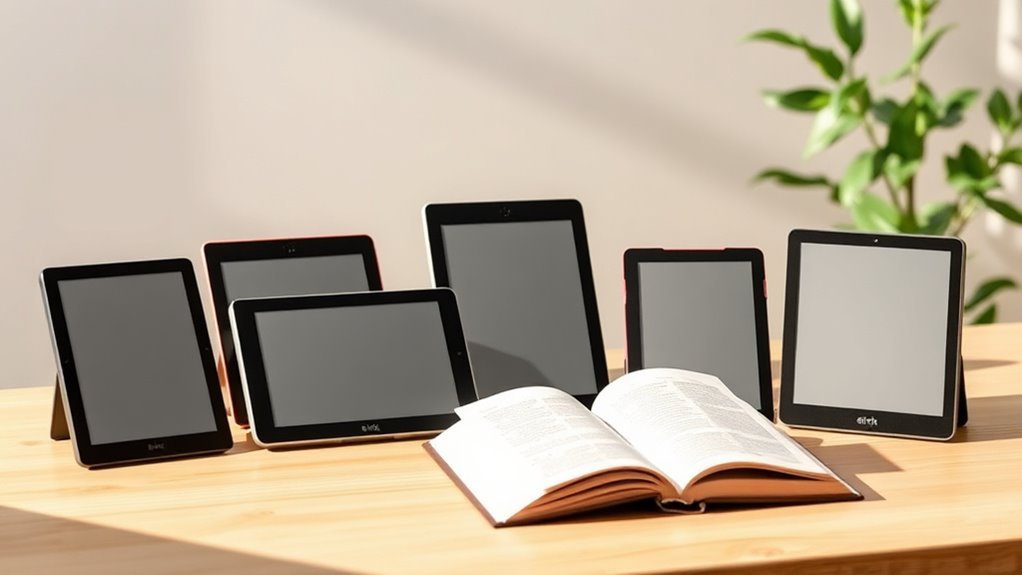
7 Best E Ink Tablets for 2027 (Read Like a Book)
If you’re searching for the best E Ink tablets for 2027, you’re in luck because there are some fantastic options out there.
Whether you want something lightweight and portable or a device that feels just like writing on paper, there’s a tablet for you. The BOOX Go Color 7 Gen II is perfect if portability is your priority.
The reMarkable Paper Pro stands out with its superb writing experience that’s hard to beat.
Meanwhile, the Air Pro 8.2″ impresses users with its crisp and clear display, making reading a joy.
If you’re interested in tech-savvy features, VIWOODS tablets mix AI capabilities with sharp screens.
Each of these E Ink tablets has unique strengths, balancing performance and features in different ways.
Stick around to see what makes these top E Ink tablets special and find the perfect fit tailored to your needs.
BOOX Go Color 7 Gen II E Ink Tablet
The BOOX Go Color 7 Gen II E Ink Tablet offers a practical solution for those who need a lightweight device for reading and note-taking on the go. Its compact 7-inch Kaleido 3 color E Ink screen provides clear visuals while reducing eye strain, making it easier to focus during long sessions. The front light with adjustable warmth ensures comfortable use in varying lighting conditions.
Designed to handle multiple document formats, this tablet lets you read and annotate PDFs, EPUBs, and more with ease. The active stylus technology supports precise writing, although the stylus must be purchased separately. With 64GB of storage, you can keep your notes and documents organized without worrying about space.
Weighing just 195 grams, the device is highly portable and easy to carry throughout the day. Battery capacity is moderate at 2,300mAh, so frequent charging might be necessary with heavy use. The color E Ink display offers a unique reading experience but may appear less vibrant compared to traditional LCD or LED screens.
Best for: Digital note-takers looking for a portable, versatile E Ink tablet that supports color display and multiple document formats.
What We Like:
- Lightweight and compact for easy portability
- Supports a wide range of document formats
- Adjustable warm and cold front light for eye comfort
- Large 64GB storage for ample note and file saving
Specification:
| Feature | Details |
|---|---|
| Manufacturer | BOOX |
| Display Size | 7 inches |
| Display Type | Kaleido 3 Color E Ink |
| Resolution | 1680 x 1264 pixels |
| Weight | 195 grams |
| Storage | 64GB |
| Battery Capacity | 2,300mAh |
| Stylus | Active stylus (sold separately) |
BOOX Tablet Note Air6 C 6GB 64GB E Ink Tablet Color ePaper Digital Notebook
The BOOX Tablet Note Air6 C is designed to transform how you read and take notes. Its 10.3-inch Kaleido 3 color ePaper display offers clear, vibrant visuals that make digital documents and notes more engaging. This tablet helps reduce eye strain, making it easier to focus during long reading or writing sessions.
Powered by a Qualcomm 6690 processor with 6GB RAM, it delivers smooth performance for multitasking and handling various document formats like PDFs and EPUBs. The adjustable front light adapts to different lighting conditions, ensuring comfortable use both day and night.
Weighing just 440 grams, this tablet is highly portable, fitting easily into your daily routine. Its compact design and efficient hardware make maintenance straightforward, with reliable performance over extended use. While the color resolution is modest and battery life is shorter than some traditional tablets, its features cater well to digital note-takers and readers.
Best for: Professionals and students who need a versatile, lightweight color E Ink tablet for digital note-taking and reading.
What We Like:
- Vibrant 10.3-inch Kaleido 3 screen enhances visual clarity and color richness.
- Smooth multitasking with Qualcomm 6690 processor and 6GB RAM.
- Adjustable front light improves usability in all lighting conditions.
- Lightweight and portable design for on-the-go convenience.
- Broad support for multiple document formats ensures flexibility.
Specification:
| Feature | Details |
|---|---|
| Manufacturer | BOOX |
| Display Size | 10.3 inches |
| Screen Technology | Kaleido 3 Color ePaper |
| Processor | Qualcomm 6690 |
| RAM | 6 GB |
| Storage | 64 GB |
| Weight | 440 g |
| Operating System | Android 16 |
Air Pro 8.2″ E-Ink Tablet with Stylus, 293 PPI Carta 1300 E-Reader
The Air Pro 8.2″ E-Ink Tablet offers a crisp 293 PPI display that mimics paper, reducing eye strain during long reading or writing sessions. Its anti-glare screen makes it easy to use outdoors, solving common issues with screen reflections. The ultra-thin design ensures portability without sacrificing durability.
Writing feels natural thanks to the low-latency stylus with 4,096 pressure levels. This feature provides precise control for notes or sketches, improving productivity and creativity. Storage is generous at 64GB and can expand up to 2TB, so you can keep large libraries and important documents in one place.
Running on Android 14, the tablet supports a smooth app experience tailored for e-ink technology. Sharing notes is simple via email or screen projection, streamlining collaboration. The 2600mAh battery offers up to 50 hours of use, minimizing interruptions for charging.
Maintenance is straightforward; the screen’s anti-glare surface resists fingerprints and smudges, keeping your device clear with minimal effort. While the tablet lacks a color display and has a limited app ecosystem, it excels at focused reading and writing tasks.
Best for: Readers and professionals who need a portable, easy-to-use e-ink tablet for extended reading and note-taking.
What We Like:
- Sharp 293 PPI display with anti-glare for outdoor use
- Natural writing experience with a high-pressure sensitivity stylus
- Large, expandable storage up to 2TB
- Long battery life of up to 50 hours
- Runs on Android 14 for versatile app use
Specification:
| Feature | Details |
|---|---|
| Manufacturer | Air Pro |
| Display Size | 8.2 inches |
| Display Type | E-Ink Carta 1300 |
| Resolution | 293 PPI |
| Storage | 64GB (expandable to 2TB) |
| Battery Capacity | 2600mAh |
| Operating System | Android 14 |
| Stylus Pressure | 4,096 levels |
| Weight | Not specified |
| Color Options | Not specified |
reMarkable Paper Pure with Marker Plus and Ocean Blue Sleeve Folio
Discover a new way to take notes with the reMarkable Paper Pure and Marker Plus. This device is designed to make digital writing feel natural and effortless. Its 10.3-inch E-Ink screen offers a clear and comfortable writing experience, reducing eye strain during long sessions.
The tablet’s fast 21 ms response time ensures your handwriting appears instantly, helping you stay focused. With various templates and easy note editing, it solves the hassle of organizing paper documents. Sharing your work is simple, as you can email notes directly from the device.
The sleek Ocean Blue Sleeve Folio protects your tablet while adding a touch of style. Maintenance is straightforward with a durable design that keeps the screen clean and scratch-free. The subscription service provides unlimited cloud storage, keeping your notes safe and accessible.
While it only supports black-and-white display, this keeps the focus on writing clarity. Some users may find the transition from paper to digital requires adjustment, but the benefits in organization and efficiency are clear.
Best for: Teachers and professionals seeking a streamlined digital note-taking solution that enhances productivity.
What We Like:
- Clear, high-contrast E-Ink display for easy reading and writing
- Fast response time for smooth, natural handwriting
- Direct email sharing and cloud integration for seamless workflow
- Protective and stylish Ocean Blue Sleeve Folio included
Specification:
| Feature | Details |
|---|---|
| Manufacturer | reMarkable |
| Dimensions | 10.3 inches screen |
| Weight | 360 grams |
| Material | E-Ink display, durable casing |
| Color Options | Ocean Blue Sleeve Folio |
reMarkable Paper Pro Digital Notebook with Marker Plus
The reMarkable Paper Pro Digital Notebook with Marker Plus offers a seamless transition from paper to digital. Its 11.8” color e-ink display provides a natural writing surface that feels close to real paper. This helps reduce eye strain and enhances focus during extended note-taking or drawing sessions.
Designed for easy organization, this device allows you to manage notes with folders and tags. You can annotate PDFs directly and convert your handwriting into editable text. These features help streamline workflows and make reviewing documents more efficient.
The Marker Plus includes a built-in eraser, giving you precise control over your writing and edits. Its ergonomic design supports comfortable use, making it suitable for long study or work hours. The tablet’s adjustable lighting adapts to different environments, improving usability day or night.
With up to 15 days of battery life and fast charging, maintenance is minimal and convenient. However, some features require a subscription, and the device’s higher price point might be a consideration compared to traditional notebooks.
Best for: Professionals and students who want a realistic digital writing experience with efficient note management.
What We Like:
- Natural paper-like writing experience on a color e-ink display
- Built-in eraser on Marker Plus for easy corrections
- Long battery life supports extended use without frequent charging
- Ability to annotate PDFs and convert handwriting to text
- Adjustable lighting for comfortable use in various lighting conditions
Specification:
| Feature | Detail |
|---|---|
| Manufacturer | reMarkable |
| Display Size | 11.8 inches |
| Display Type | Color e-ink |
| Weight | Not specified |
| Color Options | Limited |
| Battery Life | Up to 15 days |
| Input Device | Marker Plus with built-in eraser |
VIWOODS AiPaper 10.65″ AI E Ink Tablet, Digital Notebook Bundle with Pen
Discover a tablet designed to transform your study and work habits. The VIWOODS AiPaper 10.65″ AI E Ink Tablet offers a clear, paper-like display that reduces eye strain during long reading sessions. Its high-resolution screen makes reviewing PDFs and ebooks effortless and comfortable.
This device goes beyond reading by allowing you to take handwritten notes and annotate documents with the W2 Stylus Pro. The stylus provides precise control, making it easy to capture ideas and mark up important texts. Its AI-powered tools help you organize tasks and summarize content, streamlining your workflow and saving time.
With 128GB of storage and wireless connectivity options, you can carry your entire digital notebook wherever you go. The tablet’s minimalist design ensures easy maintenance and portability, while its E Ink technology offers excellent battery efficiency for focused, distraction-free use.
However, the E Ink screen is better suited for reading and note-taking rather than multimedia playback. Some users may need time to fully explore the AI features, and battery life will vary depending on how these functions are used.
Best for: Students and professionals seeking a smart digital notebook for focused reading and efficient note-taking.
What We Like:
- Sharp, eye-friendly E Ink display for extended reading
- Responsive W2 Stylus Pro for natural handwriting and annotations
- AI capabilities that enhance productivity with task management and summaries
- Large 128GB storage for extensive document libraries
- Lightweight and easy to maintain design
Specification:
| Feature | Details |
|---|---|
| Manufacturer | VIWOODS |
| Screen Size | 10.65 inches |
| Resolution | 2560 x 1920 pixels |
| Storage | 128GB |
| Connectivity | Bluetooth, Wi-Fi |
| Input Device | W2 Stylus Pro |
| Weight | Not specified |
| Color Options | Not specified |
VIWOODS AiPaper Mini 8.2″ AI E Ink Tablet, Digital Notebook Bundle with Pen
Experience a new level of digital reading and writing with the VIWOODS AiPaper Mini 8.2″ AI E Ink Tablet. This lightweight device weighs just 230g, making it easy to carry anywhere. Its sharp 8.2-inch display with 292 PPI resolution offers clear text and images, reducing eye strain with an adjustable warm light that adapts to your surroundings.
The tablet’s integrated W2 Stylus Pro enhances productivity by allowing precise note-taking, PDF annotation, and sketching. This makes it ideal for students, professionals, and creatives who need a versatile digital notebook. With 128GB of local storage, you can keep your important documents and ebooks within reach without relying solely on cloud access.
Designed for seamless file management, the device supports synchronization with popular cloud services. This ensures your files stay updated and accessible across devices. Regular maintenance mainly involves replacing stylus nibs as needed, which helps maintain smooth writing performance.
While the tablet offers a focused app environment, it might not support all features found on traditional tablets. Additionally, its pressure sensitivity is suitable for general use but may not satisfy professional artists requiring advanced drawing capabilities.
Best for: Users seeking a portable, eye-friendly digital notebook for reading, note-taking, and light sketching.
What We Like:
- Adjustable warm light for comfortable reading in various lighting conditions
- Large 128GB storage for extensive ebooks and notes
- Precise W2 Stylus Pro for versatile writing and drawing
- Easy synchronization with popular cloud platforms
- Lightweight and portable design
Specification:
| Feature | Details |
|---|---|
| Manufacturer | VIWOODS |
| Display Size | 8.2 inches |
| Resolution | 292 PPI |
| Weight | 230 g |
| Storage Capacity | 128 GB |
| Stylus | W2 Stylus Pro |
Factors to Consider When Choosing an E Ink Tablet

When choosing an E Ink tablet, you’ll want to think about several key factors. Consider the display features, writing experience, and battery life to guarantee it meets your needs.
Don’t forget to check storage options and connectivity for seamless use. These little details can make a big difference in how smoothly things run.
Key Display Features
Choosing the right E Ink tablet involves considering several key display features that can enhance your reading experience. First, look at the resolution; a higher pixels per inch (PPI), like 300 PPI, guarantees sharp text and images.
If you want color, consider models with Kaleido 3 technology, but remember they may have less vibrant colors at lower resolutions. Front light features with color temperature management help you read comfortably in various lighting conditions.
Anti-glare screens are essential for outdoor reading, reducing reflections. Finally, think about display size: larger screens (around 10.3 inches) are great for multitasking, while smaller screens (about 7 inches) are more portable.
Each feature contributes to a better reading experience tailored to your needs. So, weigh what matters most to you and pick the tablet that fits your lifestyle best.
Writing Experience Quality
A great writing experience on E Ink tablets hinges on several essential factors that can transform your note-taking and creative processes. First, consider the stylus technology; models with up to 4,096 pressure sensitivity levels offer precise and natural feedback, mimicking the feel of traditional writing.
Look for tablets with a paper-like surface—this enhances comfort and familiarity, making it easier to jot down ideas. Low latency in digital ink display guarantees your writing flows smoothly, minimizing distractions.
Adjustable front lighting and anti-glare screens improve visibility in various settings, protecting your eyes. Finally, multiple note templates and organizational features boost productivity, allowing you to capture and manage your thoughts efficiently.
Choose wisely, and your writing experience will thrive.
Battery Life Considerations
The writing experience on E Ink tablets is amazing, but battery life plays an essential role in how well you can enjoy that experience. Battery life varies greatly; some models offer up to 50 hours of reading time, while others last about 15 days, depending on your usage.
Factors like display size, brightness settings, and connectivity options can greatly impact battery consumption. Generally, a larger battery capacity (measured in mAh) means longer life—capacities range from 2,300mAh to 3,700mAh.
Also, newer E Ink technologies are often more efficient, consuming less power. Think about your reading habits; if you frequently use features like backlighting or Wi-Fi, your battery longevity could take a hit.
Storage Capacity Options
Storage capacity options on E Ink tablets can greatly impact your reading and note-taking experience. Typically, you’ll find options ranging from 64GB to 128GB, which can hold thousands of PDFs, ebooks, and notes.
If you frequently annotate or create larger files, opting for higher storage is wise to avoid running out of space. Some tablets even offer expandable storage via microSD card slots, adding flexibility for those needing more room.
When choosing, consider the types of content you’ll store—high-resolution images or extensive document libraries require more space. Think about your usage patterns, too; heavier users will appreciate the convenience of additional storage for seamless access to all their materials.
Connectivity and Compatibility
How do you guarantee your E Ink tablet fits seamlessly into your digital lifestyle? Look for multiple connectivity options like Wi-Fi, Bluetooth, and USB-C to assure compatibility with various devices.
You’ll want your tablet to support popular cloud storage services like Google Drive and Dropbox for easy file syncing and backup. That way, your files are always accessible and safe.
Check if it works with styluses and other accessories. Some models require specific brands for peak performance, so it’s good to know what’s compatible.
Also, consider whether it can run commonly used operating systems or apps. This can really boost what you can do with your tablet.
Finally, devices with OTG support let you connect directly to external storage or peripherals, which expands usability even more.
These factors will help you choose an E Ink tablet that meets your needs effortlessly.
Price and Warranty Factors
When you’re choosing an E Ink tablet, price and warranty factors can greatly impact your decision. Prices range from budget-friendly models to premium devices, influenced by features like screen size and stylus support.
If you’re serious about reading or writing, investing in a higher-priced tablet with advanced features might be worthwhile. Warranty periods typically last a year for non-hardware issues, giving you peace of mind against defects.
Also, don’t forget to check the return policy. Many brands offer a 30-day guarantee, so you can test the tablet’s performance without stress.
Evaluating warranty coverage is important too. Some models provide extended support services, which can add real value over time.
Balancing price and warranty will help you make an informed choice. It’s all about finding what fits your needs and budget best.
Frequently Asked Questions
Can I Use These Tablets for Reading Comics or Magazines?
Yes, you can use these tablets for reading comics or magazines. They offer a crisp display that really brings out the visuals.
Just keep in mind, the color and detail might be a bit different compared to traditional screens. But overall, they’re great for reading. Enjoy your reading!
Are E Ink Tablets Suitable for Outdoor Reading?
Imagine a sunlit garden, where vibrant stories bloom. E Ink tablets thrive outdoors, offering crisp, readable text even in bright sunlight.
You’ll find your adventures unfold seamlessly, making them perfect companions for your outdoor reading escapades. They really shine when you want to enjoy a book without any glare getting in the way.
How Long Do the Batteries Last on E Ink Tablets?
E Ink tablets typically last weeks on a single charge, depending on usage. If you’re reading frequently or using features like Wi-Fi, expect shorter battery life.
Otherwise, you’ll enjoy extended reading sessions without frequent recharging. It’s pretty convenient for those who don’t want to worry about plugging in all the time.
Do These Tablets Support Handwriting Recognition?
Absolutely, these tablets often support handwriting recognition, turning your scribbles into digital text. It’s like magic!
You’ll find it handy for notes, sketches, or journaling, making your writing experience seamless and enjoyable.
Can I Access the Internet on E Ink Tablets?
Yes, you can access the internet on many E Ink tablets. They often support basic browsing, allowing you to read articles and check emails.
But keep in mind, the performance is usually slower compared to traditional tablets. So, don’t expect super fast loading times or smooth video streaming. It’s great for simple tasks, though!
Conclusion
As you journey through the forest of e-ink tablets, remember that each option is a unique path leading to your ideal reading and writing experience. Choose wisely, for the right tablet is like a trusty compass, guiding you through the pages of your imagination.
Embrace the adventure, and let the whispers of technology enhance your literary escapades. With the right companion by your side, the world of words will bloom like a vibrant garden waiting to be explored.
Finding the best e-ink tablet for 2027 means discovering a device that feels natural, easy on the eyes, and perfect for long reading or note-taking sessions. Whether you’re a casual reader or a dedicated writer, the right e-ink tablet can transform how you interact with books and documents.
So, dive into this list of the best e-ink tablets for 2027 and pick your perfect match. Your next great reading and writing adventure is just a tap away!