5 Best Home Printers with the Cheapest Ink for 2027
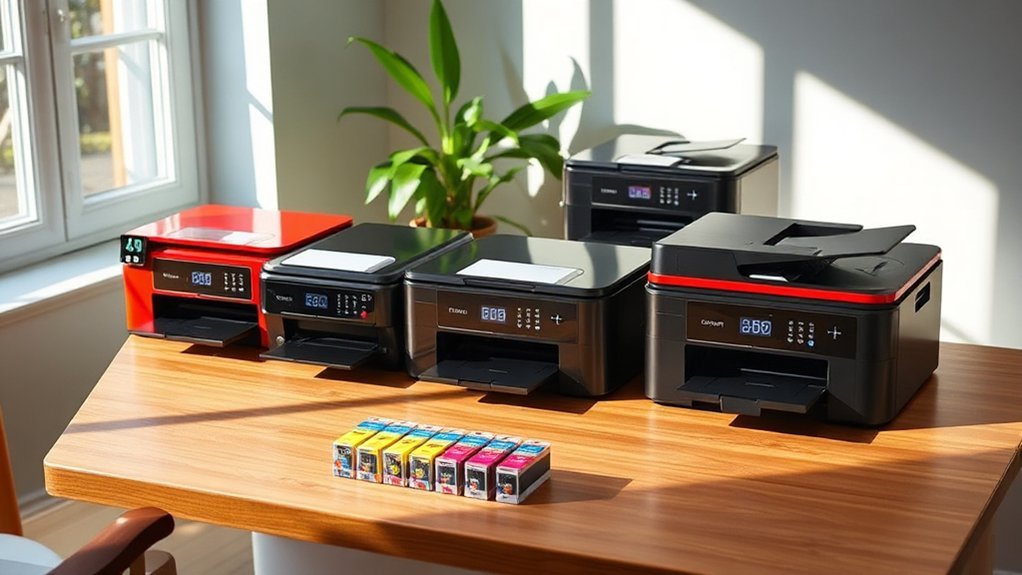
If you’re on the hunt for the best home printers with the cheapest ink in 2027, you’ve come to the right place. Finding a printer that not only delivers quality prints but also keeps ink costs low is key for saving money in the long run.
Whether you need it for casual use, family projects, or small business tasks, choosing the right model can make all the difference.
Consider popular options like the Canon PIXMA TS3720 and HP Envy 6155, which are known for their affordability and reliable performance.
Then there are the Canon MegaTank G3270 and Epson EcoTank ET-2988, both offering high ink capacity and easy refilling to cut down on expenses.
Don’t forget the HP Smart Tank 7603, another great choice for multifunctional features and cost-effective ink solutions.
Each of these printers is designed to help you save money on ink over time without sacrificing quality.
Keep exploring to find out which one suits your needs best!
Canon PIXMA TS3720 Wireless All-in-One Printer
The Canon PIXMA TS3720 Wireless All-in-One Printer offers a practical and efficient solution for everyday printing needs. It helps families and students handle documents and photos with ease, delivering clear text and vibrant images. Its compact design fits neatly in small spaces, making it ideal for desks or study areas.
Connecting to the printer is straightforward with dual-band Wi-Fi or USB, allowing seamless printing from multiple devices. Mobile printing is supported through the Canon PRINT app and Apple AirPrint, so you can print directly from your smartphone or tablet without hassle.
Maintenance is simple thanks to the cost-effective ink system, which keeps running costs low. While the print speed is moderate, the printer balances quality and affordability, making it suitable for light to moderate use. The basic LCD screen provides essential controls without overwhelming features.
The paper tray holds up to 60 sheets, which works well for daily tasks but may require frequent refills for larger print jobs. Overall, this printer is designed to meet essential printing needs while saving space and money.
Best for: Students and families needing a reliable, affordable all-in-one printer for everyday use.
What We Like:
- Compact design fits easily into small workspaces.
- Dual-band Wi-Fi provides versatile connectivity.
- Mobile printing with Canon PRINT app and Apple AirPrint.
- Cost-efficient ink system helps reduce expenses.
Specification:
| Feature | Details |
|---|---|
| Manufacturer | Canon |
| Dimensions | Compact size (exact size not provided) |
| Weight | 8.7 lb (3.95 kg) |
| Connectivity | Dual-band Wi-Fi, USB |
| Print Resolution | Up to 4800 x 1200 dpi |
HP Envy 6155 All-in-One Wireless Inkjet Printer
Looking for a printer that fits seamlessly into your home office? The HP Envy 6155 All-in-One Wireless Inkjet Printer delivers reliable performance for printing, scanning, and copying. It handles color documents and borderless photos with ease, helping you achieve professional-looking results without extra hassle.
This printer’s design focuses on convenience and sustainability. The 2.4-inch color touchscreen makes navigating its features simple, while its dual-band Wi-Fi ensures stable wireless connections for mobile and desktop printing. Maintenance is straightforward, though it requires original HP cartridges to maintain print quality.
With print speeds of up to 10 ppm for black and 7 ppm for color, you save time on everyday tasks. The eco-friendly build, made from at least 60% recycled plastic, reduces environmental impact, making it a responsible choice for your home.
Best for: Home users needing an all-in-one printer that balances quality, ease of use, and eco-conscious design.
What We Like:
- Affordable ink options to lower printing costs
- Intuitive 2.4-inch touchscreen for easy operation
- Eco-friendly construction with recycled materials
- Reliable dual-band Wi-Fi connectivity
Specification:
| Feature | Details |
|---|---|
| Manufacturer | HP |
| Dimensions | 17.32 x 14.21 x 5.45 inches |
| Weight | 13.6 lbs (6.17 kg) |
| Material | Plastic (60% recycled) |
| Color Options | White |
Canon MegaTank G3270 All-in-One Wireless Color Printer
The Canon MegaTank G3270 is designed to simplify your everyday printing tasks while keeping costs low. This all-in-one wireless color printer combines printing, copying, and scanning in a compact form, making it a practical addition to any home or small office.
With the MegaTank system, you can print thousands of pages before needing to refill, reducing the hassle and expense of frequent ink replacements. Its reliable print speeds of 11 pages per minute for black and 6 for color ensure your documents are ready without long waits.
Maintenance is straightforward thanks to the refillable ink tanks, which help avoid the high cost of traditional cartridges. The wireless connectivity and intuitive app put control at your fingertips, enabling easy printing from various devices.
Though it has a basic LCD display and weighs 13.2 pounds, the printer’s design balances functionality with space-saving convenience. It delivers consistent quality without overcomplicating your workflow.
Best for: Home users and small offices looking for a cost-effective, multifunction printer with low ink expenses.
What We Like:
- High page yield with refillable MegaTank ink system
- Compact design fits limited spaces
- Wireless connectivity with user-friendly app control
- Combines printing, copying, and scanning in one device
Specification:
| Feature | Details |
|---|---|
| Manufacturer | Canon |
| Dimensions | Compact size (exact size not provided) |
| Weight | 13.2 lb (6 kg) |
| Color Options | Wireless color printer |
| Functionality | Print, copy, scan |
Epson EcoTank ET-2988 Wireless All-in-One Printer
Looking for a home printer that combines efficiency with low running costs? The Epson EcoTank ET-2988 delivers just that. Its high-capacity ink tanks can print thousands of pages without frequent replacements, saving you time and money on ink purchases.
This all-in-one printer supports sharp, vibrant prints with a resolution of 4800 x 1200 dpi. It offers wireless connectivity through the Epson Smart Panel app, allowing you to print easily from your smartphone or tablet. The compact design fits comfortably in most home setups, though it occupies more space than some cartridge-based models.
Maintenance is straightforward with mess-free EcoFit refill bottles, reducing spills and waste. The zero warmup time means your documents print instantly, making it ideal for busy households needing quick results. Despite its many benefits, it lacks advanced features for professional photo editing and has a higher upfront cost than traditional printers.
Best for: Budget-conscious home users seeking a reliable, eco-friendly printer with low ink costs and wireless convenience.
What We Like:
- High ink capacity reduces frequent refills.
- Instant printing with no warmup delay.
- Easy wireless printing via smartphone app.
- Mess-free, easy-to-refill ink tanks.
- Clear, high-resolution prints.
Specification:
| Feature | Details |
|---|---|
| Manufacturer | Epson |
| Dimensions | Approx. 14.8 x 12.2 x 7.6 in (37.6 x 31 x 19.3 cm) |
| Weight | Approx. 9.3 lb (4.2 kg) |
| Color Options | White |
| Print Resolution | Up to 4800 x 1200 dpi |
| Connectivity | Wireless, USB |
HP Smart Tank 7603 Ink Tank Printer | 3 Years of Ink Included | All-in-One
The HP Smart Tank 7603 Ink Tank Printer offers a practical solution for those who need high-volume printing without constant ink replacement. Its built-in ink tanks provide up to three years of ink, allowing you to print thousands of pages before worrying about refills. This reduces interruptions and lowers overall printing costs.
Designed as an all-in-one device, it combines printing, copying, scanning, and faxing functions in a single compact unit. The auto document feeder streamlines multi-page tasks, while the intuitive control panel simplifies operation for users of all levels.
Maintenance is straightforward thanks to the mess-free ink refill system. This feature helps avoid spills and makes refilling quick and clean, keeping the printer running smoothly and saving time.
Whether printing from a phone or laptop, this printer meets the needs of families and small businesses seeking reliable, cost-effective performance. Its design balances functionality with ease of use, though the setup may take some time, and it occupies a bit more space than smaller models.
Best for: Families and small businesses looking for a dependable, high-volume ink tank printer with multiple functions.
What We Like:
- High ink capacity supports thousands of pages.
- Combines print, copy, scan, and fax in one device.
- Easy, spill-free ink refilling system.
- Auto document feeder for efficient multitasking.
- User-friendly control panel for simple operation.
Specification:
| Feature | Details |
|---|---|
| Manufacturer | HP |
| Dimensions (W×D×H) | Approx. 17.3 × 13.5 × 6.3 inches |
| Weight | Approx. 12.5 lb |
| Color Options | White with black accents |
Factors to Consider When Choosing Home Printer With Cheapest Ink
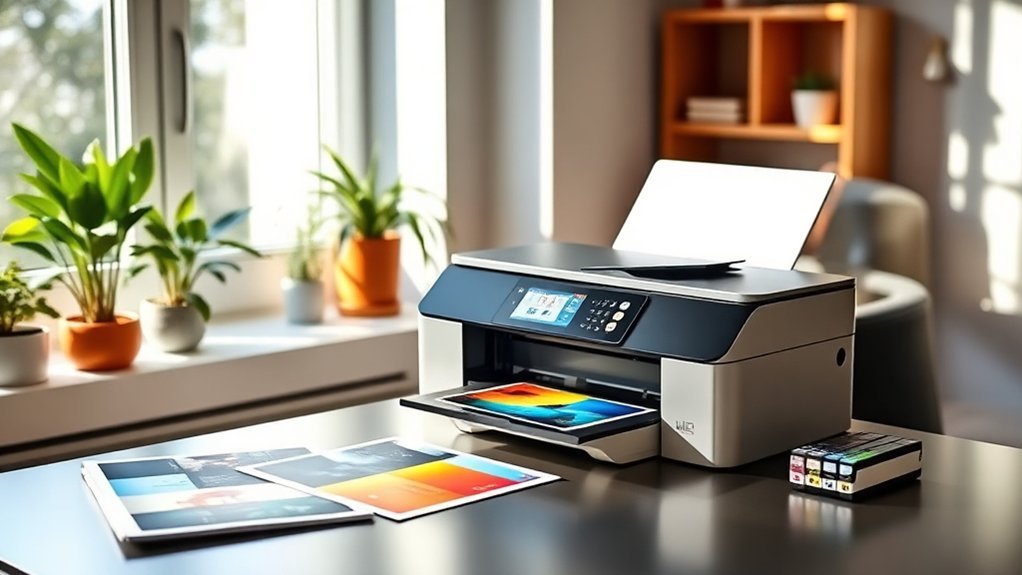
When choosing a home printer with the cheapest ink, you need to take into account several key factors. Look closely at ink cost per page, whether you prefer cartridge or tank systems, and the page yield capacity.
Don’t forget to evaluate print quality and connectivity options to guarantee the printer fits your needs. It’s all about finding the right balance between cost and performance for your setup.
Ink Cost Per Page
Choosing a home printer with the cheapest ink involves understanding several key factors that influence ink cost per page. First, consider the cartridge system; printers with refillable tanks can considerably cut costs.
Look for models with high page yields, as they produce thousands of pages per ink set, lowering your cost per page. Additionally, some manufacturers offer ink subscription plans that provide savings over time.
The type of ink technology matters too—dye-based inks are usually cheaper but may lack longevity compared to pigment inks. Finally, analyze the total cost of ownership, including the initial printer price and ongoing ink expenses, to determine the true ink cost per page.
This way, you’ll make a well-informed decision.
Cartridge Versus Tank Systems
Deciding between cartridge and tank systems can greatly impact your printing costs. Cartridge systems often require frequent replacements, which can add up, especially if you print a lot.
In contrast, tank systems, like MegaTank or EcoTank, feature refillable ink tanks that can yield thousands of pages from a single refill. This markedly lowers your per-page printing costs, sometimes to as little as one cent for both black and color prints.
Plus, many tank printers come with enough ink to last up to three years, leading to substantial savings. And here’s the best part — tank systems reduce environmental waste by minimizing plastic from disposable cartridges.
Page Yield Capacity
Page yield capacity is a crucial factor in selecting a home printer that fits your budget. It tells you how many pages you can print before needing new ink. This directly impacts your long-term costs.
Printers with high page yield capacity, like ink tank systems, can crank out thousands of pages per refill. That saves you money on frequent ink purchases.
In contrast, standard cartridge-based printers may only yield about 200-300 pages per color cartridge. This leads to higher costs per page.
Some ink tank models can produce up to 8,000 color pages and 6,000 black pages from a single set of ink bottles. Knowing the page yield helps you figure out the cost per page.
That way, you can make smarter choices when picking a printer.
Print Quality Standards
When selecting a home printer with affordable ink, print quality standards play an essential role in your decision. The printer’s resolution, measured in dots per inch (dpi), is key—higher dpi values mean sharper, more detailed prints.
For color images, look for resolutions around 4800 x 1200 dpi to guarantee vibrant colors and fine details. Black and white prints typically need around 1200 x 1200 dpi, but higher settings can enhance text clarity.
Additionally, consider the ink type; pigment-based inks offer better fade resistance for documents, while dye-based inks shine in photo printing. Consistency in quality also depends on the printer technology (inkjet vs. laser) and the type of paper you use, so choose compatible media for the best results.
Connectivity Options Available
As you evaluate home printers with affordable ink, connectivity options can greatly impact your printing experience. Consider models that offer dual-band Wi-Fi (2.4GHz and 5GHz) for a more reliable and faster connection. This can reduce frustration when printing wirelessly.
Look for printers that support mobile printing features like Apple AirPrint or Google Cloud Print. These make it super easy to print directly from your smartphone or tablet. USB connectivity is also useful for direct connections, especially if your Wi-Fi isn’t dependable.
Some printers come with app-based control systems, allowing you to manage tasks right from your mobile device. And finally, make sure the printer has a streamlined installation process that doesn’t require a computer — this makes setup quick and user-friendly.
Maintenance and Setup Ease
Choosing a home printer with cheap ink shouldn’t just focus on cost; maintenance and setup ease are essential too. Look for printers that offer streamlined setup processes, allowing you to install them quickly without a computer. This saves time and cuts down on frustration.
Consider models with easy access to ink tanks or cartridges, making replacements mess-free. User-friendly interfaces, like touchscreens or LCD displays, really enhance your experience during maintenance tasks.
Also, choose printers that support mobile printing apps. This simplifies management from your smartphone or tablet, which is super convenient.
Finally, evaluate ink refill systems. They often require less frequent maintenance and can save you money on ink over time. These factors can greatly enhance your printing experience.
Frequently Asked Questions
How Often Do I Need to Replace Printer Ink?
You’ll need to replace printer ink every few weeks to a few months, depending on usage.
If you print frequently, keep an eye on ink levels and replace cartridges before they run completely dry.
It’s better to swap them out a bit early than to get caught without ink right when you need it!
Can I Use Third-Party Ink With These Printers?
Yes, you can use third-party ink with these printers, but be cautious. It might void your warranty or lead to quality issues.
Always check compatibility and read reviews to guarantee a good experience. That way, you’ll avoid any surprises down the road.
What Is the Average Cost per Page for Printing?
You might think printing’s cheap, but the average cost per page typically ranges from 5 to 15 cents.
Factors like ink type and printer efficiency play significant roles in determining your overall expenses.
It’s not just about the paper; the kind of ink and how well your printer uses it can really add up.
Are There Subscription Services for Ink Delivery?
Yes, there are subscription services for ink delivery. Many printer manufacturers offer plans that automatically send you ink based on your usage.
This helps you save time and ensures you never run out unexpectedly. It’s pretty convenient, right? You don’t have to worry about remembering to order ink anymore.
How Do I Properly Maintain My Printer for Longevity?
Think of your printer as a delicate flower; it thrives with care. Clean the print heads, use it regularly, and keep it dust-free.
Update drivers, and store ink properly to guarantee it blooms beautifully for years.
Conclusion
In the world of home printing, finding a printer with cheap ink can feel like striking gold. By choosing any of these top five options, you’ll not only save money but also enjoy hassle-free printing.
Remember, investing in a printer with economical ink is like planting a seed for your future—watching your savings grow with each page you print.
So, pick one that suits your needs and let your printing worries fade away! Choosing the best home printers with the cheapest ink for 2027 means you get great quality without breaking the bank.
With these options, you can print more and spend less on ink cartridges. It’s all about smart choices that keep your home printing efficient and budget-friendly.