5 Best Ink Tank Printers for 2027 That Save You Money
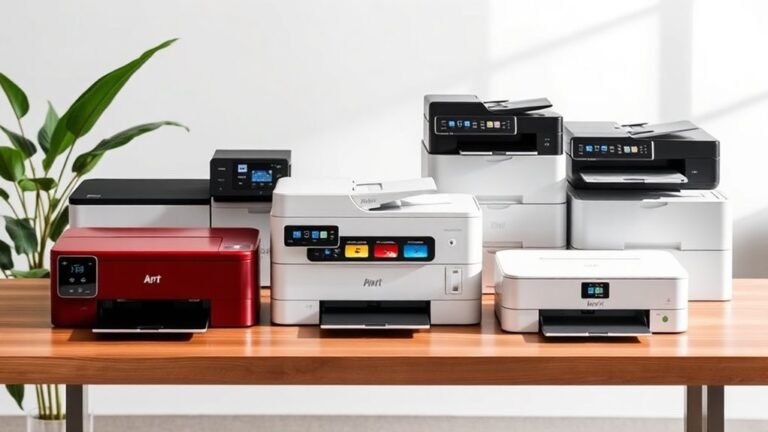
If you’re on the hunt for ink tank printers that save you money in 2027, you’re in the right place.
These budget-friendly printers not only cut down on ink costs but also offer great features for everyday use. Whether you need something for home or small business, there’s a model that fits your needs perfectly.
Check out the HP Smart Tank 5003, which comes with three years of ink and all-in-one functionality.
The Canon MegaTank G3270 and Epson EcoTank ET-1913 stand out for their impressive page yields and connectivity options.
Plus, the versatile Epson EcoTank ET-4800 and Canon MAXIFY GX2020 are excellent choices if you want something reliable for both home and small business use.
Keep exploring to find out more about these money-saving ink tank printers!
HP Smart Tank 5003 Ink Tank Printer | 3 Years of Ink Included | All-in-One
The HP Smart Tank 5003 Ink Tank Printer is designed to simplify high-volume printing for busy homes and small offices. It tackles the common problem of frequent ink replacements by including up to three years of ink, allowing you to print up to 6,000 pages in both color and black without interruption. This means less hassle and more productivity for your daily printing needs.
Its all-in-one design combines printing, copying, and scanning in a compact unit. This versatility helps streamline your workflow, reducing the need for multiple devices. Wireless connectivity options, including Apple AirPrint, let you print directly from smartphones or laptops, adding convenience and flexibility to your workspace.
Maintenance is straightforward with the refillable ink tank system, which cuts down on the cost and waste of traditional cartridges. However, initial setup may require more attention compared to cartridge printers. The printer’s speed is moderate, producing 10 pages per minute in black and 5 in color, suitable for typical household or small office tasks.
Paper handling is limited to 100 sheets, so larger print jobs might need more frequent refills. Despite this, the HP Smart Tank 5003 offers a balanced mix of efficiency and functionality that meets everyday printing demands.
Best for: Busy households and small offices needing reliable high-volume printing without frequent ink changes.
What We Like:
- Includes up to three years of ink, minimizing maintenance interruptions
- Combines printing, copying, and scanning in one versatile device
- Supports wireless printing through Apple AirPrint and other options
- Refillable ink tanks reduce ongoing costs and environmental impact
Specification:
| Feature | Details |
|---|---|
| Manufacturer | HP |
| Dimensions | Not specified |
| Weight | Not specified |
| Color Options | Not specified |
| Print Speed | 10 ppm (black), 5 ppm (color) |
| Paper Capacity | 100 sheets |
Canon MegaTank G3270 All-in-One Wireless Color Printer
Experience hassle-free printing with the Canon MegaTank G3270 All-in-One Wireless Color Printer. Designed to handle your daily printing, copying, and scanning tasks, it ensures sharp and vibrant results with a high resolution of 4800 x 1200 dpi. This printer helps you avoid frequent ink replacements, letting you focus on your work instead of maintenance.
The MegaTank ink system is a standout feature, supplying enough ink for up to two years. This means you can print thousands of pages—up to 6,000 in black and 7,700 in color—while significantly cutting down your ink costs. Its wireless and USB connectivity options add convenience, allowing you to print from multiple devices without hassle.
While the G3270 offers impressive functionality, its size requires adequate space, and the 100-sheet paper capacity might limit high-volume printing. Setting up the printer may take some time, but its long-term savings and reliable performance make it worthwhile.
Best for: Budget-conscious users who need a dependable all-in-one printer that reduces ink expenses while delivering high-quality prints.
What We Like:
- Efficient MegaTank system with long-lasting ink supply
- Sharp print quality at 4800 x 1200 dpi
- Flexible wireless and USB connectivity options
- Handles printing, copying, and scanning in one device
Specification:
| Feature | Details |
|---|---|
| Manufacturer | Canon |
| Dimensions | Approx. 17.7 x 13.7 x 7.9 in (45 x 35 x 20 cm) |
| Weight | Approx. 8.5 lb (3.85 kg) |
| Printer Type | Inkjet, All-in-One |
| Connectivity | Wi-Fi, USB |
| Maximum Resolution | 4800 x 1200 dpi |
| Paper Capacity | 100 sheets |
Epson EcoTank ET-1913 Wireless Color Supertank Printer
The Epson EcoTank ET-1913 Wireless Color Supertank Printer offers a smart solution for those tired of frequent ink replacements. Its high-capacity ink tanks provide enough ink for up to three years, reducing interruptions and lowering printing costs. This means less hassle and more productivity for home or small office use.
Designed with efficiency in mind, the ET-1913 delivers clear, vibrant prints with resolutions up to 5760 x 1440 dpi. It prints at a steady pace of 11 pages per minute in black and 6 pages per minute in color, suitable for moderate printing needs. The compact size fits neatly on desks or shelves, saving valuable workspace.
Maintenance is simple thanks to the refillable, mess-free ink tanks, which eliminate the need for cartridges and minimize spills. Its 100-sheet paper tray supports everyday printing but may require refills during heavy use. Wireless and USB connectivity make printing from multiple devices quick and convenient.
While the ET-1913 handles everyday printing efficiently, users with very high volume needs might find the paper capacity and print speed limiting. Still, its balance of functionality and cost-effectiveness makes it a practical choice for many.
Best for: Budget-conscious users seeking a reliable, high-capacity printer for moderate home or office use.
What We Like:
- Long-lasting ink supply reduces frequent replacements
- High-quality prints with sharp resolution
- Compact design fits small spaces easily
- Refillable tanks offer clean, easy maintenance
- Wireless and USB connectivity for versatile printing
Specification:
| Feature | Details |
|---|---|
| Manufacturer | Epson |
| Dimensions (in) | 12.5 D x 14.2 W x 6 H |
| Ink Supply | Refillable SuperTank system |
| Print Speed | 11 ppm (black), 6 ppm (color) |
| Paper Capacity | 100 sheets |
| Connectivity | USB, Wi-Fi |
Epson EcoTank ET-4800 Wireless Color All-in-One Supertank Printer
Experience hassle-free printing with the Epson EcoTank ET-4800, designed to meet the demands of home users and small offices. This wireless all-in-one printer eliminates the need for cartridges by using high-capacity, refillable ink tanks. This reduces your printing costs and minimizes environmental waste.
The EcoTank system allows you to print up to 4,500 black and 7,500 color pages before a refill is needed. Its compact design fits easily into any workspace, while the user-friendly color display and built-in scanner make multitasking simple. You can scan, copy, fax, and print with sharp detail thanks to a resolution of up to 5760 x 1440 dpi.
Maintenance is straightforward, although refilling the ink tanks requires a bit of care to avoid spills. The printer supports media sizes up to 8.5 x 14 inches, which suits most standard documents but may limit larger print jobs.
Best for: Home users or small offices needing a cost-effective, eco-friendly printer with versatile all-in-one functionality.
What We Like:
- Cartridge-free printing saves money and reduces waste
- High-capacity ink tanks support long print runs without interruption
- Includes scanning, copying, and faxing for diverse office tasks
- Compact footprint fits well in tight spaces
- Sharp print quality with vibrant color output
Specification:
| Feature | Details |
|---|---|
| Manufacturer | Epson |
| Dimensions (W×D×H) | 14.8 × 13.9 × 9.8 inches |
| Weight | 12.7 lbs (5.76 kg) |
| Ink System | Refillable EcoTank ink tanks |
| Print Resolution | Up to 5760 × 1440 dpi |
| Connectivity | Wireless |
| Maximum Media Size | 8.5 × 14 inches |
Canon MegaTank MAXIFY GX2020 All-in-One Wireless Printer
The Canon MegaTank MAXIFY GX2020 is designed to keep your small business printing efficient and hassle-free. It addresses the common challenge of frequent ink replacements by offering a high page yield. You can print up to 3,000 pages in black or color before needing to refill, which helps maintain smooth workflows.
Its printing speed of 15 pages per minute for black and white documents ensures you meet tight deadlines without delays. The clear 1200 x 2400 dpi resolution produces sharp, professional-quality prints that enhance your business communications.
This all-in-one printer fits comfortably on most desks despite its robust capabilities. The 35-sheet automatic document feeder and duplex printing reduce manual handling and save time, especially during large print jobs. Wireless connectivity and a simple touchscreen interface make setup and operation straightforward.
While the initial cost is higher than basic models, the long-term savings on ink and maintenance balance this out. The maximum media size of 8 x 10 inches suits standard business documents but may limit larger format printing. Overall, the Canon MegaTank MAXIFY GX2020 offers reliable, high-volume printing with minimal upkeep.
Best for: Small businesses needing efficient, high-volume printing with reduced maintenance demands.
What We Like:
- High page yield minimizes ink replacements
- Fast 15 ppm black and white printing speed
- Easy duplex and automatic document feeding
- Wireless connectivity with intuitive touchscreen
Specification:
| Feature | Details |
|---|---|
| Manufacturer | Canon |
| Dimensions (W×D×H) | Compact design (exact size not specified) |
| Weight | Not specified |
| Print Resolution | 1200 x 2400 dpi |
| Printing Speed | 15 pages per minute (black) |
| Media Size | Up to 8 x 10 inches |
| Paper Feeder Capacity | 35-sheet automatic document feeder |
| Connectivity | Wireless |
Factors to Consider When Choosing an Ink Tank Printer

When you’re choosing an ink tank printer, it’s crucial to take into account several key factors. Print quality, ink capacity, and connectivity options can greatly influence your overall experience.
Also, don’t forget to reflect on printing speed and cost efficiency. These will help guarantee you find the right fit for your needs.
Print Quality and Resolution
Choosing an ink tank printer means paying close attention to print quality and resolution, as these factors can greatly impact your printing experience. Look for printers with higher resolutions, like 4800 x 1200 dpi, which produce sharper and more vibrant color images.
Advanced printhead technologies, such as Micro Piezo or Heat-Free, enhance quality and reduce warm-up times. Note that print resolution can differ; some models achieve up to 1200 x 2400 dpi for crisp black text.
If you want borderless prints, that feature can markedly elevate your print quality, eliminating white margins. Consistent ink flow and high-capacity tanks help maintain stable quality over time, minimizing streaks or color inconsistencies during longer print jobs.
Ink Capacity and Yield
Understanding ink capacity and yield is essential for maximizing your ink tank printer’s efficiency. Ink capacity refers to how much ink each tank holds, with some models printing thousands of pages before needing a refill. This enhances convenience and cuts down maintenance frequency.
Page yield indicates the number of pages you can print from a single ink set, with some printers offering yields of up to 6,000 black and white pages. Refillable tank systems, like MegaTank or EcoTank, make high-volume printing more economical. They greatly lower your cost per page.
Some printers even come with enough ink for up to three years, allowing for extended use without frequent interruptions. So, considering these factors can really help you save money in the long run.
Connectivity Options Available
After considering ink capacity and yield, it’s important to look at the connectivity options available with ink tank printers. Many models offer USB, Wi-Fi, and Ethernet connections, giving you flexibility in how you set up your printing environment.
Wireless features like Apple AirPrint and Mopria make it easy to print from your smartphone or tablet, enhancing convenience. Some printers come with built-in network capabilities, allowing multiple devices to share the printer without a direct connection to a computer.
If you frequently use cloud storage, look for models that support cloud printing, letting you print documents directly from your online services. And don’t forget to check compatibility with various operating systems for hassle-free connections to your devices.
Printing Speed Considerations
When evaluating ink tank printers, printing speed is an essential factor that can greatly impact your efficiency. Consider the black and white print speed; some models can reach up to 15 pages per minute, while others may only print 5.
Color print speed typically lags behind, often around 6 pages per minute. The maximum number of copies per run also matters—many printers handle up to 99 copies, saving time on large jobs.
Fast warm-up times and minimal delays between print jobs can enhance productivity, especially in busy settings. However, remember that higher resolution settings can slow down overall speed, so finding a balance between print quality and speed is vital for maintaining workflow during high-volume tasks.
Cost Efficiency of Ink
For anyone looking to save on printing costs, the cost efficiency of ink in ink tank printers stands out as a key factor. Many models come with enough ink to last up to three years, drastically reducing your initial replacement expenses.
You’ll also appreciate the impressive page yields; some printers can produce up to 6,000 black and white pages. That means a lower cost per page compared to traditional cartridges.
Plus, refillable ink systems let you buy larger bottles at a lower price per milliliter, leading to significant savings over time. Overall, you could save up to $1,000 compared to cartridge systems.
And the best part? You get to print high volumes without having to replace ink frequently. It definitely adds convenience to your printing experience.
Size and Design Features
Choosing the right ink tank printer involves considering several key size and design features that can greatly impact your experience. First, think about the printer’s dimensions and weight. Some models weigh as little as 6.8 pounds, making them easy to move, while others may exceed 13 pounds.
If space is tight, opt for compact designs that fit neatly on desks, with some measuring around 12.5 inches deep and 14 inches wide. Check the control panel layout, as touchscreen displays enhance usability.
Additionally, consider paper capacity; many printers hold up to 250 sheets, minimizing refills during heavy use. Finally, look for eco-friendly features, like cartridge-free systems, which reduce waste and simplify the ink refilling process.
Frequently Asked Questions
How Do Ink Tank Printers Compare to Traditional Cartridge Printers?
Ink tank printers usually cost less to operate than traditional cartridge printers. You’ll find they hold more ink, reducing the frequency of replacements.
Can I Use Third-Party Ink With Ink Tank Printers?
Yes, you can use third-party ink with ink tank printers, but it’s risky. Sometimes, it can void your warranty or lead to print quality issues.
What Is the Lifespan of Ink in an Ink Tank Printer?
Ink in an ink tank printer can last up to two years if stored properly.
You’ll notice color fading or clogging if it sits unused too long, so regular printing keeps your ink fresh and vibrant.
Are Ink Tank Printers Suitable for Photo Printing?
Yes, ink tank printers are suitable for photo printing. They deliver vibrant colors and high-quality images, making them a great choice for photographers.
You’ll appreciate their cost-effectiveness and ability to handle large print volumes. Plus, they tend to be more economical in the long run compared to traditional ink cartridges.
How Often Should I Clean My Ink Tank Printer?
Cleaning your ink tank printer’s like brushing your teeth—it keeps everything running smoothly.
You should clean it every few months or whenever you notice print quality dropping. Regular maintenance guarantees vibrant prints and longer printer life.
It’s an easy step that really pays off in the long run. Just a little effort now saves you from bigger headaches later!
Conclusion
To sum up, investing in an ink tank printer can greatly cut your printing costs while delivering high-quality results. Imagine a small business that switched to an Epson EcoTank ET-4800, saving over $1,000 in ink costs annually.
By choosing the right ink tank printer model, you’ll not only boost your productivity but also enjoy hassle-free printing for years to come. These printers are designed to save you money on ink without compromising on print quality.
So, go ahead and make the switch to an ink tank printer—you’ll be amazed at the difference it can make in reducing your expenses and improving your printing experience. With the best ink tank printers for 2027, saving money has never been easier!