4 Best Printers with Refillable Ink for 2027
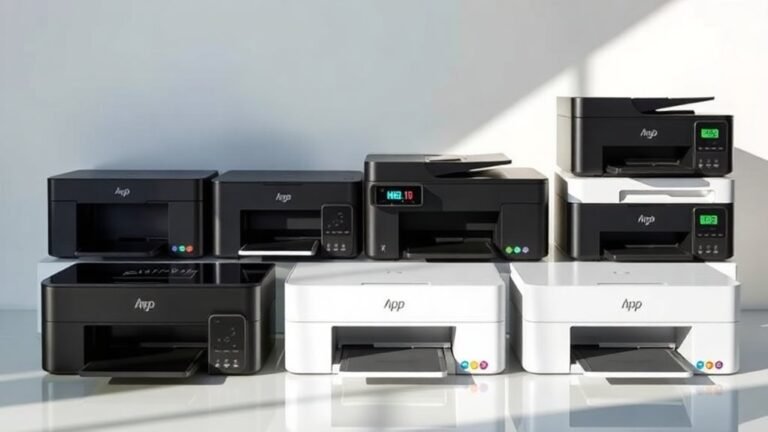
For 2027, the best printers with refillable ink systems are a game changer for anyone looking to save on printing costs. These printers, like the Epson EcoTank ET-1913, Canon MegaTank G3270, HP Smart Tank 5003, and Canon MegaTank MAXIFY GX2020, come with large ink reservoirs that you can refill easily. This means fewer trips to the store and more money saved over time.
Not only do they help you cut down on expenses, but they also offer versatile connectivity options. Whether you’re printing from your laptop, smartphone, or tablet, these models make it super convenient. They’re perfect for both home and office use, delivering excellent print quality and efficiency.
By choosing any of these refillable ink printers, you’re investing in reliability and long-term savings.
Keep reading to discover more about their unique features and find the perfect fit for your printing needs.
Epson EcoTank ET-1913 Wireless Color Printer
The Epson EcoTank ET-1913 Wireless Color Printer offers a smart solution for reducing ink expenses and environmental waste. It comes with large ink tanks that can last up to three years, so you can print thousands of pages without frequent refills. This means less hassle and lower running costs for everyday printing needs.
Its compact and lightweight design makes it perfect for small workspaces or home offices. At just 6.8 pounds, it’s easy to move and fits neatly on your desk. The printer supports wireless and USB connections, giving you flexible options to print from various devices.
Maintenance is straightforward thanks to the refillable ink tanks, which are designed to minimize spills and waste. Although it has a modest 100-sheet paper tray and lacks automatic duplexing, it delivers reliable print speeds of 11 pages per minute in black and 6 in color. The Epson Smart Panel app helps you manage printing tasks efficiently.
Overall, the ET-1913 is ideal for those who want an eco-friendly printer that balances performance and cost-efficiency without complicated upkeep.
Best for: Budget-conscious users and small businesses needing a dependable color printer with low ink costs.
What We Like:
- Large ink tanks that reduce frequent refilling
- Compact and lightweight design for easy placement
- Wireless and USB connectivity for versatile use
- User-friendly maintenance with refillable ink bottles
- Fast black-and-white printing speed
Specification:
| Feature | Details |
|---|---|
| Manufacturer | Epson |
| Dimensions | Not specified |
| Weight | 6.8 lb (3.08 kg) |
| Color Options | Not specified |
| Connectivity | Wireless (Wi-Fi), USB |
Canon MegaTank G3270 All-in-One Wireless Color Printer
The Canon MegaTank G3270 All-in-One Wireless Color Printer is designed to simplify your daily printing tasks. It combines printing, copying, and scanning in one compact device. This versatility helps busy households and small offices manage documents efficiently without needing multiple machines.
Its MegaTank ink system reduces maintenance hassles by providing up to two years of ink included. This feature prevents frequent refills and cuts ink costs significantly. Printing is straightforward with USB and Wi-Fi connectivity, allowing seamless use from smartphones and tablets.
The printer delivers clear, professional-quality prints at a resolution of 4800 x 1200 dpi. Print speeds reach up to 11 pages per minute for black and white documents, which suits moderate printing demands. However, the printer’s size and weight make it less ideal for those needing portability.
With its all-in-one functionality and cost-saving ink system, the Canon MegaTank G3270 supports productivity in environments that require reliable printing without frequent interruptions.
Best for: Small offices and busy households needing an efficient, multifunction color printer with long-lasting ink supply.
What We Like:
- MegaTank system includes up to two years of ink, reducing refill frequency.
- Wireless and USB connectivity for flexible printing options.
- High print resolution ensures sharp, vibrant output.
- Combines printing, copying, and scanning in one device.
- Suitable for moderate print volumes with decent speed.
Specification:
| Feature | Details |
|---|---|
| Manufacturer | Canon |
| Dimensions | Not specified |
| Weight | Not specified |
| Material | Not specified |
| Color Options | Not specified |
HP Smart Tank 5003 Ink Tank Printer | 3 Years of Ink Included | All-in-One
Experience hassle-free printing with the HP Smart Tank 5003, designed to keep your workflow smooth and uninterrupted. This all-in-one ink tank printer includes up to three years of ink, allowing you to print up to 6,000 pages without worrying about frequent refills. It helps reduce your printing costs while maintaining consistent output.
The printer offers reliable speeds of 10 pages per minute in black and 5 in color, balancing efficiency with quality. Wireless connectivity via Apple AirPrint and HP ePrint simplifies printing from your smartphone or tablet, making it easy to integrate into your daily routine.
Maintenance is straightforward thanks to its cartridge-free ink tank system, which reduces waste and makes refilling quick and clean. The flatbed scanner adds versatility, enabling you to digitize documents or images with ease. Borderless printing further enhances your creative projects with professional-looking results.
While the paper tray holds up to 100 sheets, which may require occasional refills for larger tasks, the printer’s user-friendly interface ensures setup is manageable even if you’re new to wireless devices.
Best for: Budget-conscious home users or small offices needing a versatile all-in-one printer with high page yield and low ink costs.
What We Like:
- Cartridge-free ink tank design for easy refilling and less waste
- Long-lasting ink supply supports high-volume printing
- Wireless printing compatibility with Apple AirPrint and HP ePrint
- Flatbed scanner adds multifunction capability
- Borderless printing for professional-quality output
Specification:
| Feature | Details |
|---|---|
| Manufacturer | HP |
| Model | Smart Tank 5003 |
| Dimensions (W x D x H) | 15.7 x 12.1 x 7.4 inches |
| Weight | 7.5 lbs (3.4 kg) |
| Color Options | White with black accents |
Canon MegaTank MAXIFY GX2020 All-in-One Wireless Printer
The Canon MegaTank MAXIFY GX2020 is designed to meet the demands of busy home offices with high-volume printing needs. Its compact size allows it to fit neatly on your desk without compromising on multifunctionality. You can print, copy, scan, and fax with ease, streamlining your daily tasks.
This printer offers an impressive page yield of up to 3,000 black and color pages per ink set. That means fewer interruptions and less frequent refilling, saving you time and effort. Its quick print speeds—15 pages per minute for black and white and 10 for color—keep your workflow moving efficiently.
Wireless connectivity lets you print from multiple devices without hassle. The 35-sheet automatic document feeder supports multitasking by handling multiple pages at once. Although it handles media sizes up to 8 x 10 inches, it suits most home office needs well.
The 2.7-inch LCD touchscreen provides straightforward navigation, though it may feel small to some users. Color prints have a maximum resolution of 600 x 1200 dpi, suitable for everyday documents but not for professional photo quality.
Best for: Home offices requiring reliable, high-volume printing and multifunction capabilities with easy maintenance.
What We Like:
- High page yield reduces frequent ink refills
- Multifunction design saves space and adds versatility
- Wireless and USB connectivity for flexible device access
- Automatic document feeder enhances productivity
Specification:
| Feature | Details |
|---|---|
| Manufacturer | Canon |
| Dimensions (W×D×H) | Compact design (exact size not provided) |
| Weight | Not specified |
| Ink Yield | Up to 3,000 pages (black & color) per set |
| Print Speed | 15 ppm (black), 10 ppm (color) |
| Max Media Size | 8 x 10 inches |
| Connectivity | Dual-band WiFi, USB |
| Display | 2.7-inch LCD touchscreen |
Factors to Consider When Choosing a Printer with Refillable Ink

When you’re picking a printer with refillable ink, you’ll want to take into account several key factors. Think about print quality, ink costs, and how quickly it can produce your documents.
Also, check the connectivity options and the printer’s size to guarantee it fits your space and needs. It’s all about finding the right balance for what works best for you.
Print Quality and Resolution
While selecting a printer with refillable ink, understanding print quality and resolution is essential. Print quality often hinges on resolution, measured in dots per inch (dpi). Higher dpi values, like 5760 x 1440, deliver finer details and sharper images.
Many refillable ink printers use pigment-based inks, which provide vibrant colors and crisper text compared to dye-based options. This really enhances your overall print quality.
Consistent print speeds—about 11 pages per minute for black and white and 6 for color—also play a role in efficiency during high-quality jobs. So, you get a good balance between speed and quality.
Additionally, technology like Heat-Free printheads guarantees precise ink placement without warm-up time. Plus, the ability to handle various media types, such as glossy photo paper, further impacts your printing results.
Cost of Replacement Ink
Choosing a printer with refillable ink can save you a significant amount on replacement costs, especially if you print frequently. These systems can reduce your ink expenses by up to $1,000 compared to traditional cartridges.
With many models providing enough ink for 2 to 3 years, you can yield around 6,000 pages in black and white and 7,700 pages in color from one set of inks. The average cost per page can drop to just one cent for black and white and around five cents for color.
Plus, refillable ink bottles are typically cheaper than cartridges, and buying in larger quantities further lowers your costs. While the initial investment might be higher, the long-term savings make refillable ink printers a smart choice.
Connectivity Options Available
Considering connectivity options is essential when selecting a printer with refillable ink. Look for models that offer both USB and Wi-Fi capabilities, giving you the flexibility to print from various devices.
Mobile printing support, like Apple AirPrint or vendor-specific apps, makes it convenient to print directly from your smartphone or tablet. Many printers now come with dual-band Wi-Fi, ensuring stable connections for multiple users, whether at home or in an office.
Compatibility with different operating systems is vital, as it allows you to connect easily to your preferred devices. And finally, network-ready features enable seamless integration into existing office networks, so everyone can access the printer without fussing over direct connections.
Print Speed Comparison
Print speed plays a significant role in your overall printing experience, especially when you’re looking at printers with refillable ink. Typically, black and white printing speeds range from 10 to 15 pages per minute (PPM), while color printing usually lags behind at about 5 to 10 PPM.
If you aim for high-resolution prints over 600 dpi, expect slower output rates. Additionally, features like automatic duplex printing can impact speed, as they require extra time for double-sided pages.
Keep in mind that your print quality settings, the type of media you’re using, and connectivity options can also influence effective print speed. Evaluating these factors helps you choose a printer that best meets your needs.
Size and Design Considerations
When selecting a printer with refillable ink, it’s important to think about size and design to guarantee it fits your workspace. Make sure the printer’s dimensions, ranging from 12.5 x 14.2 x 6 inches to 21.9 x 16.4 x 10.6 inches, comfortably fit on your desk or shelf.
Weighing between 6.8 and over 13 pounds, consider how portable you need it to be. A compact design works well for smaller areas, while larger models can offer extra features like higher paper capacity.
Also, check that the refillable ink tanks are easily accessible to prevent spills. Finally, confirm the design accommodates wireless connectivity for ideal placement without sacrificing performance.
Frequently Asked Questions
How Do Refillable Ink Systems Reduce Overall Printing Costs?
Refillable ink systems cut your printing costs by letting you buy larger ink bottles instead of those pricey cartridges.
You just refill as needed, which means less waste and more savings on supplies over time.
It’s a smarter way to print without breaking the bank.
Are Refillable Ink Printers Compatible With Third-Party Ink?
Yes, many refillable ink printers are compatible with third-party ink, but it’s essential to check your printer’s specifications. Using quality third-party ink can save you money, but always verify it won’t void your warranty.
It’s a good idea to do a bit of research before making the switch. That way, you can enjoy the savings without any unexpected issues.
What Is the Average Lifespan of Refillable Ink Cartridges?
On average, refillable ink cartridges last about 1-2 years with regular use.
By maintaining your printer properly, you can extend their lifespan. This helps ensure consistent print quality while saving money on replacements.
It’s pretty simple to keep them working well for longer!
Can Refillable Ink Printers Support Photo Printing?
Yes, refillable ink printers can support photo printing. They often deliver vibrant colors and detailed images, making them suitable for high-quality prints.
Just make sure you use compatible ink to achieve the best results for your photos. It really makes a difference in how your pictures come out.
How Often Do I Need to Refill the Ink Tanks?
You’ll need to refill the ink tanks every few weeks to months, depending on your usage. Picture that moment—ink running low, colors fading.
Conclusion
In the world of printing, choosing a printer with refillable ink is like finding a goldmine. With options like the Epson EcoTank and Canon MegaTank, you can save money while enjoying high-quality prints.
Remember to reflect on your specific needs—whether it’s wireless capabilities, all-in-one functionality, or ink longevity. These features can make a big difference in your daily use.
By making an informed choice, you’re not just investing in a printer; you’re investing in a hassle-free printing experience for years to come. Opting for refillable ink printers means lower running costs and less waste, which is great for both your wallet and the environment. So, when picking the best printer with refillable ink, think about what suits your lifestyle, print volume, and budget. This way, you get the perfect blend of convenience, quality, and savings all in one.