
Does a Thermal Printer Need Ink?
You don’t need ink for a thermal printer because it uses heat to create images on special thermal paper that darkens where heated.
Direct thermal printers only require this heat-sensitive paper.
Thermal transfer printers, on the other hand, use ink ribbons instead of traditional ink cartridges.
This means lower costs and less maintenance for you.
Plus, no messy ink refills!
If you want to understand how this technology works, the types of printers available, and tips to keep yours running smoothly, there’s more to explore ahead.
So, let’s dive into the world of thermal printing!
Key Takeaways
- Thermal printers use heat to create images on special paper, eliminating the need for traditional ink or toner.
- Direct thermal printers require heat-sensitive paper that darkens when heated, with no ink or ribbon needed.
- Thermal transfer printers use ink ribbons melted onto media, but direct thermal printers operate without ink.
- Thermal printing relies on chemical reactions in the paper coating activated by heat, not ink deposition.
- Absence of ink or toner reduces maintenance, operational costs, and simplifies printer use and upkeep.
How Thermal Printing Technology Works
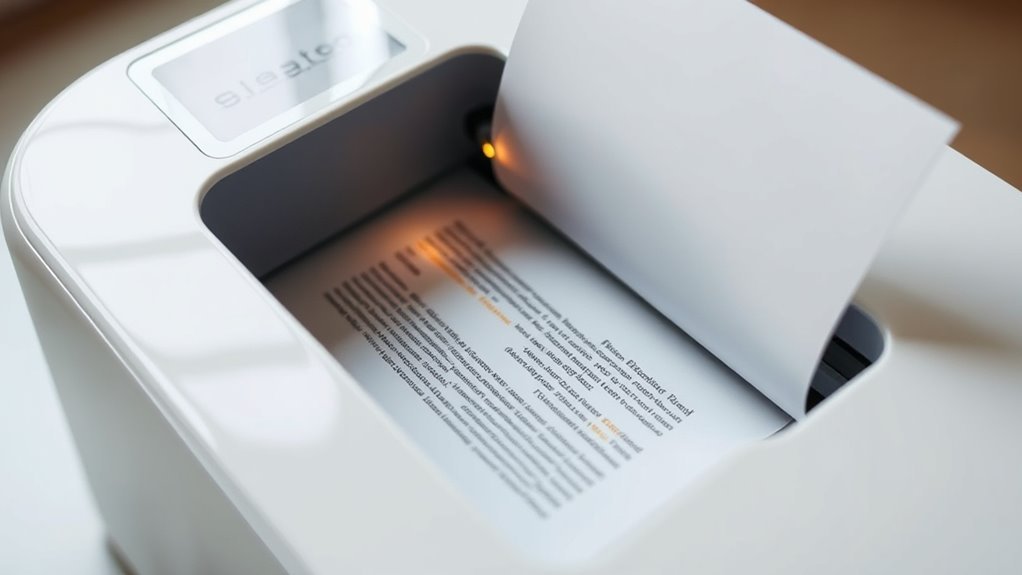
Although thermal printing might seem complex, you’ll find it straightforward once you understand the basics. Instead of using traditional ink cartridges, thermal printers rely on heat to create images or text on special paper.
Thermal printing simplifies the process by using heat on special paper instead of traditional ink cartridges.
When you send a print command, the printer’s thermal head heats up specific spots on the thermal paper. This heat causes a chemical reaction in the paper’s coating, turning those spots black or colored, forming your desired printout.
Since the process depends on heat and special paper, it eliminates the need for ink or toner. You’ll appreciate that this method reduces mess, cuts down on maintenance, and speeds up printing.
Understanding this mechanism helps you see why thermal printers operate differently from regular ink-based models. It’s pretty neat once you get how it works!
Types of Thermal Printers

You’ll encounter two main types of thermal printers: direct thermal and thermal transfer. Each uses heat differently to create images on paper or labels.
Understanding their differences helps you choose the right printer for your needs. It’s pretty handy to know which one fits your job best!
Direct Thermal Printers
Direct thermal printers use heat-sensitive paper to produce images without needing ink or ribbons. When you use one, the printer head heats specific areas of the paper, causing a chemical reaction that darkens those spots to form text or images.
This makes the printing process straightforward and low-maintenance since you don’t have to worry about ink refills or ribbon replacements. However, the paper is specially coated and more expensive than regular paper.
Also, direct thermal prints tend to fade over time, especially when exposed to heat, light, or friction. So, they’re best for short-term use like receipts or shipping labels.
If you want a simple, reliable printer without ink hassles, direct thermal printers are a solid choice. Just keep in mind their limitations in durability.
Thermal Transfer Printers
How do thermal transfer printers differ from direct thermal printers? Unlike direct thermal printers, thermal transfer printers use a ribbon coated with ink, which melts onto the paper when heated. This process requires ink, but it produces longer-lasting, more durable prints.
You’ll find thermal transfer printers ideal for printing labels and barcodes that need to withstand harsh conditions.
Here’s what sets thermal transfer printers apart:
- Use ink ribbons to transfer images onto media
- Produce high-quality, fade-resistant prints
- Compatible with various materials like paper, polyester, and vinyl
- Require ribbon replacement, adding a small maintenance step
If you need durable prints that last, thermal transfer printers are a great choice — but yes, they do need ink in the form of ribbons.
The Role of Thermal Paper in Printing

You rely on thermal paper to bring your printed images and text to life using heat-sensitive layers. Understanding the components of this paper helps you see why quality matters so much in producing clear, lasting prints.
Let’s explore how thermal paper works and why picking the right type is essential for your printing needs. It’s pretty interesting once you get into the details!
How Thermal Paper Works
Although thermal printers don’t use traditional ink, the special thermal paper plays a crucial role in creating clear images and text. When heat from the printer’s thermal head touches the paper’s coated side, a chemical reaction occurs, causing the paper to darken exactly where the heat is applied.
This reaction forms the desired patterns without any ink.
Here’s why thermal paper is indispensable for your printing:
- It contains heat-sensitive dye that changes color instantly.
- The coating ensures precise, sharp images and text.
- It eliminates the need for ink cartridges or ribbons.
- It reacts quickly, enabling fast printing speeds.
Components of Thermal Paper
The key to thermal printing lies in the carefully engineered layers of thermal paper, each designed to trigger and support the heat-activated process.
When you use thermal paper, you’re relying on a special heat-sensitive coating applied to a base paper layer. This coating contains dye and developer chemicals that react when heated, producing the image you see.
Beneath this, the durable base paper ensures the sheet holds up during printing and handling. Some thermal papers also include a protective topcoat that shields the printed image from fading, moisture, and abrasion.
Importance of Paper Quality
Understanding how thermal paper’s layers work sets the stage for appreciating why paper quality plays such a big role in printing results. When you choose high-quality thermal paper, you ensure your printer produces sharp, clear images and text.
Poor-quality paper can cause fading, smudging, or even damage to your printer’s thermal head. Here’s why paper quality matters:
- Sensitivity: Better thermal paper reacts precisely to heat, creating crisp prints.
- Durability: High-grade paper resists fading and holds prints longer.
- Smoothness: A smooth coating allows consistent heat transfer, preventing streaks.
- Compatibility: Quality paper matches your printer specifications, reducing jams and wear.
Advantages of Using Thermal Printers
When you choose a thermal printer, you benefit from faster printing speeds and reduced maintenance needs compared to traditional printers. Since thermal printers don’t require ink or toner, you save money and avoid frequent replacements.
Their compact design also makes them ideal for tight spaces. Plus, they produce less noise, creating a quieter work environment.
| Advantage | Benefit |
|---|---|
| No ink or toner | Lower operating costs |
| High speed | Quick printouts |
| Low maintenance | Less downtime |
| Compact & quiet | Fits small spaces, less noise |
These advantages make thermal printers a smart choice if you want efficiency, reliability, and cost-effectiveness in your printing tasks. It’s really all about making your printing easier and more affordable.
Common Applications for Thermal Printers
Thanks to their speed, low maintenance, and compact size, thermal printers fit perfectly into many everyday tasks. You’ll find them widely used in situations where quick, reliable printing is essential without the hassle of ink cartridges.
For instance, they’re common in retail environments for printing receipts on the spot. Shipping and logistics also use them to generate barcode labels efficiently.
In healthcare, thermal printers help print patient wristbands and labels swiftly. Food service relies on them for order tickets and kitchen receipts.
These applications benefit from thermal printers because they deliver fast results and reduce downtime. You don’t have to worry about ink drying out or replacing cartridges frequently, which keeps your workflow smooth.
Whether you’re running a busy store or managing shipments, thermal printers offer a practical solution tailored to your daily printing needs. They really make things easier when speed and reliability matter most.
Maintenance Tips for Thermal Printers
Because thermal printers rely on heat to create images, keeping the print head clean is essential to maintain print quality and prevent damage. You should clean the print head regularly using isopropyl alcohol and a lint-free cloth or a specialized cleaning pen. Avoid abrasive materials that might scratch the surface.
Also, check for dust and debris inside the printer and remove them carefully to prevent jams. Use high-quality thermal paper to reduce residue buildup. Make sure you handle the paper correctly to avoid wrinkles or misfeeds.
Regularly inspect and replace worn rollers to ensure smooth paper feeding. By following these simple steps, you’ll extend your printer’s life and enjoy consistent, clear prints without worrying about ink or toner. It’s easier than you think!
Frequently Asked Questions
Can Thermal Printers Print in Color?
Yes, some thermal printers can print in color, but they use special thermal paper with embedded dyes. You’ll find this mainly in dye-sublimation printers, which differ from standard monochrome thermal printers designed for black-and-white printing.
Are Thermal Printers Eco-Friendly?
Yes, thermal printers are eco-friendly since they don’t use ink or toner cartridges, reducing waste.
You’ll save on consumables and energy, making them a greener choice for printing receipts, labels, or tickets efficiently. Plus, less clutter means less hassle!
How Long Do Thermal Prints Last?
Imagine a receipt fading like a sunset—thermal prints usually last 5 to 7 years if kept away from heat, light, and moisture.
You’ll want to store them carefully to preserve that sharp, clear image longer.
Can Thermal Printers Print on Regular Paper?
No, you can’t print on regular paper with a thermal printer because it requires special heat-sensitive paper.
Using regular paper won’t produce an image since it lacks the coating that reacts to heat for printing.
Do Thermal Printers Require Special Software?
You usually don’t need special software for thermal printers; standard printer drivers often work fine.
However, if you want advanced features or custom labels, you might need specific software provided by the printer manufacturer. It really depends on what you’re trying to do with your printer.
Conclusion
You might expect printing always needs ink, but with thermal printers, it’s different—no ink, no ribbons, just heat and special paper.
This contrast between traditional and thermal printing shows how technology can simplify your life. While inkjet printers rely on messy cartridges, thermal printers keep things clean and efficient.
So, if you want hassle-free printing without running out of ink, thermal printers are a smart choice you’ll appreciate every time. Thermal printers don’t need ink because they use heat to create images on thermal paper. This makes them ideal for printing receipts, labels, and tickets quickly and reliably.
In summary, thermal printers offer a convenient, low-maintenance alternative to ink-based printers. They eliminate the need for ink cartridges and ribbons, reducing costs and mess. If you’re looking for an efficient printer that doesn’t require ink, a thermal printer is definitely worth considering.