11 Best Ink Tank Printers with Auto Duplex for 2027
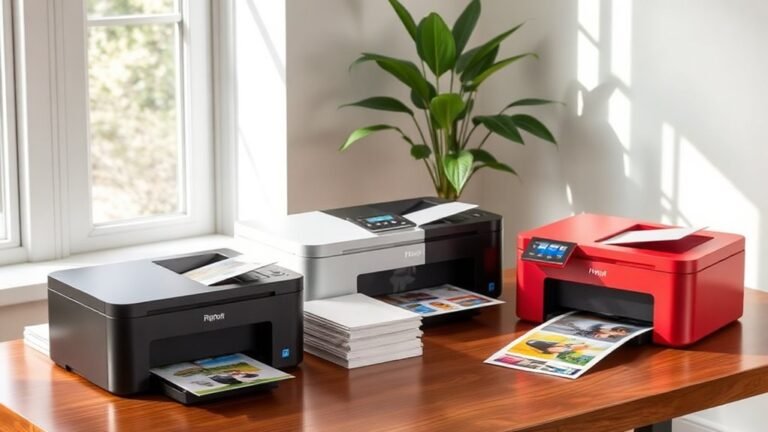
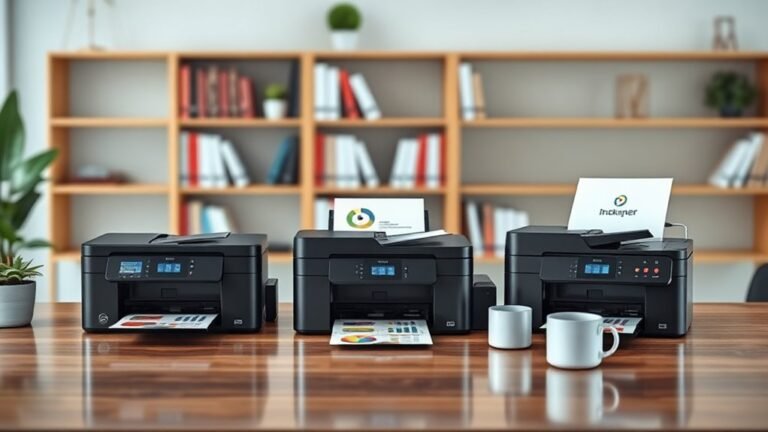
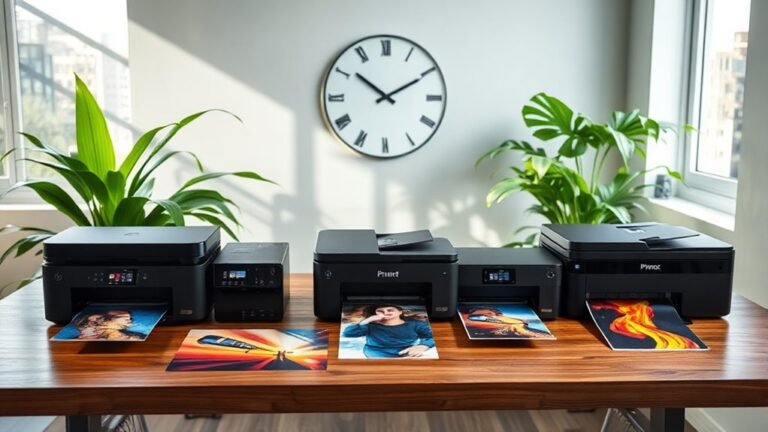
Looking for the best ink tank printers with auto duplex for 2027? You’re in the right place!
Whether you need a reliable printer for home or office use, these models have got you covered. Ink tank printers with auto duplex are perfect for high-volume printing and help you save money on ink over time.
Top picks like the Canon Megatank G3290, Epson EcoTank ET-2988, and HP Smart Tank 7603 offer easy refill systems and wireless connectivity.
Plus, their user-friendly interfaces make printing hassle-free. With features designed for efficiency and convenience, these printers are ideal for anyone wanting quality prints without the hassle.
Ready to explore your options? Let’s dive into the best ink tank printers with auto duplex capabilities so you can find the perfect fit for your printing needs in 2027.
Canon Megatank G3290 All-in-One Wireless Printer
The Canon Megatank G3290 All-in-One Wireless Printer offers an affordable solution for users who need high-volume printing without frequent ink replacements. Its integrated SuperTank system delivers up to 6,000 black-and-white and 7,700 color pages per ink set, reducing downtime and cutting ink expenses significantly. This makes it ideal for busy home offices and small businesses.
Designed for ease of use, the printer includes a 2.7-inch LCD touchscreen that simplifies navigation and operation. Automatic duplex printing enhances productivity by allowing double-sided prints, saving both time and paper. The wireless connectivity further adds convenience by enabling printing from multiple devices without cables.
Maintenance is straightforward with easily refillable ink tanks, minimizing mess and interruptions. The printer’s size and weight may require a dedicated space and some effort to reposition, but its robust build supports frequent, heavy use. Initial setup might be a bit challenging for some users, but the long-term efficiency benefits outweigh this.
Best for: Budget-conscious users seeking a reliable, high-capacity inkjet printer for frequent printing tasks.
What We Like:
- High page yield lowers ongoing ink costs.
- Intuitive 2.7” color touchscreen for easy controls.
- Automatic duplex printing saves paper and time.
- Wireless connectivity supports flexible device use.
Specification:
| Feature | Details |
|---|---|
| Manufacturer | Canon |
| Dimensions | 17.7 x 12.6 x 7.5 in |
| Weight | 14.2 lb (6.44 kg) |
| Material | Plastic |
| Color Options | Black |
Epson EcoTank ET-2988 Wireless All-in-One Printer
The Epson EcoTank ET-2988 Wireless All-in-One Printer is designed to simplify high-volume printing for families and home offices. It eliminates frequent ink replacements by delivering up to 6,600 pages in black and 5,500 pages in color. This feature helps reduce interruptions and keeps your workflow smooth.
Refilling ink is hassle-free thanks to the mess-free EcoFit bottles, which minimize spills and waste. The printer produces sharp, vibrant prints at 4800 x 1200 dpi, ensuring professional-quality documents and photos. Instant printing with zero warmup time improves efficiency.
Wireless connectivity, including Apple AirPrint and the Epson Smart Panel app, allows easy printing from multiple devices without cables. The auto duplex function and 100-sheet input tray further enhance productivity by saving paper and reducing manual handling.
Its compact design fits well in home offices, though it may be less suitable for very small spaces. The EcoTank system promotes sustainability by reducing cartridge waste, although initial setup costs can be higher than traditional printers.
Best for: Families and home offices needing reliable, cost-effective, high-volume color and black-and-white printing.
What We Like:
- High ink yield reduces refill frequency and downtime
- Crisp print quality with vibrant colors and sharp text
- Wireless printing options support multiple devices easily
- Auto duplex printing saves paper and effort
- EcoFit ink bottles offer clean, easy refills
Specification:
| Feature | Details |
|---|---|
| Manufacturer | Epson |
| Dimensions | Approx. 14.8 x 14.4 x 7.9 in |
| Weight | Approx. 10.8 lbs (4.9 kg) |
| Color Options | White |
| Connectivity | Wireless, Apple AirPrint, Epson Smart Panel app |
Canon MAXIFY GX2020 All-in-One Wireless Color Printer
The Canon MAXIFY GX2020 is designed to simplify your printing tasks while keeping costs low. Its efficient MegaTank system provides up to 3,000 pages per ink set, meaning fewer interruptions for replacements and significant savings on ink. This makes it ideal for users who print frequently but want to avoid the hassle of constant maintenance.
With fast print speeds of 15 black-and-white and 10 color pages per minute, this all-in-one printer helps you stay productive. Automatic duplex printing saves time and reduces paper waste, making it both eco-friendly and practical for busy environments. The compact design fits well in small offices or home workspaces without taking up much room.
Operating the printer is straightforward thanks to the 2.7-inch LCD touchscreen and the 35-sheet automatic document feeder. These features streamline your workflow, whether you are scanning, copying, or printing multiple pages. However, setup may require some patience, and the heavier 17.8-pound weight limits portability.
The MAXIFY GX2020 supports various media sizes but may not handle all specialty papers, so consider your specific printing needs. Overall, it delivers reliable performance with a focus on low operating costs and ease of use.
Best for: Small businesses and home offices that require efficient, high-quality printing with minimal ink expenses.
What We Like:
- High page yield reduces ink replacement frequency and cost.
- Fast black-and-white and color print speeds improve workflow.
- User-friendly touchscreen and automatic document feeder enhance ease of use.
- Automatic duplex printing saves time and paper.
- Compact design fits well in limited workspaces.
Specification:
| Feature | Details |
|---|---|
| Manufacturer | Canon |
| Dimensions (W x D x H) | Not specified |
| Weight | 17.8 lb (8.1 kg) |
| Color Options | Not specified |
| Media Compatibility | Various sizes, limited specialty papers |
Epson EcoTank ET-4800 Wireless Color All-in-One Supertank Printer
The Epson EcoTank ET-4800 redefines printing for busy home offices with its cartridge-free design and high-capacity ink tanks. This system eliminates the frequent need for ink replacements, reducing interruptions and saving time. Its sharp text and vibrant color output handle everyday documents and photos with ease, delivering quality results up to 10 pages per minute in black and white.
Maintenance is simple thanks to the EcoFit ink bottles, which allow you to print thousands of pages—up to 4,500 in black and 7,500 in color—before needing a refill. The printer uses Micro Piezo Heat-Free Technology, which produces crisp prints while minimizing waste and energy consumption. This makes it ideal for users who want consistent print quality without the hassle of cartridges.
Designed as a versatile all-in-one, the ET-4800 supports printing, scanning, copying, and faxing. Its wireless connectivity enables easy setup and use in a variety of workspace environments. While the printer’s size and initial cost may require consideration, its long-term efficiency benefits stand out.
Best for: Home offices and small businesses seeking a cost-effective, high-capacity printing solution without the hassle of traditional cartridges.
What We Like:
- Cartridge-free system reduces waste and lowers running costs
- High-capacity ink tanks allow extended printing intervals
- Multi-functionality includes printing, scanning, copying, and faxing
- Wireless connectivity for flexible placement and ease of use
- Heat-free technology improves print quality and energy efficiency
Specification:
| Feature | Details |
|---|---|
| Manufacturer | Epson |
| Dimensions | 14.8 x 13.7 x 9.8 inches |
| Weight | 11.3 lbs (5.13 kg) |
| Color Options | Black |
| Connectivity | Wi-Fi |
HP Smart Tank 7603 Ink Tank Printer | 3 Years of Ink Included | All-in-One
HP Smart Tank 7603 transforms how busy families and small offices handle printing tasks. This all-in-one ink tank printer lets you print, copy, scan, and fax with ease, streamlining your workflow. Its design solves the hassle of frequent ink replacements by including up to three years of ink, so you can print thousands of pages without interruptions.
Maintenance is simple thanks to the mess-free refill system. You won’t deal with traditional cartridges, making refills cleaner and faster. The printer’s setup is straightforward, allowing you to get started quickly and keep productivity high.
Designed for high-volume use, it handles heavy printing demands efficiently. The auto document feeder speeds up multi-page scanning and copying, while mobile printing lets you print directly from your smartphone or tablet, adding convenience to everyday tasks.
While the printer is larger than some models and has basic fax functions, it balances size and functionality well. Wireless printing may occasionally face connectivity hiccups, but its overall performance suits busy environments.
Best for: Busy families or small offices needing reliable, high-volume printing with low maintenance.
What We Like:
- Includes up to three years of ink for cost-effective printing
- Mess-free, cartridge-free ink tank refills
- Auto document feeder for faster multi-page tasks
- Mobile printing support for on-the-go convenience
- Simple setup and easy maintenance
Specification:
| Feature | Details |
|---|---|
| Manufacturer | HP |
| Dimensions (W×D×H) | Approx. 17.3 × 14.3 × 7.9 inches (44 × 36.3 × 20 cm) |
| Weight | Approx. 9.5 kg (21 lbs) |
| Ink System | Cartridge-free ink tanks |
| Color Options | Black |
Canon PIXMA G6020 All-in-One Wireless Printer
The Canon PIXMA G6020 All-in-One Wireless Printer is designed to meet the demands of families and small businesses that require reliable, high-volume printing. Its standout feature is the impressive ink yield, capable of producing up to 6,000 black and 7,700 color pages. This reduces the hassle of frequent ink replacements and lowers overall printing costs.
This printer offers versatile connectivity options, including wireless, USB, and Ethernet, allowing seamless integration with various devices. Its sharp print quality at a resolution of 4800 x 1200 dpi ensures crisp documents and vibrant images, making it suitable for both professional and personal use.
Maintenance is straightforward, supported by high-capacity ink tanks that are easy to refill, minimizing downtime. The printer’s capacity to handle up to 350 sheets means fewer interruptions during large print jobs, improving workflow efficiency.
While the PIXMA G6020 is a bit heavy at 17.8 pounds, its features and robust functionality make it a practical choice for users who prioritize cost-effective, quality printing without the need for ultra-fast speeds.
Best for: Families and small businesses looking for a cost-efficient, high-volume printer with flexible connectivity.
What We Like:
- High ink yield reduces frequent refills and lowers costs.
- Multiple connection options for easy device compatibility.
- Crisp print quality with detailed resolution.
- Large paper capacity supports extended printing sessions.
Specification:
| Feature | Details |
|---|---|
| Manufacturer | Canon |
| Dimensions | Not specified |
| Weight | 17.8 lb (8.1 kg) |
| Connectivity | Wireless, USB, Ethernet |
| Print Resolution | 4800 x 1200 dpi |
| Paper Capacity | Up to 350 sheets |
Canon Megatank GX1020 All-in-One Wireless Printer
The Canon Megatank GX1020 is designed to make printing simple and affordable. It combines printing, copying, and scanning into one wireless device, helping you save time and space. With its high page yield, you can print up to 3,000 pages per ink set, reducing the hassle and cost of frequent ink replacements.
This all-in-one printer features a 2.7″ LCD color touchscreen, allowing easy navigation through its functions. Automatic duplex printing helps you save paper without extra effort. Its compact design fits comfortably in both home offices and small workspaces.
Maintenance is straightforward with the super tank ink system, making refills quick and mess-free. The printer supports wireless connectivity, so you can print from multiple devices without cables cluttering your desk. While the black and white print speed is decent at 15 pages per minute, color printing is slower, which may affect productivity for color-heavy tasks.
Best for: Small businesses and home offices seeking a cost-effective, multifunction wireless printer with a high page yield.
What We Like:
- High page yield reduces ink costs
- Easy-to-use color touchscreen
- Automatic duplex printing saves paper
- Wireless connectivity for flexible use
- Compact design fits limited spaces
Specification:
| Feature | Details |
|---|---|
| Manufacturer | Canon |
| Dimensions | 14.7 x 9.7 x 6.1 in |
| Weight | 15.4 lb |
| Material | Plastic |
| Color Options | Black |
Epson EcoTank ET-2980 Wireless Color All-in-One Supertank Printer – Black
The Epson EcoTank ET-2980 is designed to simplify printing for busy families and small offices. Its high-capacity ink tanks reduce the hassle of frequent refills, providing up to three years of ink right out of the box. This means less downtime and more focus on your important tasks.
Maintenance is straightforward with easy-to-refill ink bottles that replace up to 90 traditional cartridges. The printer’s compact and sleek design fits comfortably in most workspaces without sacrificing functionality. It supports wireless printing through the Epson Smart Panel app, allowing you to print directly from your smartphone or tablet.
The ET-2980 also features auto-duplex printing, making double-sided documents effortless and reducing paper waste. With a sharp print resolution of 4800 x 1200 dpi, your documents and photos come out clear and vibrant. Its Energy Star certification ensures efficient power use, making it an eco-friendly choice.
Best for: families or small offices seeking an efficient, cost-saving printer with user-friendly wireless and duplex features.
What We Like:
- Long-lasting ink supply reduces refills
- Convenient wireless printing via app
- Automatic double-sided printing saves paper
- High-quality print resolution for sharp output
Specification:
| Feature | Details |
|---|---|
| Manufacturer | Epson |
| Dimensions (W×D×H) | Approx. 14.8 × 12.2 × 9.8 in (37.6 × 31 × 24.9 cm) |
| Weight | Approx. 14.3 lb (6.5 kg) |
| Color Options | Black |
HP Smart Tank Plus 651 Wireless All-in-One Printer
The HP Smart Tank Plus 651 Wireless All-in-One Printer delivers a practical solution for families and small businesses facing high-volume printing challenges. Its multifunction design lets you print, scan, copy, and fax, reducing the need for multiple devices. This all-in-one system helps streamline daily office tasks, saving time and space.
Maintenance is straightforward with its easy-access ink tank system. It comes with up to two years of Original HP Ink, ensuring consistent print quality and reducing frequent refills. This feature lowers ongoing costs and minimizes interruptions in your workflow.
Wireless connectivity lets you print directly from smartphones or laptops, enhancing convenience and flexibility. With print speeds up to 11 pages per minute, it handles everyday documents efficiently, though color prints run at a moderate pace.
While the output tray holds only 30 sheets and the unit is larger than compact models, its overall design supports steady, reliable use. The printer’s high page yield and multifunction capabilities make it a valuable addition to busy settings.
Best for: Families or small businesses needing efficient, high-volume printing with versatile functionalities.
What We Like:
- High page yield with included ink for cost-effective printing
- Multifunctional use: print, scan, copy, and fax in one device
- Wireless setup for easy mobile and remote printing
- User-friendly ink tank system simplifies maintenance
Specification:
| Feature | Details |
|---|---|
| Manufacturer | HP |
| Dimensions | Approx. 17.1 x 13.7 x 9.1 in |
| Weight | Approx. 9.7 lb |
| Color Options | White with black accents |
| Connectivity | Wireless (Wi-Fi) |
Epson EcoTank ET-4958 Wireless All-in-One Printer
The Epson EcoTank ET-4958 transforms your workspace with a cartridge-free printing system designed to cut costs and reduce waste. Its refillable ink tanks eliminate the hassle of frequent cartridge replacements, making maintenance simple and budget-friendly. This all-in-one printer handles everyday office tasks with ease, from scanning to copying and faxing.
Equipped with a 2.4″ color touchscreen and an auto document feeder, the ET-4958 streamlines multi-page jobs and offers intuitive control at your fingertips. It prints sharp black-and-white documents at up to 18 pages per minute, delivering clear text and vibrant images with a maximum resolution of 4800 x 1200 dpi.
Connectivity is flexible, supporting Wi-Fi, Ethernet, and Apple AirPrint, so you can print effortlessly from multiple devices. While its size may be bulky for smaller spaces, the robust duty cycle supports long-term productivity, making it a reliable addition to busy offices.
Best for: Busy professionals seeking a sustainable, efficient, and versatile all-in-one wireless printer for daily office use.
What We Like:
- Cartridge-free system lowers ink costs and environmental impact
- High-resolution printing for crisp text and vivid graphics
- Multiple connectivity options including Wi-Fi and mobile printing
- User-friendly touchscreen and automatic document feeder
Specification:
| Feature | Details |
|---|---|
| Manufacturer | Epson |
| Dimensions | Approximately 14.8 x 13.6 x 9.1 in (37.6 x 34.5 x 23.1 cm) |
| Weight | About 11.5 lbs (5.2 kg) |
| Color Options | White with black accents |
| Connectivity | Wi-Fi, Ethernet, Apple AirPrint |
Epson EcoTank Pro ET-5800 Wireless Color All-in-One Supertank Printer
The Epson EcoTank Pro ET-5800 is designed to boost productivity in small offices and businesses. Its wireless all-in-one capability handles printing, scanning, copying, and faxing, reducing the need for multiple devices. This streamlines your workspace and saves time.
With supersized ink tanks, the printer significantly cuts ink expenses. You can print about 6,000 color pages at just 2 cents each, lowering overall operational costs. The cartridge-free system helps maintain uninterrupted work with fewer refills.
The ET-5800 supports fast printing speeds of up to 25 ISO ppm with sharp resolution up to 4800 x 2400 dpi. Automatic duplexing and a 500-sheet paper capacity allow for efficient, high-volume tasks. This reduces manual handling and keeps workflows smooth.
Maintenance involves managing the large ink tanks, which may require more initial setup effort but offer long-term savings. The printer’s weight of 39.2 pounds means it is best positioned in a dedicated workspace rather than moved frequently.
Best for: Small offices and businesses seeking a cost-effective, multifunctional printer to handle diverse daily tasks efficiently.
What We Like:
- Cartridge-free ink tanks reduce running costs by up to 80%.
- High-quality prints at a resolution of 4800 x 2400 dpi.
- Fast print speeds up to 25 ISO ppm.
- Large 500-sheet capacity with automatic duplexing.
- Wireless connectivity simplifies device integration.
Specification:
| Feature | Details |
|---|---|
| Manufacturer | Epson |
| Dimensions | Not specified |
| Weight | 39.2 lb (17.8 kg) |
| Color Options | Not specified |
| Connectivity | Wireless |
Factors to Consider When Choosing an Ink Tank Printer with Auto Duplex

When you’re choosing an ink tank printer with auto duplex, there are several key factors to keep in mind. Reflect on print speed, page yield, and how much you’ll save on ink costs.
Don’t forget to take into account connectivity options and media handling capacity to guarantee it fits your needs. It’s all about finding the right balance that works for you.
Print Speed Considerations
Choosing an ink tank printer with auto duplex capabilities means you need to pay close attention to print speed, especially if you often handle large volumes. Typical speeds range from 5 to 15 pages per minute for color prints and 10 to 25 pages for black and white.
While auto duplexing is convenient, it can slightly reduce these speeds. High-performance models can achieve up to 18 pages per minute for black and 9 for color, making them great for high-volume printing.
Don’t forget to evaluate print resolution too; faster isn’t always better if the quality suffers. Overall, efficient duplex printing saves you time, reducing manual intervention, which is perfect for your large print jobs.
Page Yield Efficiency
Page yield efficiency is an essential factor to evaluate in an ink tank printer, especially with auto duplex capabilities. You’ll want to look at how many pages you can print per ink set, as some printers offer yields of up to 8,000 color pages or 6,600 black pages.
High-capacity ink reservoirs not only save you money but also reduce how often you need to refill—potentially saving you up to $1,000 on ink over time. Refillable tanks lower your cost per page, often around 2 cents for color and even less for black-and-white.
Plus, auto duplex printing effectively halves your paper usage, making it easier to manage high-volume printing without compromising efficiency. It’s a smart way to keep both your ink and paper costs down while getting more done.
Connectivity Options Available
High page yield efficiency is just one aspect to contemplate; connectivity options play a significant role in enhancing your printing experience. When choosing an ink tank printer with auto duplex, look for models that offer multiple connectivity options like USB, Wi-Fi, and Ethernet.
Wireless printing capabilities let you print directly from your smartphone or tablet using mobile printing apps. It’s super convenient. Just make sure the printer supports popular standards like Apple AirPrint and Mopria Print Service for smooth integration with your devices.
Some printers even feature dual-band Wi-Fi (2.4/5 GHz), which helps boost connection stability and speed. If you’re in an office with multiple users, an Ethernet connection can be a lifesaver, providing a reliable wired setup for consistent performance.
Ink Cost Savings
Ink tank printers with auto duplexing can save you a substantial amount on printing costs. These printers often boast high page yields, with some models producing up to 8,000 color pages or 6,000 black pages from a single ink set.
By using refillable bottles instead of cartridges, you’ll enjoy a lower cost per print—around 2 cents per color page compared to 14 cents with traditional cartridges. While the initial investment might seem steep, long-term savings can reach up to $1,000 on ink due to their high-capacity tanks.
Plus, the included ink supplies typically last for up to three years based on average usage, making these printers a smart choice for cost-conscious users. So, if you print a lot, these printers really pay off over time.
Media Handling Capacity
When selecting an ink tank printer with auto duplex, media handling capacity is an essential factor to take into account. This capacity typically ranges from 100 to 500 sheets. It determines how often you’ll need to replenish paper during use.
Opting for printers with larger trays, like those holding up to 250 sheets, lets you enjoy longer printing sessions without interruptions. Plus, it saves you the hassle of constantly refilling the paper tray.
Also, think about the printer’s ability to handle various media types, including photo paper, cardstock, and envelopes. This feature adds versatility for different projects you might have.
If you often scan or copy multiple pages, look for models with automatic document feeders (ADFs). They really help streamline your tasks and save time.
Finally, make sure the printer supports standard media sizes up to 8.5 x 14 inches. That way, it covers all your printing needs without any fuss.
Build Quality Assessment
Choosing an ink tank printer with auto duplex involves more than just features; build quality plays an essential role in its longevity and performance. Look for durable materials like sturdy plastics and metal components, which indicate a longer lifespan.
A well-constructed printer should have a stable base and robust hinges, ensuring smooth operation and reducing mechanical failure risks. Heavier models often denote better build quality, as they typically contain more substantial internal parts.
Also, a thoughtful design allows easy access to ink tanks and maintenance areas, which really helps enhance user experience. Don’t forget to check user reviews and expert evaluations for insights on print head durability and resilience. These factors can considerably affect your printer’s longevity.
Warranty and Support
How can you guarantee your investment in an ink tank printer with auto duplex is protected? Start by looking for models with longer warranty periods, ideally around three years, to cover defects over time.
Some printers offer warranties based on page yield, which is great if you print a lot. Check the availability of customer support; effective channels can make a big difference in resolving issues.
A solid return policy can also provide peace of mind, allowing you to return the printer if it doesn’t meet your expectations. And finally, be cautious about using third-party ink, as some brands may void your warranty if you go that route.
Make informed choices to safeguard your investment!
User-Friendly Features
Investing in an ink tank printer with auto duplex means looking for features that really make your printing experience better. A color touchscreen display is great because it makes navigation simple and adjusting settings a breeze.
Automatic duplex printing is a must-have. It saves you time and paper by handling double-sided printing without any extra effort on your part.
You’ll also want built-in wireless connectivity, like Wi-Fi and mobile app support. This lets you print seamlessly from your smartphone or tablet, which is super convenient.
Easy-access ink tanks with mess-free refill systems are a lifesaver. They make ink replacement quick and spill-free, so you don’t have to worry about any mess.
And don’t forget about integrated scanning and copying functions. These add versatility and let you manage multiple tasks from one device without any complications.
All these features combined make your printing tasks smoother and way more efficient.
Frequently Asked Questions
What Is the Cost of Replacement Ink for These Printers?
Replacement ink costs typically range from $10 to $30 per bottle, depending on the brand and color. You’ll find that ink tank systems usually offer more cost-effective options than traditional cartridge-based printers.
Honestly, if you’re looking to save money in the long run, ink tank printers are usually the way to go. They might cost a bit more upfront, but the replacement ink is way cheaper.
How Do Ink Tank Printers Compare to Traditional Cartridge Printers?
Imagine you’re printing hundreds of pages for a project. Ink tank printers offer lower cost-per-page and higher ink capacity than traditional cartridges.
This makes them more efficient and economical for heavy users like you. So, if you print a lot, an ink tank printer could save you both time and money.
Are These Printers Compatible With Mobile Printing Apps?
Yes, most ink tank printers are compatible with mobile printing apps. You can easily print from your smartphone or tablet.
This makes it super convenient to print wirelessly from anywhere in your home or office. No need to be tied down to your desk!
What Are the Average Page Yields for These Ink Tanks?
You’d think ink tanks would run dry in a flash, but they often yield 6,000 to 7,500 pages.
Can I Print Photos on These Ink Tank Printers?
Yes, you can print photos on ink tank printers. They often deliver vibrant colors and sharp details, making them great for photography.
Just make sure you’re using high-quality photo paper for the best results. That really helps bring out the colors and crispness in your prints.
Conclusion
In wrapping up, choosing the right ink tank printer with auto duplex can truly elevate your printing experience. Imagine effortlessly printing vibrant documents while saving both time and money on ink!
Whether you lean towards Canon or Epson, each option comes with unique features tailored to your specific needs. So, why settle for less when you can enjoy top efficiency and outstanding print quality right at your fingertips?
An ink tank printer with auto duplex is a game-changer for busy homes and offices alike. Dive into your printing journey today and see the difference these printers can make in convenience and cost-effectiveness!