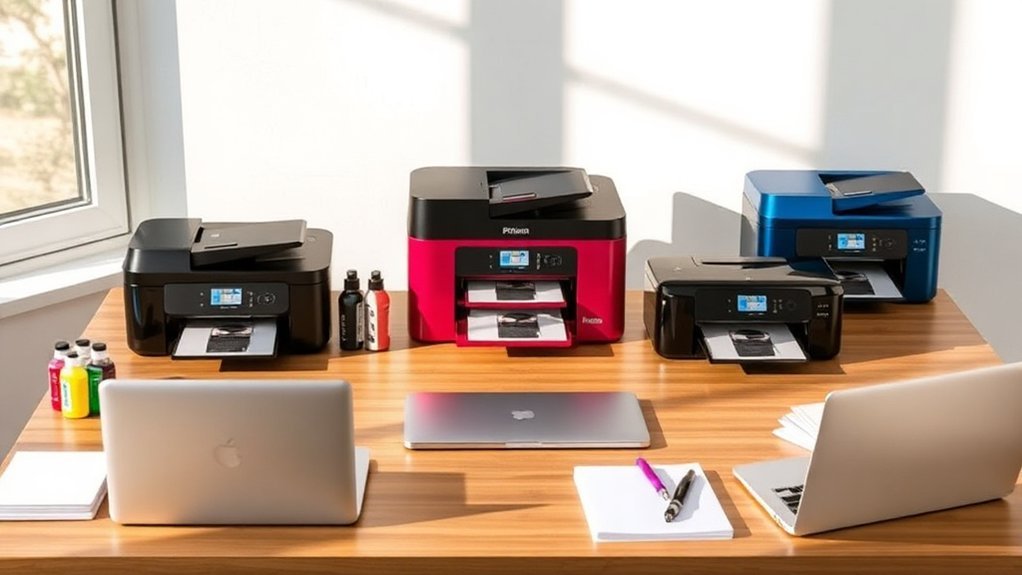
5 Best Refillable Ink Printers for Home Use in 2027
In 2027, the best refillable ink printers for home use are a game-changer for anyone looking to save money and reduce waste.
Top models like the Epson EcoTank ET-4800, HP Smart Tank 5003, and Canon MegaTank G3270 stand out for their cost-saving features and eco-friendly designs. These printers deliver high-quality prints with vibrant colors, making them perfect for all your home printing needs.
You’ll love how easy it is to refill these printers without any mess or hassle.
Plus, they offer impressive print speeds that keep up with your busy lifestyle. Don’t forget to check out the compatible ink solutions like the Epson 522 and EPSON 542 ink packs, which fit these models perfectly.
Take your time exploring all the options to find the refillable ink printer that suits you best!
Epson EcoTank ET-4800 Wireless Color All-in-One Supertank Printer
The Epson EcoTank ET-4800 is designed to meet the needs of home and small office users who require an all-in-one solution. It combines printing, scanning, copying, and faxing in a single wireless device. This printer’s refillable EcoFit ink bottles help reduce waste and lower ink costs, allowing you to print thousands of pages without interruption.
Its Micro Piezo Heat-Free Technology ensures sharp text and vibrant colors while keeping energy consumption low. With print speeds up to 10 pages per minute for black and white and 5 for color, it handles everyday tasks efficiently. The wireless setup simplifies connectivity, making it easy to print from multiple devices.
Maintenance is straightforward thanks to its cartridge-free design. You won’t need to worry about frequent replacements or complicated ink changes. This printer is a practical choice for users focused on sustainability and cost savings without sacrificing functionality.
Best for: Home and small office users looking for a versatile, eco-friendly all-in-one printer with low running costs.
What We Like:
- Cartridge-free ink system reduces waste and expenses
- Efficient print speeds suitable for typical home office tasks
- All-in-one functionality covers printing, copying, scanning, and faxing
- Wireless connectivity supports flexible device use
Specification:
| Feature | Details |
|---|---|
| Manufacturer | Epson |
| Dimensions (W×D×H) | 14.8 × 13.7 × 9.8 inches |
| Weight | 11.3 lbs (5.1 kg) |
| Color Options | White |
| Connectivity | Wireless, USB |
HP Smart Tank 5003 Ink Tank Printer | 3 Years of Ink Included | All-in-One
The HP Smart Tank 5003 Ink Tank Printer offers a practical solution for families who need reliable printing without constant interruptions. Its cartridge-free design means you can refill ink easily and print up to three years without worrying about replacements. This reduces downtime and lets you focus on everyday tasks.
With printing speeds of 10 pages per minute for black-and-white documents, it handles typical home printing needs efficiently. The printer produces clear text and vibrant colors at a resolution of up to 4800 x 1200 dpi, ensuring your documents and photos look sharp and professional.
Connecting your devices is simple with Wi-Fi and USB options, allowing mobile printing from smartphones and tablets. Its compact design fits well in any room, making it a convenient choice for households with limited space.
While the print speed may be slower for color prints and the copy function has a 99-page limit, the overall ease of maintenance and long-lasting ink supply make it a solid option for daily use.
Best for: Families seeking an easy-to-maintain all-in-one printer with extended ink supply and reliable print quality.
What We Like:
- Cartridge-free ink tank system for hassle-free refilling
- High-resolution prints with vivid colors and sharp text
- Compact size fits comfortably in home environments
- Wireless and USB connectivity for versatile device use
Specification:
| Feature | Details |
|---|---|
| Manufacturer | HP |
| Dimensions | Compact design (exact size not specified) |
| Weight | Not specified |
| Ink System | Refillable ink tank |
| Print Resolution | Up to 4800 x 1200 dpi |
| Print Speed | 10 ppm (black-and-white) |
| Connectivity | Wi-Fi, USB |
Canon MegaTank G3270 All-in-One Wireless Color Printer
Discover a home printer that combines efficiency and versatility in a sleek design. The Canon MegaTank G3270 All-in-One Wireless Color Printer is built to simplify your printing tasks while saving you time and money. Its compact size fits neatly into any space, making it ideal for home offices.
This printer solves the hassle of frequent ink replacements with its MegaTank refillable ink system, offering up to two years of ink. You can print documents and vibrant color photos without worrying about ongoing ink costs. It prints clearly at 11 pages per minute in black and 6 pages per minute in color, meeting typical home and small office demands.
Connectivity is seamless with both USB and Wi-Fi options, allowing easy printing from multiple devices. The 1.35” LCD display provides straightforward navigation for quick setup and operation. It also supports various media types, including glossy photo paper and card stock, which expands its usefulness.
While the printer handles standard media sizes up to 8.5 x 14 inches, it may not suit users needing larger format prints. Print speeds are modest, especially for color pages, but the cost savings and ink longevity balance this limitation.
Best for: Home users and small offices needing an affordable, all-in-one wireless printer that reduces ink replacement frequency.
What We Like:
- MegaTank system delivers up to two years of ink, cutting replacement costs.
- Compact footprint fits well in limited spaces.
- Supports multiple media types including photo paper and card stock.
- Easy wireless and USB connectivity options.
- Simple LCD interface for quick operation.
Specification:
| Feature | Details |
|---|---|
| Manufacturer | Canon |
| Dimensions | Compact design (exact size not specified) |
| Weight | Not specified |
| Print Speed | 11 ppm black, 6 ppm color |
| Resolution | Up to 4800 x 1200 dpi |
| Connectivity | USB, Wi-Fi |
| Display | 1.35” LCD |
| Max Media Size | 8.5 x 14 inches |
Epson 522 Genuine EcoTank Ink Bottle 4 Color Combo Pack T522120-BCS
Epson’s 522 Genuine EcoTank Ink Bottle Combo Pack is designed to meet the demands of high-volume printing with ease. Its ultra-high capacity bottles reduce the need for frequent refills, allowing you to focus on your work without interruption. The EcoFit design ensures spill-free refilling, making maintenance simple and mess-free.
This combo pack includes one black and three color bottles (cyan, magenta, yellow) to deliver sharp text and vibrant images. It is compatible with select Epson EcoTank printers, providing an efficient alternative to traditional cartridges. By requiring fewer replacements, it saves time and reduces waste.
Ideal for busy households and small offices, this ink set supports consistent, high-quality output. Its thoughtful design and functionality help maintain smooth operation and minimize downtime. While the initial setup may cost more, the long-term convenience and volume capacity offer practical benefits.
Best for: households and small offices needing a reliable, high-capacity ink solution for frequent printing.
What We Like:
- High-capacity ink bottles reduce refill frequency
- Spill-free EcoFit design for easy maintenance
- Produces sharp text and vibrant color prints
- Compatible with multiple EcoTank printer models
Specification:
| Feature | Details |
|---|---|
| Manufacturer | Epson |
| Dimensions | Bottle size varies |
| Weight | Varies by bottle |
| Color Options | Black, Cyan, Magenta, Yellow |
EPSON 542 EcoTank Pro Ink Color Combo Pack
The EPSON 542 EcoTank Pro Ink Color Combo Pack is designed to keep your printing smooth and uninterrupted. Its ultra-high capacity bottles help you avoid frequent refills, which is perfect during busy days or critical print jobs. The pack includes cyan, magenta, and yellow inks, each with a yield of about 300 pages, ensuring consistent output for everyday needs.
Refilling your EcoTank printer is hassle-free thanks to the EcoFit design. This feature reduces spills and mess, making maintenance simple and quick. Using genuine Epson ink means you get sharp text and vibrant colors every time, ideal for professional documents or colorful projects.
This combo pack works specifically with models like the ET-5150 and ET-5800, providing reliable performance tailored to these printers. While it supports high-quality printing, the page yield and model compatibility might not fit very heavy users or those with other printer types.
Overall, this ink combo pack balances convenience and quality, helping you maintain smooth printing operations without frequent interruptions or complicated upkeep.
Best for: Busy households and small offices that need dependable, high-quality ink with minimal hassle.
What We Like:
- High capacity bottles reduce refill frequency.
- EcoFit design ensures easy, mess-free refills.
- Genuine Epson ink delivers crisp text and vibrant colors.
- Tailored compatibility ensures optimal printer performance.
Specification:
| Feature | Details |
|---|---|
| Manufacturer | Epson |
| Compatible Models | ET-5150, ET-5800 |
| Ink Colors | Cyan, Magenta, Yellow |
| Page Yield | Approx. 300 pages/color |
| Bottle Capacity | Ultra-high capacity |
Factors to Consider When Choosing a Refillable Ink Printer for Home Use
When you’re choosing a refillable ink printer for home use, several factors come into play. You’ll want to think about print quality, ink costs, and how fast the printer can produce documents.
Plus, consider connectivity options and the overall size and design to fit your space. It’s all about finding the right balance that works for your needs.
Print Quality Importance
Choosing a refillable ink printer for home use means you need to prioritize print quality. Look for printers with high resolutions, like 5760 x 1440 dpi. These produce sharper text and vibrant colors, which are essential for professional documents and photos.
Also, consider the technology behind the printer. Printers using Micro Piezo Heat-Free Technology provide consistent droplet placement and reduce ink waste. This helps enhance the overall quality of your prints.
Pay attention to color accuracy and vibrancy too. High-quality ink formulations really make a difference in how your prints look.
Don’t forget to factor in the type of media you’ll use. Glossy photo paper or high-resolution paper affects how the ink absorbs and impacts the final output.
Finally, regular maintenance is key. Cleaning print heads often helps avoid streaks and faded prints, so your print quality lasts longer.
2. Ink Cost Efficiency
Print quality isn’t the only factor to weigh when selecting a refillable ink printer; ink cost efficiency plays a significant role too. Refillable ink systems can save you up to $1,000 over time compared to traditional cartridges.
Many models offer high ink yields, allowing you to print thousands of pages—up to 7,500 color pages and 4,500 black pages—before needing a refill. The cost per page is often lower, with some systems providing around 6,000 black-and-white pages for a minimal investment in ink.
Plus, refillable ink bottles generally have a higher capacity, meaning fewer replacements and less frequent purchases. By choosing a refillable printer, you’re also contributing to environmental sustainability by reducing cartridge waste.
3. Print Speed Considerations
How quickly do you need your documents? Print speed is vital for home use, especially if you frequently print. Most refillable ink printers average between 5 to 10 pages per minute for both color and black-and-white prints.
A faster print speed can cut down on waiting time, which is especially beneficial for families or home offices with multiple printing demands. Keep in mind that black-and-white prints often come out quicker than color ones.
Additionally, while higher print resolutions offer better quality, they can slow down your output. If you print regularly, you’ll want a model that meets your speed needs. Occasional users might find slower speeds acceptable.
Prioritize accordingly to guarantee efficiency.
4. Connectivity Options Available
What connectivity options do you need for your home printer? Many refillable ink printers offer USB, Wi-Fi, and Ethernet connections, giving you flexibility in your setup.
Wireless connectivity lets you print from anywhere in your home and supports popular services like Apple AirPrint and Google Cloud Print, making mobile printing a breeze.
If you prefer a stable connection, Ethernet is ideal, especially for a networked home office with multiple devices. Additionally, some models feature app-based controls, allowing you to manage print jobs directly from your smartphone or tablet.
Just make sure your printer is compatible with various operating systems so it works seamlessly with your laptops, PCs, and smartphones, no matter the platform.
5. Size and Design
Choosing the right size and design for your refillable ink printer can make a big difference in your home setup. Compact models, usually between 14 to 22 inches wide, fit easily on desks without taking up too much space.
They typically weigh around 11 to 13 pounds, making them portable yet stable. This makes them great for different environments.
Look for designs that let you easily access ink tanks. Printers with uniquely keyed bottles help prevent spills during refills, which is super convenient.
An aesthetically pleasing printer can also boost your office’s look. You’ll find options in various colors and styles to match your personal taste.
Plus, a user-friendly layout with clear control panels and color displays makes navigation easy. This will definitely improve your overall printing experience.
6. Warranty and Support
Warranty and support are essential factors when selecting a refillable ink printer for home use. Look for a warranty that lasts from one year to several years, often covering specific page limits.
Make sure it includes support for parts and labor, as this can greatly affect repair costs down the line. Check the return policy; many manufacturers offer a satisfaction guarantee period of about 30 days for easy returns if the printer doesn’t meet your expectations.
Additional online support, such as troubleshooting resources and user guides, can also be invaluable for quick issue resolution. Finally, verify that the warranty covers the use of genuine ink, since using third-party inks might void it and impact print quality.
7. Environmental Impact Factors
When considering a refillable ink printer for home use, it’s important to think about its environmental impact. These printers considerably cut down on cartridge waste, reducing the amount of plastic that ends up in landfills.
Traditional ink cartridges contribute around 1.3 billion pounds of plastic waste each year. On the other hand, refillable systems can yield thousands of pages before needing a refill.
Models like EcoTank or MegaTank offer impressive page yields—up to 7,500 color pages—which means fewer replacements overall. Plus, refillable ink bottles have a lower carbon footprint during production and transport.
Many also use environmentally friendly, water-based inks. These result in lower VOC emissions compared to traditional options, making them a greener choice for your home.
Frequently Asked Questions
How Long Do Refillable Ink Printers Typically Last?
Refillable ink printers typically last around five to seven years with proper care. You’ll find their longevity depends on usage frequency and maintenance.
Regularly cleaning and using quality ink can help extend their lifespan. It’s really about keeping them in good shape so they keep working well for you.
Can I Use Third-Party Ink With These Printers?
Can you imagine saving money on ink? Yes, you can use third-party ink with refillable printers, but make sure it’s compatible.
Otherwise, it might damage your printer or void the warranty. Choose wisely!
Are Refillable Ink Printers Eco-Friendly?
Yes, refillable ink printers are eco-friendly. They reduce waste by using less plastic and minimize the need for single-use cartridges.
How Often Do I Need to Refill the Ink?
You’ll need to refill the ink every few weeks to months, depending on your usage. Regular printing means more frequent refills, while light use extends the time between refills.
Just keep an eye on your ink levels! That way, you won’t run out unexpectedly.
Do Refillable Ink Printers Support Mobile Printing?
Yes, refillable ink printers do support mobile printing. You can easily print from your smartphone or tablet using Wi-Fi or compatible apps.
It’s pretty convenient when you need to print documents on-the-go. Just connect and print without any hassle!
Conclusion
In conclusion, choosing the right refillable ink printer for your home is like finding the perfect pair of shoes—comfort and fit are key. With options like the Epson EcoTank ET-4800 and Canon MegaTank G3270, you’ll enjoy both quality and savings.
Think about your printing needs and budget, and you’ll easily find a model that suits you. Investing in a refillable ink printer not only streamlines your printing but also lightens your environmental footprint.
So, if you want a reliable, cost-effective printer that’s easy to refill and eco-friendly, these refillable ink printers for home use in 2027 are definitely worth considering. You’ll save money, reduce waste, and get great prints every time.