How Long Does Ink Last in Printer and How to Maximize It
Your printer ink typically lasts from a few hundred to over a thousand pages, depending on how often you use it and the type of cartridge you have. Ink longevity can vary a lot based on printing habits and the quality of your printer.
To get the most out of your ink, it’s important to handle cartridges with care and be mindful of your printing settings.
To maximize printer ink life, store cartridges sealed in a cool, dry place away from direct sunlight. Print only what you need to avoid wasting ink, and switch to draft mode for non-critical documents to save even more.
Also, make sure to turn off your printer properly to prevent the ink from drying out inside the cartridge. Keep an eye out for fading or streaks on your prints—they usually mean your ink is running low.
Stick around to learn smarter ways to extend your ink’s lifespan and keep your print quality sharp.
Key Takeaways
- Ink cartridge lifespan varies from 200 to over 1,000 pages depending on type and usage conditions.
- Store cartridges sealed in original packaging in a cool, dry place away from sunlight to preserve ink quality.
- Print quality fading, streaks, or printer low ink alerts indicate cartridges need replacement soon.
- Use draft mode, clean print heads regularly, and turn off the printer properly to extend ink life.
- Match ink type to paper and printing purpose to maximize durability and reduce unnecessary ink waste.
Factors Influencing Printer Ink Longevity
Although printer ink can last a long time under ideal conditions, several factors influence its longevity. You’ll notice that environmental conditions, like temperature and humidity, play a big role; extreme heat or moisture can cause ink to dry out or degrade faster.
Printer ink longevity depends heavily on environmental conditions like temperature and humidity, which can accelerate drying and degradation.
How often you use your printer matters too—if you leave it unused for weeks, the ink can clog or evaporate. The type of ink matters as well; pigment-based inks tend to last longer than dye-based ones.
Also, the printer model impacts ink preservation since some machines are designed to seal cartridges better. Finally, how you store your ink cartridges when not in use affects their lifespan.
Keeping these factors in mind helps you avoid premature ink wastage. It’s all about giving your printer and ink a bit of TLC!
Average Lifespan of Ink Cartridges
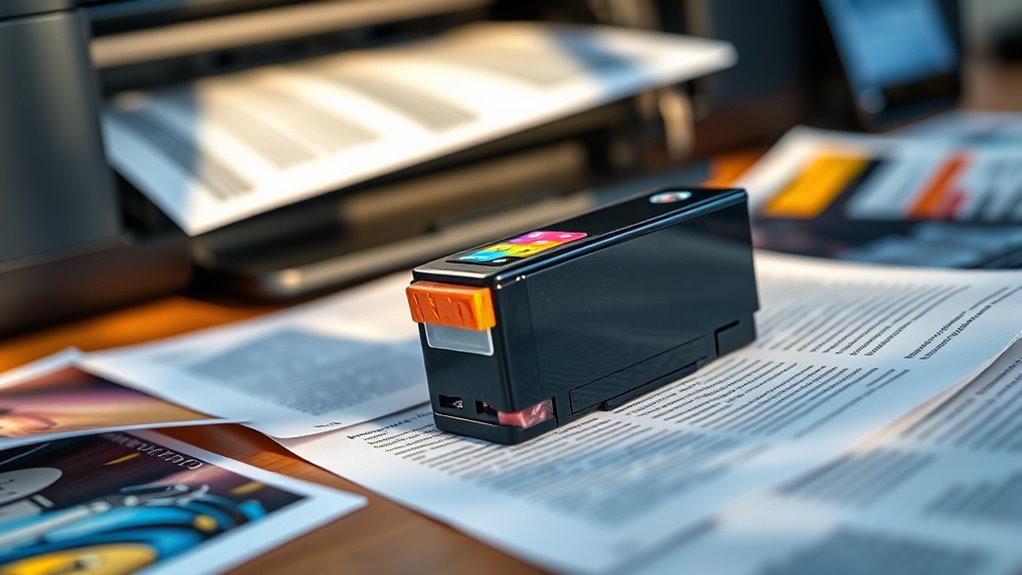
You’ll find that most ink cartridges last anywhere from a few hundred to over a thousand printed pages, depending on usage. Factors like print settings and storage conditions can shorten or extend their lifespan.
Keep an eye out for faded colors or streaks, as these signs usually mean it’s time to replace your cartridge. It’s pretty easy to spot when your cartridge is running low!
Typical Cartridge Duration
When you consider how long an ink cartridge lasts, several factors come into play, including your printing habits and the type of documents you produce.
On average, a standard ink cartridge lasts between 200 to 400 pages, but this can vary widely.
Below is a quick reference to typical cartridge durations for common printer types:
| Printer Type | Page Yield (Approx.) | Usage Scenario |
|---|---|---|
| Inkjet Standard | 200 – 300 pages | Home/Office casual use |
| Inkjet High Yield | 400 – 500 pages | Frequent printing |
| Laser Color | 1000 – 1500 pages | High volume color docs |
| Laser Black & White | 2000 – 3000 pages | Text-heavy printing |
| Photo Printer | 100 – 200 pages | High-quality photos |
Knowing this helps you plan cartridge replacements better. So, you won’t run out of ink unexpectedly!
Factors Affecting Lifespan
Understanding the typical page yield gives you a general idea of cartridge life, but several factors can shorten or extend how long your ink lasts. The type of documents you print matters: photos or graphics use more ink than plain text.
Your printer’s settings also play a role—higher quality or color-intensive modes consume ink faster. Environmental conditions like heat and humidity can affect ink evaporation and drying times.
How often you print impacts lifespan too; infrequent use may cause ink to dry inside the cartridge. Additionally, the brand and model of your cartridge influence capacity and efficiency.
Signs of Expiry
How can you tell if your ink cartridge is nearing the end of its life? Usually, you’ll notice fading prints, streaks, or missing colors.
Your printer might also show low ink warnings or error messages. These signs mean it’s time to replace the cartridge to keep your print quality sharp.
| Sign | What It Means | Action to Take |
|---|---|---|
| Faded Prints | Ink running low | Replace cartridge |
| Streaks or Lines | Clogged or drying ink | Clean print heads or replace |
| Missing Colors | Cartridge empty or faulty | Replace cartridge |
| Printer Alerts | Ink level low or error | Check and replace cartridge |
Signs That Ink Is Running Low
You’ll notice print quality starts to fade or streak when your ink is running low. Your printer might also display alerts or indicators warning you to replace the cartridge soon.
Paying attention to these signs helps you avoid unexpected print interruptions. It’s always better to swap out the cartridge before it runs completely dry. That way, your printing stays smooth and hassle-free.
Print Quality Changes
When does your printout start looking faded or streaky? That’s usually the first sign your ink is running low. You might notice colors aren’t as vibrant, or lines appear incomplete.
Text can become blurry or uneven, making documents hard to read. Images may look patchy, with missing sections or inconsistent shading. These changes happen because the printer isn’t getting enough ink to produce solid, consistent output.
If you ignore these signs, print quality worsens, and you risk wasting paper and ink on unusable pages. Paying attention to these quality shifts helps you swap cartridges timely, ensuring sharp, professional results every time you print. Keep an eye on your printouts to catch these subtle clues early.
Printer Alerts and Indicators
Wondering how your printer lets you know it’s time to replace the ink? Most modern printers give clear alerts when ink runs low. You’ll often see a warning message on your computer screen or the printer’s display panel.
Some models have indicator lights that blink or change color to signal low ink levels. Additionally, your printer’s software may show estimated ink percentages, helping you track usage in real-time.
Ignoring these alerts can lead to faded prints or complete ink depletion mid-project. So, it’s really important to pay attention to these signs.
Regularly checking these indicators helps you plan ink replacements and maintain consistent print quality without interruption. That way, you won’t be caught off guard when the ink runs out.
Best Practices for Extending Ink Life
Although ink cartridges vary in size and capacity, you can considerably extend their lifespan by adopting a few simple habits.
First, print only what you need—avoid unnecessary pages and use draft mode when quality isn’t critical. Regularly cleaning your print heads prevents clogs that waste ink.
Also, turn off your printer properly instead of unplugging it abruptly, which keeps the ink from drying out. When printing, select black-and-white mode unless color is essential, as color cartridges often empty faster.
Additionally, avoid frequent small print jobs that cause the printer to use ink for maintenance cycles.
Storage Tips to Preserve Ink Quality
To keep your ink cartridges in top condition, store them in a cool, dry place away from direct sunlight and extreme temperatures. Avoid places like windowsills or near heating vents.
Keep cartridges sealed in their original packaging until you’re ready to use them. Humidity can also affect ink quality, so aim for a consistent environment.
Here’s a simple guide to help you visualize ideal storage:
| Storage Location | Temperature Range | Humidity Level |
|---|---|---|
| Closet | 15–25°C (59–77°F) | 40–60% |
| Drawer | 15–25°C (59–77°F) | 40–60% |
| Original Packaging | Stable, cool | Sealed, dry |
| Away from Sunlight | Avoid direct sun | Maintain dryness |
| Avoid Garage/Basement | Avoid extremes | Avoid dampness |
Following these tips really helps preserve ink quality and extends cartridge lifespan. So, keeping your cartridges stored right is worth the effort!
Choosing the Right Ink for Your Printing Needs
How do you pick the right ink for your printer and specific projects? Start by checking your printer’s manual or manufacturer’s website to find compatible ink types. Using original manufacturer ink often guarantees the best quality and longevity, but high-quality third-party inks can save money if chosen carefully.
Consider your printing needs: for documents, standard dye-based ink works well, while pigment-based ink is better for photos and longevity. If you print occasionally, get ink with a longer shelf life to avoid frequent replacements.
Also, match ink to your paper type for ideal results. Choosing the right ink reduces waste, maintains print quality, and extends your printer’s life. So, invest some time in selecting ink that fits your specific needs.
Frequently Asked Questions
Can Expired Ink Cartridges Damage My Printer?
Yes, expired ink cartridges can damage your printer by clogging nozzles or leaking.
You should always replace them promptly to avoid these issues and keep your printer running smoothly without costly repairs.
How Do Environmental Conditions Affect Ink Drying Time?
Imagine printing in a humid room—your ink takes longer to dry. You’ll notice moisture slows drying time, causing smudges.
Is Refilling Ink Cartridges Cost-Effective Versus Buying New Ones?
Refilling ink cartridges can save you money, but it sometimes risks print quality and cartridge damage.
If you print often, buying new cartridges might be more reliable. Consider your usage and quality needs before deciding.
Does Printer Brand Affect Ink Consumption Rates?
Yes, printer brand does affect ink consumption rates. For example, Epson printers can use up to 30% less ink than some competitors.
You’ll save ink by choosing brands known for efficient cartridge designs and settings. It really pays off to pick a printer that’s designed to be economical with ink.
Can Software Updates Influence Ink Usage Efficiency?
Yes, software updates can improve ink usage efficiency by optimizing print settings and reducing unnecessary ink consumption.
You should keep your printer’s firmware updated to benefit from these enhancements and extend your ink’s lifespan. It’s a simple way to get more out of your ink without changing anything else.
Conclusion
Think of your printer ink as the lifeblood of your creations—without it, your ideas fade into silence. By understanding what drains your ink and adopting smart habits, you can stretch every drop like a painter stretching a canvas.
Store cartridges properly, watch for low-ink signs, and choose the right ink to keep your prints vibrant and clear. With care, your printer’s colors will dance longer, turning every page into a masterpiece.
Maximizing printer ink life means knowing how to store ink cartridges correctly and recognizing when ink is running low. Using the right type of ink not only enhances print quality but also prevents waste. By following these simple tips, you can ensure your printer ink lasts longer, saving money and avoiding frustrating print jobs that end prematurely. Remember, a well-maintained printer with properly managed ink will deliver vibrant, clear prints every time, making your creative projects truly shine.