7 Steps to Make Custom Shaped E Ink Displays
To make custom shaped E Ink displays, start by defining your display’s shape and size based on how you plan to use it and the space available. Consider the dimensions carefully to ensure it fits perfectly.
Then, select the right E Ink technology that matches your needs for clarity and flexibility.
Next, design your layout with clear graphics and choose compatible substrates like plastic or glass. This helps your display look sharp and last longer.
After that, develop custom driver electronics tailored specifically to your unique shape. This step is crucial for making sure your display works smoothly.
Build prototypes and rigorously test them for quality and performance. Testing helps catch any issues early.
Finally, refine your manufacturing and assembly process to guarantee consistent results every time. Keep exploring to uncover detailed steps and tips along the way!
Key Takeaways
– Define the display’s shape, size, use, and location, keeping in mind space constraints, resolution needs, and how easily it can be read.
Think about where the display will live and what it needs to show clearly.
– Select suitable E Ink technology and flexible or rigid substrates based on the desired shape and environmental durability.
Choosing the right materials is key to making sure your display lasts and works well in its setting.
– Design the layout with high-contrast graphics and vector files. Make sure there’s a clear visual hierarchy so information stands out effectively.
Good design helps your message get through without confusion.
– Develop electronics with custom driver circuits, firmware, and flexible connectors tailored to the unique pixel layout and shape.
This step ensures your display actually functions the way you want it to.
– Prototype your design, test for issues like ghosting, and validate performance.
Fix any problems, then finalize your manufacturing and quality control processes to make sure everything runs smoothly.
Define Your Display Shape and Size
Before you begin designing your custom E Ink display, you need to clearly define its shape and size. Start by considering where and how you’ll use the display, as this will influence its dimensions.
Think about whether you want a traditional rectangular shape or something more unique like circular or irregular. Keep in mind that complex shapes might increase production costs or affect readability.
Measure the exact space available, ensuring your design fits comfortably without crowding other components. Don’t forget to factor in the resolution you’ll need, since size impacts pixel density and clarity.
Select the Appropriate E Ink Technology
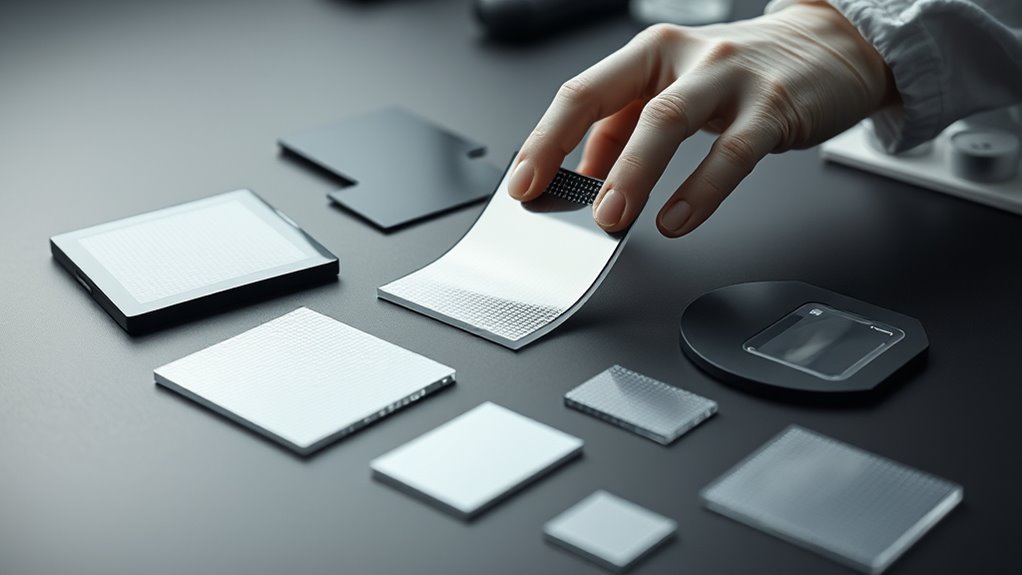
You’ll need to compare different types of E Ink technologies to find the one that fits your project’s needs. Consider how flexible the display must be, especially if your design requires bending or shaping.
Selecting the right technology early will save you time and ensure better performance. It’s worth taking the time to explore your options before making a decision.
Compare E Ink Types
How do you choose the right E Ink technology for your custom display? Start by comparing key types like E Ink Carta, E Ink Pearl, and E Ink Kaleido. Carta offers high contrast and fast refresh, ideal if you need sharp black-and-white images.
Pearl is cost-effective with decent contrast but slower refresh rates. Kaleido adds color capability, perfect if your design requires vibrant visuals. Also, consider the resolution and power consumption each type offers, matching them to your project’s needs.
Don’t forget to check availability for custom shapes and sizes since not all technologies support extensive customization. By weighing contrast, color, refresh speed, and customization options, you’ll pick the E Ink type that best fits your display’s purpose and performance requirements.
Evaluate Display Flexibility
Although choosing the right E Ink technology is crucial, evaluating the display flexibility guarantees your custom shape and size needs are met without compromising performance. You need to consider how much bending or twisting your display can endure, especially if your design demands curved or irregular shapes.
Flexible E Ink displays use plastic substrates instead of glass, letting you mold them to fit unique forms. However, flexibility often affects resolution and durability, so balance these factors carefully.
Test sample displays under real-world conditions to ensure they maintain image quality and responsiveness when flexed. Keep in mind that some E Ink variants are inherently rigid, limiting shape options.
Design the Display Layout and Graphics
Before finalizing your custom E Ink display, focus on designing a layout that balances functionality with visual appeal. Start by mapping out the essential information your display must show, considering readability and user interaction.
Use high-contrast graphics and clean fonts to guarantee clarity on the E Ink screen, which performs best with simple visuals. Keep in mind the unique shape and size constraints, arranging elements to maximize space without overcrowding.
Incorporate visual hierarchy so users can quickly identify critical data. Test your graphics in grayscale since E Ink screens typically don’t support full color.
Finally, prepare your design files in vector format to maintain sharpness and flexibility during production. This thoughtful design approach ensures your custom E Ink display is both effective and attractive.
Choose Suitable Substrate and Materials
You’ll need to pick the right substrate based on your design’s needs, balancing options like glass, plastic, or flexible films.
Think about how each material works with your E Ink components and what environmental stresses it must endure.
Keep durability and flexibility in mind to make sure your display performs well in its final shape.
Substrate Options Overview
Selecting the right substrate is essential for crafting custom-shaped E Ink displays, as it directly affects flexibility, durability, and overall performance. You’ll typically choose between glass, plastic films, or flexible polymers.
Glass offers excellent clarity and stability but lacks flexibility, making it suitable for rigid designs. On the other hand, plastic films like PET provide lightweight, bendable options, which are ideal for curved or wearable displays.
Flexible polymers such as polyimide excel in heat resistance and durability. They’re perfect for complex shapes requiring repeated bending.
Each substrate type comes with trade-offs in cost, processing temperature, and mechanical properties. By understanding these options, you can better match your display’s intended use and shape requirements.
That way, your custom E Ink display performs reliably in its final application.
Material Compatibility Factors
Understanding how your chosen substrate interacts with other materials is key to building a reliable custom-shaped E Ink display. You need to verify compatibility to prevent issues like delamination, poor adhesion, or electrical failures.
Here’s what to consider:
- Adhesion Properties: Check if the substrate bonds well with conductive inks and encapsulants.
- Thermal Expansion: Match materials with similar expansion rates to avoid stress during temperature changes.
- Chemical Resistance: Choose substrates and coatings resistant to solvents and processing chemicals.
- Electrical Compatibility: Verify the substrate doesn’t interfere with the E Ink’s electrical performance or cause shorts.
Durability and Flexibility Considerations
When designing custom-shaped E Ink displays, durability and flexibility play crucial roles in guaranteeing long-term performance and user satisfaction. You need to select substrates that can withstand bending and environmental stress without compromising functionality.
Materials like flexible polyimide or polyethylene terephthalate (PET) offer excellent mechanical resilience and maintain display integrity over repeated flexing. Avoid brittle substrates that may crack or delaminate.
Additionally, consider protective coatings that shield the display from moisture, dust, and abrasion. Balancing flexibility with structural support ensures your display retains its shape while enduring daily use.
Develop Custom Driver Electronics
Since custom shaped E Ink displays often have unique pixel arrangements and voltage requirements, you’ll need to design driver electronics tailored specifically to those parameters. Start by analyzing the exact pixel layout and electrical needs of your custom shape.
Then, select a driver IC or develop a custom circuit that can handle these specifications efficiently. Next, focus on integrating flexible connectors and making sure the voltage levels are optimized for your display’s longevity and performance.
Finally, implement control firmware that can manage refresh rates and partial updates accurately.
- Analyze pixel layout and voltage requirements.
- Choose or create a compatible driver IC/circuit.
- Integrate flexible connectors and optimize voltage.
- Develop control firmware for precise updates.
Taking this custom approach ensures reliable operation and really helps maximize your display’s unique design.
Prototype and Test the Display Functionality
Before moving forward, you’ll want to build a prototype of your custom shaped E Ink display to verify its functionality. Start by assembling the display with your custom driver electronics and connecting it to a test controller.
Power up the prototype and run basic display tests to check for uniformity, pixel response, and refresh rates. Pay close attention to how the display handles partial updates and shifts, as these can reveal integration issues.
Use diagnostic software to analyze signal timing and voltage levels. Take note of any defects like ghosting or dead pixels.
Testing in different lighting conditions helps guarantee readability. Iterate as needed, adjusting your driver code or hardware connections based on test results.
This hands-on validation is vital before finalizing your design.
Finalize Manufacturing and Assembly Process
How do you guarantee your custom shaped E Ink displays are ready for large-scale production? You finalize the manufacturing and assembly process with precision.
First, establish a robust production workflow that integrates your design specifications and testing feedback. This sets a strong foundation for everything that follows.
Start with a solid production workflow that combines design specs and testing insights to build a strong foundation.
Second, choose reliable suppliers and verify component quality to avoid defects. It’s all about making sure each part meets your standards before moving forward.
Third, set up automated assembly lines to maintain consistency and speed while reducing errors. Automation can really boost efficiency here.
Fourth, implement strict quality control protocols at every stage to catch issues early and ensure performance standards. Keeping a close eye on quality means fewer surprises down the line.
Frequently Asked Questions
How Durable Are Custom Shaped E Ink Displays in Extreme Weather?
You’ll find custom shaped e-ink displays quite durable in extreme weather since they resist temperature fluctuations and moisture well.
However, you should still protect them from direct impact and prolonged exposure to harsh conditions for best performance.
Can Custom E Ink Displays Be Recycled or Are They Environmentally Friendly?
You can recycle custom e ink displays, but it depends on local facilities. Not all places accept them, so it’s good to check first.
They’re more environmentally friendly than traditional displays since they use less power and materials. Still, proper recycling helps reduce their environmental impact even more.
What Is the Typical Lifespan of a Custom Shaped E Ink Display?
Don’t worry about durability—custom shaped e-ink displays typically last around 5 to 10 years with proper care. You’ll enjoy long-lasting performance since their low power usage and stable materials minimize wear and tear over time.
Basically, these displays are built to keep going without much fuss. So, as long as you handle them gently, they should serve you well for years!
Are There Software Limitations for Graphics on Custom E Ink Shapes?
Yes, you’ll face software limitations with custom e-ink shapes since standard graphics libraries often assume rectangular displays. You’ll need specialized drivers and tailored code to handle irregular shapes and guarantee proper rendering and refresh behavior.
It’s not just a simple tweak; the software has to understand the unique layout. Otherwise, you might see glitches or inefficient updates. So, getting the right tools and custom code is key to making those shapes work smoothly.
How Do Custom Shaped E Ink Displays Compare Cost-Wise to Standard Ones?
Custom shaped e-ink displays usually cost more than standard ones because you’ll need specialized manufacturing and design adjustments.
You’ll face higher setup fees and longer lead times, but the unique shapes can justify the extra expense. It’s basically a trade-off between cost and customization.
Conclusion
By following these seven steps, you’ll bring your custom-shaped e-ink display to life like an artist shaping clay—transforming ideas into sleek, functional screens. Each phase, from defining your shape to final assembly, guarantees your vision stands out with crisp clarity and seamless performance.
Stay hands-on and test thoroughly. Don’t rush the process; patience and precision are key. With these, your unique e-ink display will shine.
Custom-shaped e-ink displays offer endless possibilities for innovation. By carefully crafting each step, you ensure your design is both visually striking and highly functional. Whether for wearables, signage, or smart devices, your custom display will captivate attention and perform flawlessly. Embrace the process, and watch your ideas come to life with crisp clarity and seamless integration. Your dedication to detail will make all the difference in creating a standout e-ink display tailored perfectly to your needs.