How Long Do Ink Cartridges Last
Ink cartridges typically last anywhere from a few weeks to several months, depending on how often you print and what you print. The lifespan of your ink cartridge can vary quite a bit based on your printing habits.
Frequent, high-quality, or color-heavy printing burns through ink faster, while occasional black-and-white drafts stretch cartridge life.
Storing cartridges properly and managing print settings can also help you get more out of them. Simple tweaks like lowering print quality for drafts or using draft mode can save a surprising amount of ink.
If you want to understand what else affects lifespan and how to save ink, there’s quite a bit more to explore. Let’s dive into some handy tips and tricks!
Key Takeaways
- Ink cartridge lifespan varies widely, typically lasting from a few hundred to over a thousand pages depending on printer type and cartridge capacity.
- Frequent, high-quality, or color printing consumes ink faster, reducing cartridge life compared to occasional or draft-mode printing.
- Environmental factors like temperature and humidity affect ink drying and cartridge performance, influencing how long cartridges last.
- Proper storage in cool, dry conditions with sealed packaging extends unused cartridge longevity by preventing ink drying or thickening.
- Print quality deterioration and low-ink warnings signal cartridge replacement is needed to maintain clear, consistent printing results.
Factors Affecting Ink Cartridge Lifespan
Although ink cartridges vary by brand and type, several key factors determine how long yours will last. First, how often you print plays a big role—frequent printing uses more ink, shortening cartridge life.
The type of documents you print matters too; images and photos use more ink than simple text. Your printer settings also affect ink consumption; higher quality or color printing drains ink faster.
Environmental conditions like temperature and humidity can impact ink drying and cartridge performance. In conclusion, the cartridge’s initial capacity and whether you use genuine or compatible cartridges influence longevity.
Average Duration of Ink Cartridges in Different Printers
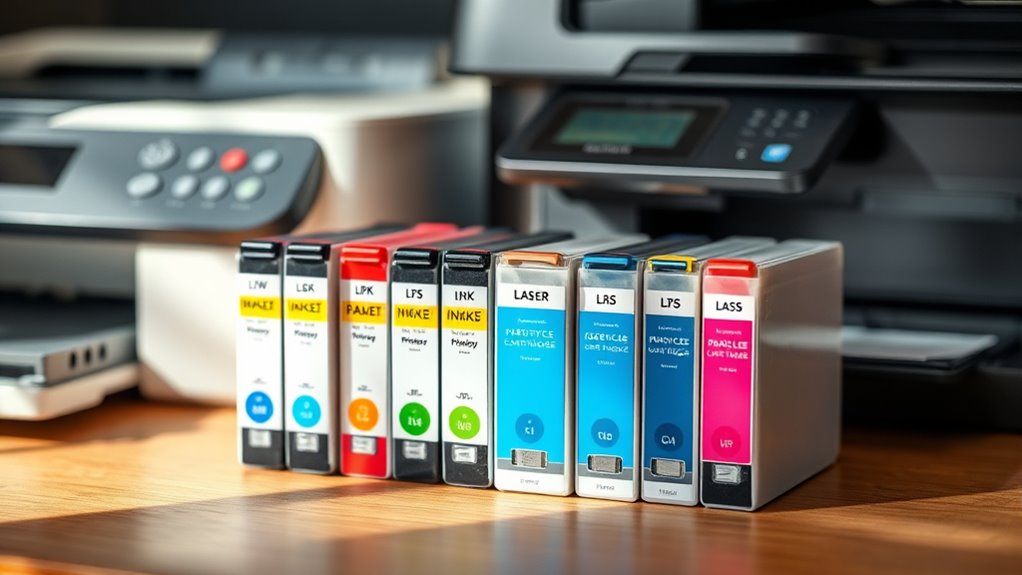
You’ll notice that the type of printer you use greatly affects how long your ink cartridges last. Different printers have varying cartridge yields, meaning some will run out faster than others.
Understanding these differences helps you plan your replacements more effectively. So, it’s good to know what to expect from your specific printer model.
Printer Type Impact
Since different printer types use ink cartridges in various ways, the average duration of your cartridges can vary considerably. Understanding how your printer type affects ink consumption helps you manage replacements better.
- Inkjet Printers: These use tiny droplets of ink. They often require more frequent cartridge changes if you print in color or high quality.
- Laser Printers: They use toner, not ink cartridges, so their longevity is measured differently. Usually, toner lasts longer than inkjet cartridges.
- All-in-One Printers: These combine printing, scanning, and copying. They often consume ink faster, especially when you use functions like fax or frequent photo printing.
Knowing your printer type’s impact on cartridge life ensures you’re prepared and avoid unexpected printing interruptions. It’s always good to stay ahead and keep an eye on your ink levels!
Cartridge Yield Variations
When you consider how long your ink cartridge lasts, you’ll notice that yield varies widely depending on the printer model and usage patterns. Some printers use ink more efficiently, stretching cartridge life, while others consume more ink with frequent cleaning cycles or high-resolution printing.
For example, inkjet printers typically have lower yields than laser printers, but within inkjets, models differ based on nozzles and ink system design. Your printing habits also play a role—printing mostly text uses less ink compared to photos or graphics.
Additionally, cartridges labeled as “high yield” or “XL” offer more pages per cartridge, so choosing the right cartridge can extend your printing time. Understanding these variations helps you plan replacements and manage costs effectively.
How Printing Habits Influence Cartridge Usage
Although ink cartridges have a general lifespan, your printing habits play a crucial role in determining how quickly they run out. If you print frequently or in large volumes, you’ll notice cartridges empty faster.
On the other hand, occasional printing can stretch cartridge life but might cause clogging issues. The type of documents you print also matters—colorful images consume more ink than simple text.
Consider these habits to manage cartridge usage better:
- Printing in draft mode for internal documents reduces ink consumption.
- Avoid unnecessary color prints; stick to black and white when possible.
- Regularly printing small amounts helps prevent ink drying inside cartridges.
Storage Tips to Extend Ink Cartridge Life
Your printing habits affect how fast ink cartridges run out, but how you store them also plays a big role in preserving their life. To keep your cartridges fresh, store them in a cool, dry place away from direct sunlight.
Avoid extreme temperatures, as heat can dry out ink, and cold can cause it to thicken. Keep cartridges sealed in their original packaging or airtight containers until you’re ready to use them.
If you remove a cartridge, cover the ink nozzles with plastic wrap or a protective cap to prevent drying. Also, store cartridges upright to minimize leaks and maintain ink flow.
Following these tips helps you get the most out of each cartridge, reducing waste and saving money over time. It’s a simple way to make your ink go further!
Signs Your Ink Cartridge Needs Replacement
You’ll notice your prints looking faded when it’s time to replace your ink cartridge. Your printer might also show warning messages or low ink level indicators.
Paying attention to these signs helps you avoid poor print quality and unexpected interruptions. It’s always better to swap out the cartridge sooner rather than later. That way, your prints come out crisp and clear every time.
Faded Print Quality
A clear sign that your ink cartridge needs replacement is faded print quality. When your documents or photos start looking washed out or dull, it means the ink is running low.
You might notice uneven colors or missing sections in your prints, which can be frustrating if you need crisp, professional results.
Look out for these common indicators:
- Light or patchy areas where ink should be solid
- Color shifts that make images look off or unnatural
- Streaks or lines appearing across printouts
If you spot any of these issues, it’s time to swap out your cartridge. Replacing it promptly ensures your prints stay sharp and vibrant, avoiding wasted paper and time on poor-quality results.
Warning Messages Displayed
How can you tell if an ink cartridge is about to fail without checking the print quality? Your printer often gives you clear warning messages when ink runs low or the cartridge malfunctions. You might see alerts like “Replace Ink Cartridge,” “Low Ink,” or “Ink Cartridge Error” on the printer’s display screen or your computer.
These warnings are your printer’s way of telling you it’s time to swap cartridges. Ignoring them can lead to printing interruptions or damage. Some printers won’t print at all until you replace the cartridge after such warnings.
Ink Levels Indicator
Wondering how to spot when your ink cartridge is running low before your printer warns you? The ink levels indicator on your printer or in its software helps you track the remaining ink so you’re never caught off guard.
This tool often shows a visual gauge or percentage that drops as you print. Keep an eye out for these common signs:
- Faded or streaky prints signaling low ink
- Ink level warnings appearing on your computer or printer display
- Ink cartridges physically feeling lighter if you remove them
Cost-Effective Strategies for Managing Ink Usage
Since ink can be one of the most expensive parts of printing, you’ll want to adopt strategies that stretch your cartridges further without sacrificing quality. Start by printing in draft mode for everyday documents; it uses less ink and still produces readable text.
Printing in draft mode saves ink and maintains readability, helping your cartridges last longer without losing quality.
Use black-and-white printing whenever possible to save color ink. Regularly clean your print heads to prevent clogs that waste ink.
Avoid unnecessary prints by reviewing documents on screen first. You can also adjust font types and sizes—simple fonts like Arial consume less ink.
Consider buying high-yield cartridges or subscribing to ink delivery services for better pricing. Finally, store cartridges properly when not in use to prevent drying out.
Frequently Asked Questions
Can Expired Ink Cartridges Damage My Printer?
Yes, expired ink cartridges can damage your printer by clogging nozzles or causing poor print quality. You should replace them promptly to avoid issues and keep your printer running smoothly without costly repairs.
It’s really best not to wait too long once your cartridges have expired. Doing so helps prevent any annoying problems and keeps your printer in top shape. So, swapping out old ink cartridges quickly is a smart move!
Are Third-Party Ink Cartridges Reliable?
Like trusting a new captain, third-party ink cartridges can be hit or miss. You might save money, but reliability varies.
It’s wise to check reviews and warranties before setting sail with them in your printer. Better safe than sorry, right?
How Do I Recycle Used Ink Cartridges?
You can recycle used ink cartridges by returning them to the manufacturer’s program, dropping them off at local recycling centers, or using mail-in recycling kits.
Many office supply stores also accept cartridges for recycling.
It’s pretty easy to find a convenient option near you. Just check the store or center’s recycling policies before you go!
Does Printer Firmware Affect Cartridge Lifespan?
You might think your printer’s firmware is plotting against your ink like a soap opera villain, but nope—it mainly manages cartridge performance.
Can Refilled Cartridges Cause Print Quality Issues?
Yes, refilled cartridges can cause print quality issues because the ink may not match your printer’s specifications.
You might notice streaks, smudges, or fading since the cartridge components could degrade over time or be incompatible.
It’s a bit like using the wrong fuel in a car—it might run, but it won’t run smoothly. So, if you want the best results, matching the right ink to your printer really matters.
Conclusion
Understanding how long your ink cartridges last helps you get the most bang for your buck. By paying attention to your printing habits and storing cartridges properly, you can stretch their life well beyond the average.
Keep an eye out for signs that your ink’s running dry—don’t wait until the last drop. With a few simple strategies, you’ll avoid burning a hole in your wallet and keep your prints looking sharp every time.
Ink cartridges typically last anywhere from a few weeks to several months, depending on usage. Heavy printing, especially photos or color documents, uses more ink than simple text pages. Also, storing cartridges in a cool, dry place can prevent them from drying out prematurely.
By understanding how long ink cartridges last and practicing good maintenance, you save money and reduce waste. So, stay mindful of your printing needs and cartridge care to enjoy crisp, clear prints without constantly replacing your ink cartridges.